Indie game storeFree gamesFun gamesHorror games
Game developmentAssetsComics
SalesBundles
Jobs
TagsGame Engines
(+1)

Let's say I have a grid widget like this:
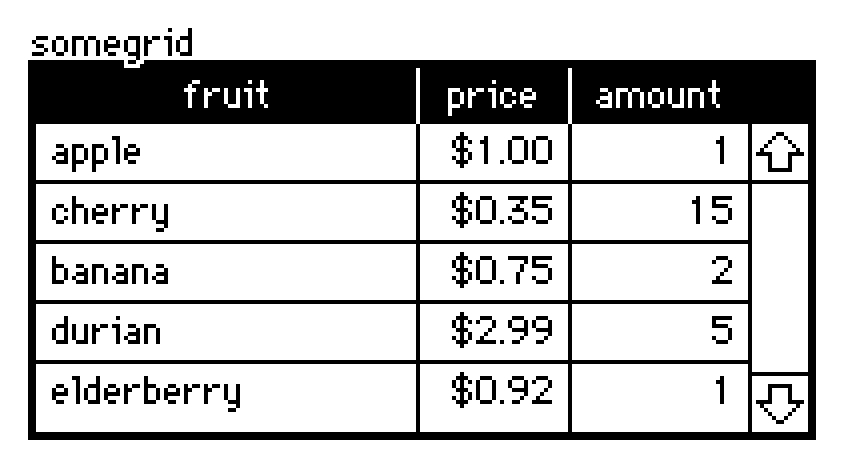

The .value attribute of a grid widget is a table value.

Tables can be indexed by a string (a column name) to retrieve a column as a list, or by a number (a row number) to retrieve a row as a dictionary:

somegrid.value[1]
# {"fruit":"cherry","price":0.35,"amount":15}
somegrid.value.price
# (1,0.35,0.75,2.99,0.92)

Thus, if you want a specific cell, you can index by row and then column, or column and then row, whichever way you find convenient:

somegrid.value[1].price  # 0.35
somegrid.value.price[1]  # 0.35

Any questions?
(+1)

No questions yet, I've got it working now! Thank you for you help!

(+1)

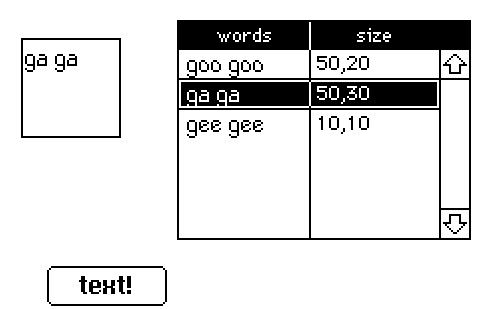
Ok actually I ran into a weird hiccup. I'm able to call on specific cells for text just fine, but when it comes to the size I'm just not able to get it to read properly. When I try to specify a cell under size, it glitches out the size of the field and makes it disappear. (code im trying below just as example to make sure im not messing up something small lol)

on click do    
   n:random[0,1,2]    
   field.value: grid.value.words[n]    
   field.size: grid.value.size[n] 
end

Weirdly, it "works" when I don't specify a cell, but it takes the first numbers of the first two cells in the column rather than the numbers from one cell.

on click do    
n:random[0,1,2]    
field.value: 
grid.value.words[n]    
field.size: grid.value.size 
end

I tried to put the size in a different grid, but I ran into the same issue.

(+2)

I suspect that what's happening is you've placed e.g. the string "50,20" into a cell rather than a pair of numbers.

There are several ways of converting a string of comma-separated numbers into a proper list. For example,

"%i,%i" parse "50,20"
0 + "," split "50,20"
eval["50,20"].value     # (this is opening a walnut with a sledgehammer)

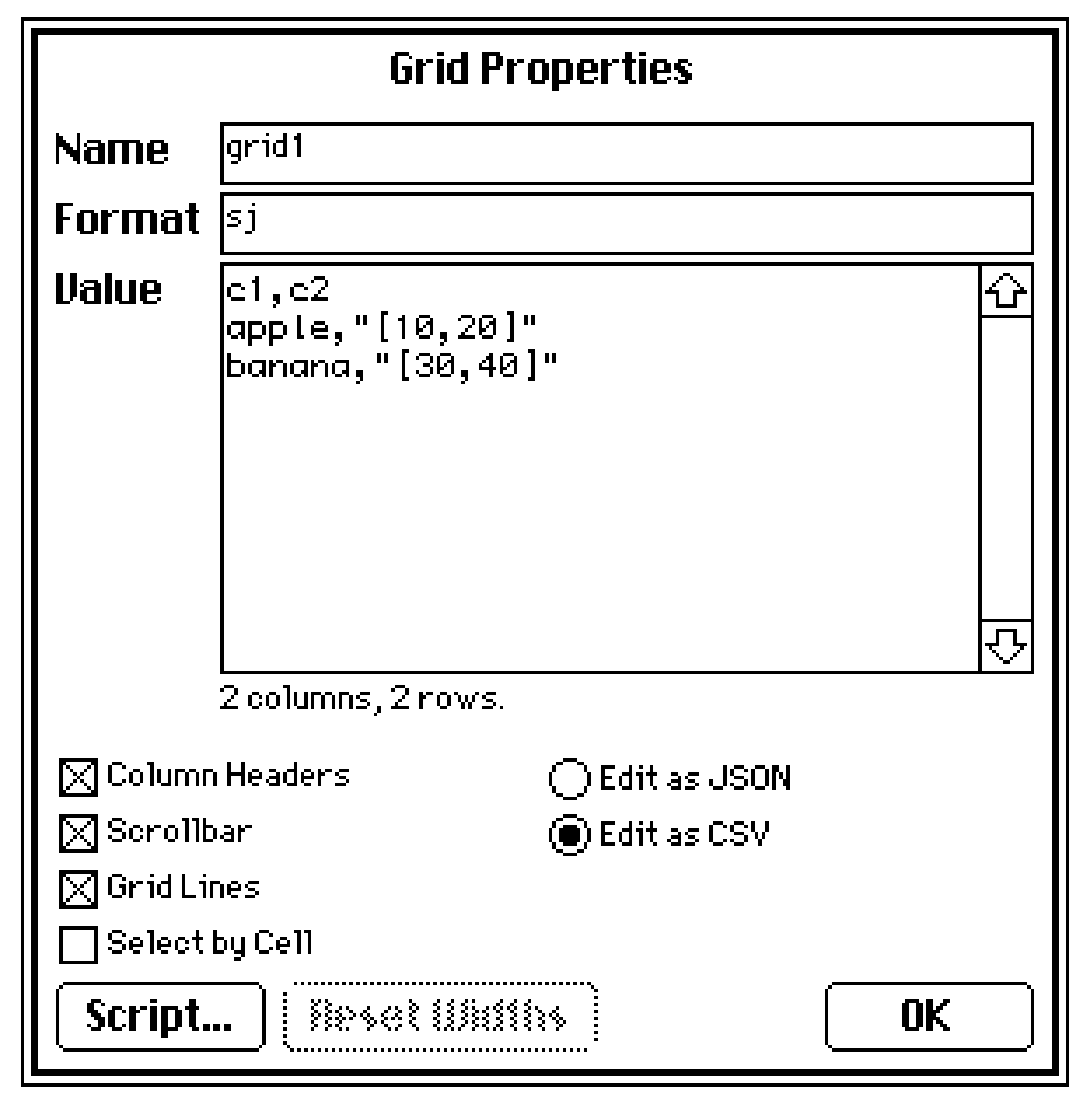
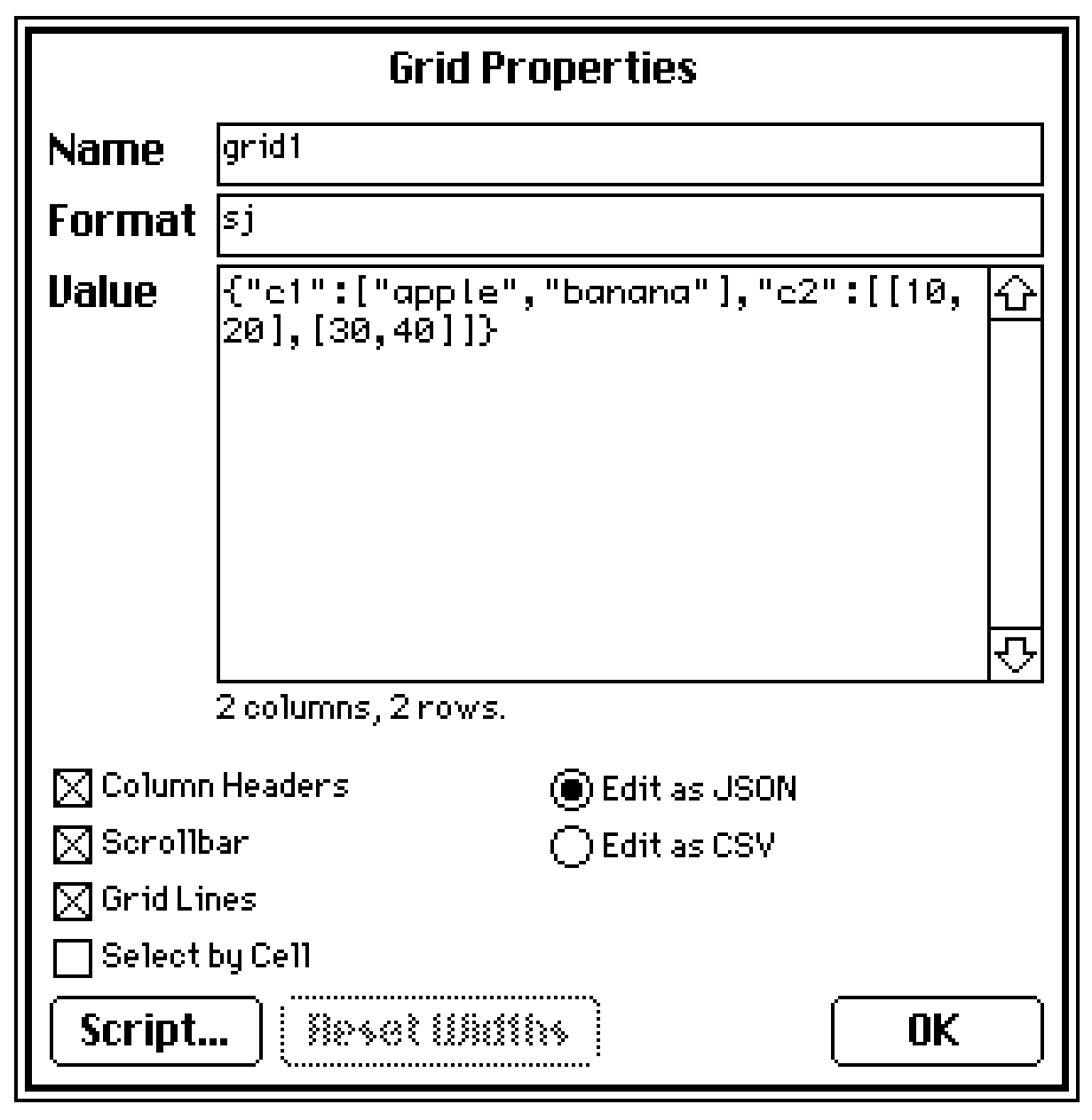
Alternatively, if you want to store structured data within a grid cell, you can specify a column's format as "j" (JSON data) or "J" (LOVE data, a superset of JSON) and then enter your pairs like so in CSV mode:


or like so in JSON mode:

(+2)

It works! Thank you!