Indie game storeFree gamesFun gamesHorror games
Game developmentAssetsComics
SalesBundles
Jobs
TagsGame Engines

Non-Destructive Localization - Plugin for RPG Maker MV/MZ

Auto generate translation file and translate your game without replacing your in-editor text · By Sang Hendrix

[ANSWERED] About language switching for option command names

A topic by ちき created Jan 24, 2026 Views: 338 Replies: 7
Viewing posts 1 to 4
(1 edit)

Hello,

Thank you very much for creating and sharing this plugin. I am using it extensively, and it has been very helpful for my project.

I have a question regarding localization of option command names, such as “Always Dash”.

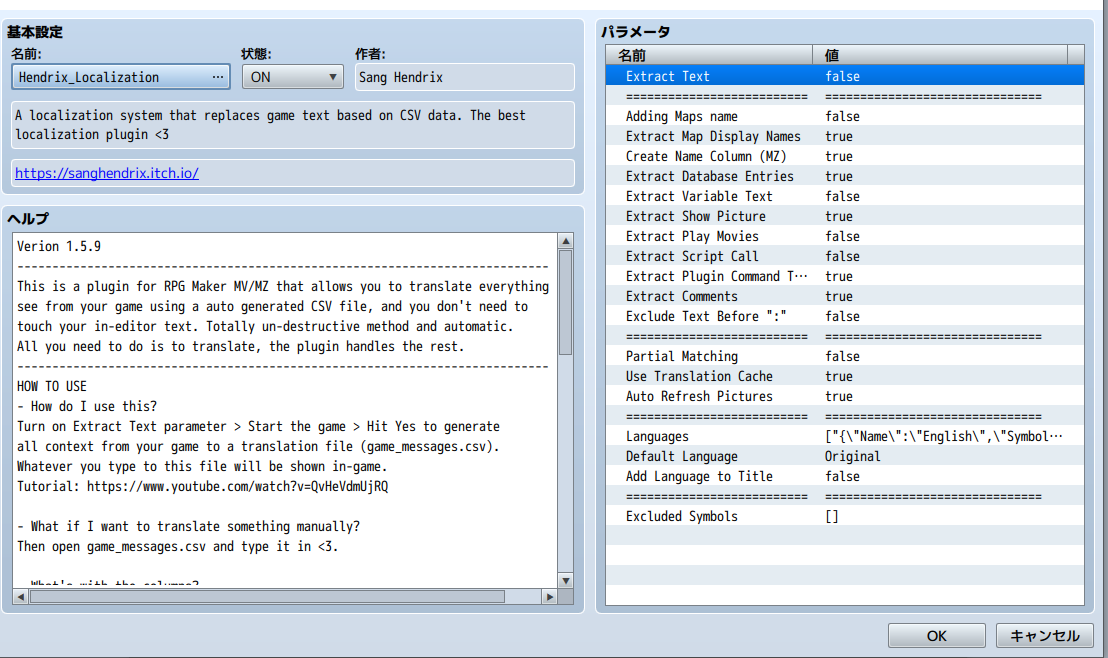
I tried adding a new entry to the CSV file with the following values:

  • Original (jp): 常時ダッシュ
  • en: Always Dash

However, when I switch the in-game language from Japanese to English, the option name does not change to “Always Dash”. This makes me think that my approach may be incorrect.

I also had difficulty localizing title commands. As a workaround, I used the CGMZ_TitleCommandWindow plugin and switched the text via script depending on the selected language.

My questions are:

  • Is it possible to localize option command names, title commands, or menu commands via the CSV file using Hendrix_Localization?
  • Or are these UI elements outside the scope of automatic text extraction and replacement?

I may be misunderstanding how the plugin is intended to be used, as I am still learning. I would greatly appreciate it if you could let me know the correct approach, or whether this is currently unsupported.

Thank you very much for your time.
Developer (1 edit)

Hello. The plugin can translate commands from default RPG Maker menu. If you use another plugin that modify Scene Option then you'd need to modify that plugin's code, wrap the text drawing part with Hendrix_Localization(text). It's best to capture some screenshot or record a video and send them to Discord so I can see more clearly.

Thank you very much for your support.

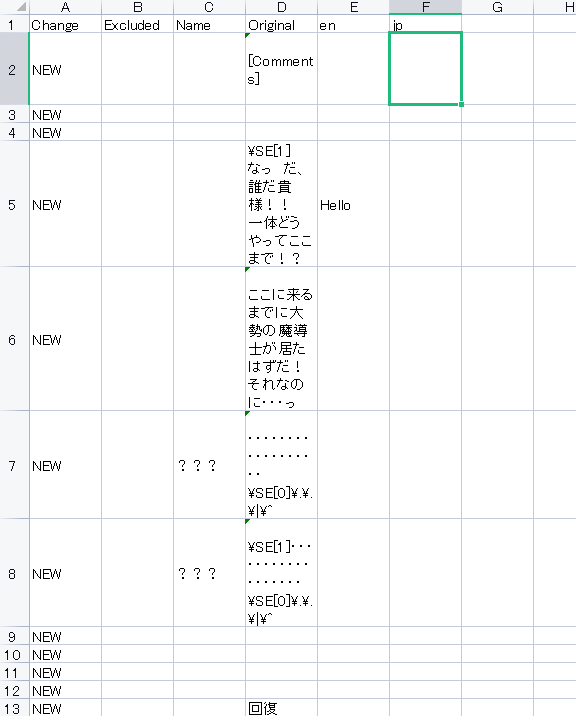
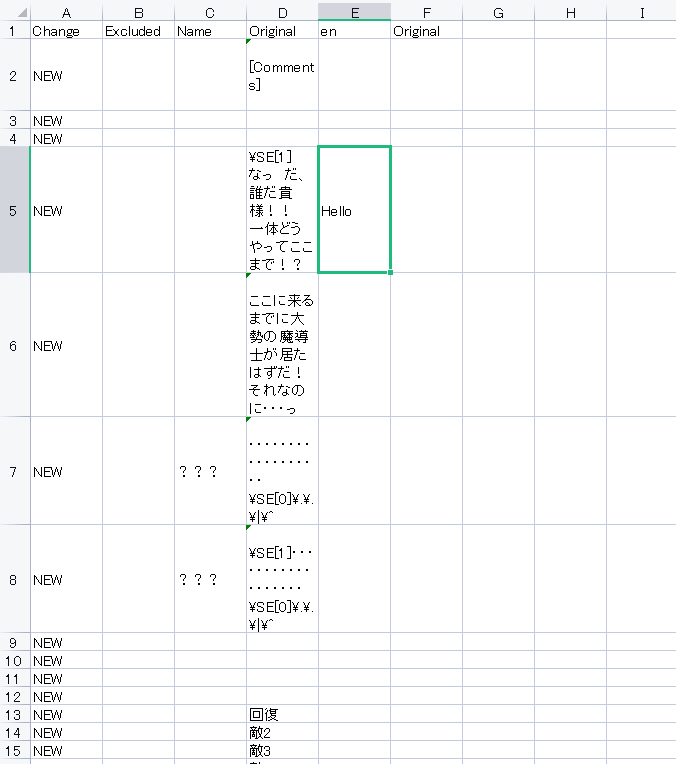
I’m sorry. I was trying to customize the title, menu, and options, and I just noticed something. I tried entering “Hello” in the en column of the CSV, but the Japanese text in the Original column still appears in the game. I would appreciate it if you could let me know how to resolve this. I have tried checking the plugin for translation, but since I don’t understand languages other than Japanese, I don’t fully understand how this plugin works. Also, I am writing this message using a translation tool, so I apologize if anything is unclear.


Another thing I’m wondering about is the character names in the Name column. How should I translate them? Should I create a new field specifically for Name in the CSV?

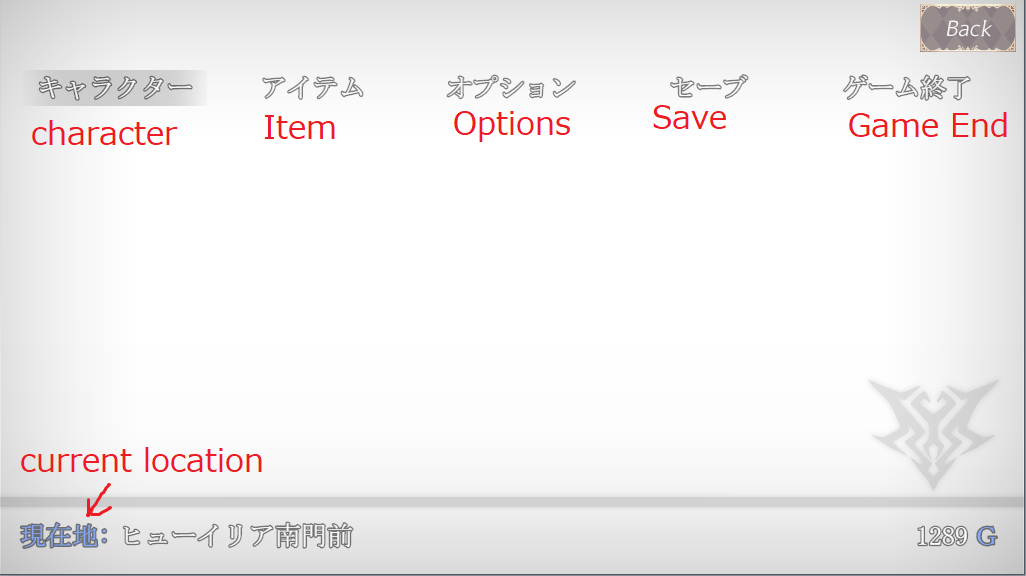
Here is a screenshot of the menu screen. Only the “Character” item is displayed, using the Japanese MenuSubCommand plugin and the SceneCustomMenu plugin. The text “Current Location” is displayed by the AltMenuScreen2MZ plugin. I would like both “Character” and “Current Location” to support language switching.


MenuSubCommand plugin

Parent Name: キャラクター

Script: SceneManager.callCustomMenu('Scene_character');


SceneCustomMenu plugin

Scene Identifier: Scene_character


I’m loading it like this, but should I write the following in the plugin?


this.drawText(Hendrix_Localization("キャラクター"));


I’m very sorry for asking so many questions and causing any inconvenience.

Thank you very much for your help.

Developer (1 edit)

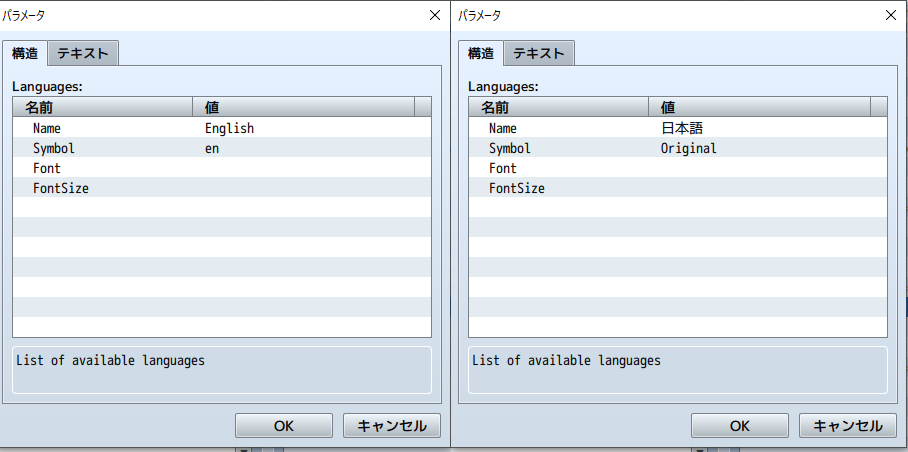
You can't have 2 column with the same title as Original. Please change Japanese symbol to jp if possible. 

Thank you for your reply.

As you suggested, I modified the CSV so that there is only one Original column and changed the other one to jp. However, even after switching the Language setting to English, the Japanese text is still displayed in the game.

Also, regarding my previous question: how should I translate character names in the Name column? What is the correct way to write them in the CSV for English?

Additionally, for menu items such as “Character” and “Current Location”, is it correct that I need to modify the related plugins and wrap the text like this in order to support language switching?

this.drawText(Hendrix_Localization("TEXT_HERE")); 

Thank you very much for your help.

Developer

I think it's best to message me directly via Discord so I can ask for videos and reply in realtime and maybe ask for your demo. Sometimes the issue can be due to user using other devs' plugins that conflicted with the Localization plugin, and I just prefer to check the issue in the demo cuz it's fast and convenience and we don't need to ask and answer multiple time to figure out what the issue is.

For translating namebox, simply write the name to Original column and translate normally.

(+1)

Thank you very much. I have added you on Discord.

I have work tomorrow, so I won’t be able to spend a long time today, but I would really appreciate your help even for a short time.

Developer

Thank you! I'll see you there.