





Wow! Thank you!!
Sorry for the trouble!
Thank you for your reply.
As you suggested, I modified the CSV so that there is only one Original column and changed the other one to jp. However, even after switching the Language setting to English, the Japanese text is still displayed in the game.
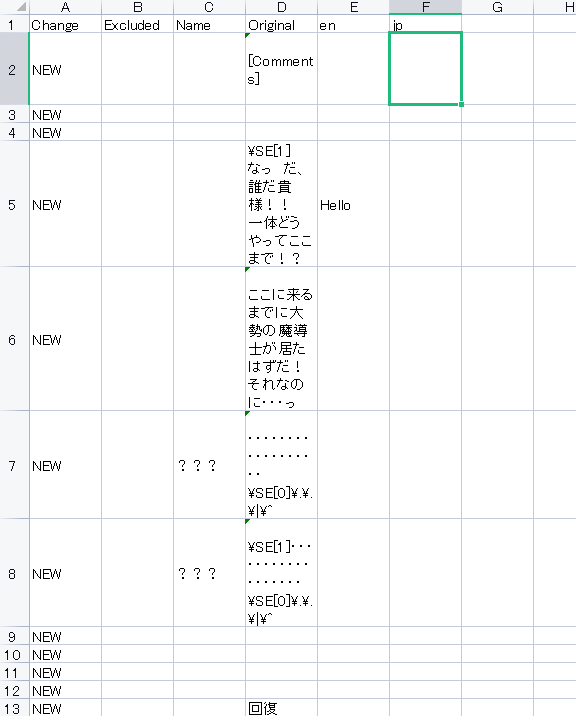
Also, regarding my previous question: how should I translate character names in the Name column? What is the correct way to write them in the CSV for English?
Additionally, for menu items such as “Character” and “Current Location”, is it correct that I need to modify the related plugins and wrap the text like this in order to support language switching?
this.drawText(Hendrix_Localization("TEXT_HERE"));
Thank you very much for your help.
Thank you very much for your support.
I’m sorry. I was trying to customize the title, menu, and options, and I just noticed something. I tried entering “Hello” in the en column of the CSV, but the Japanese text in the Original column still appears in the game. I would appreciate it if you could let me know how to resolve this. I have tried checking the plugin for translation, but since I don’t understand languages other than Japanese, I don’t fully understand how this plugin works. Also, I am writing this message using a translation tool, so I apologize if anything is unclear.
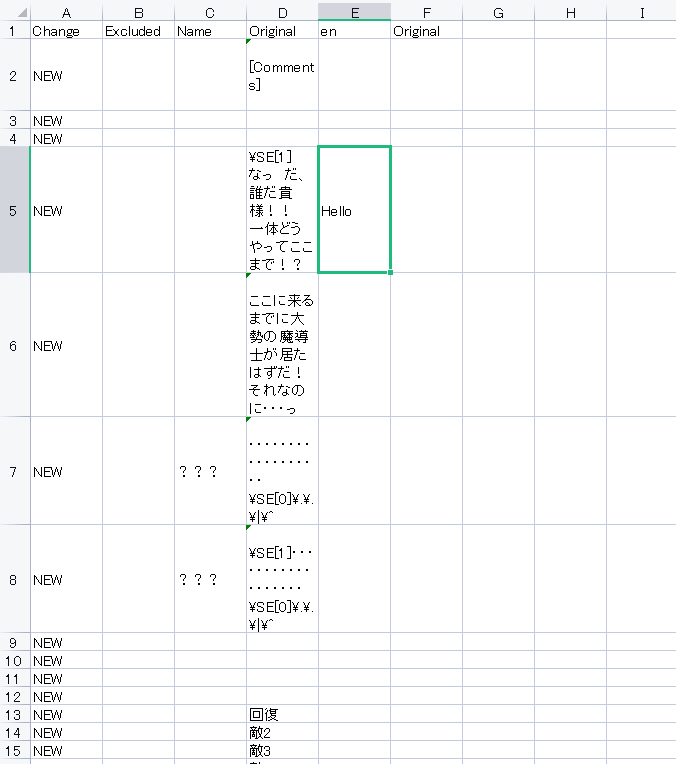
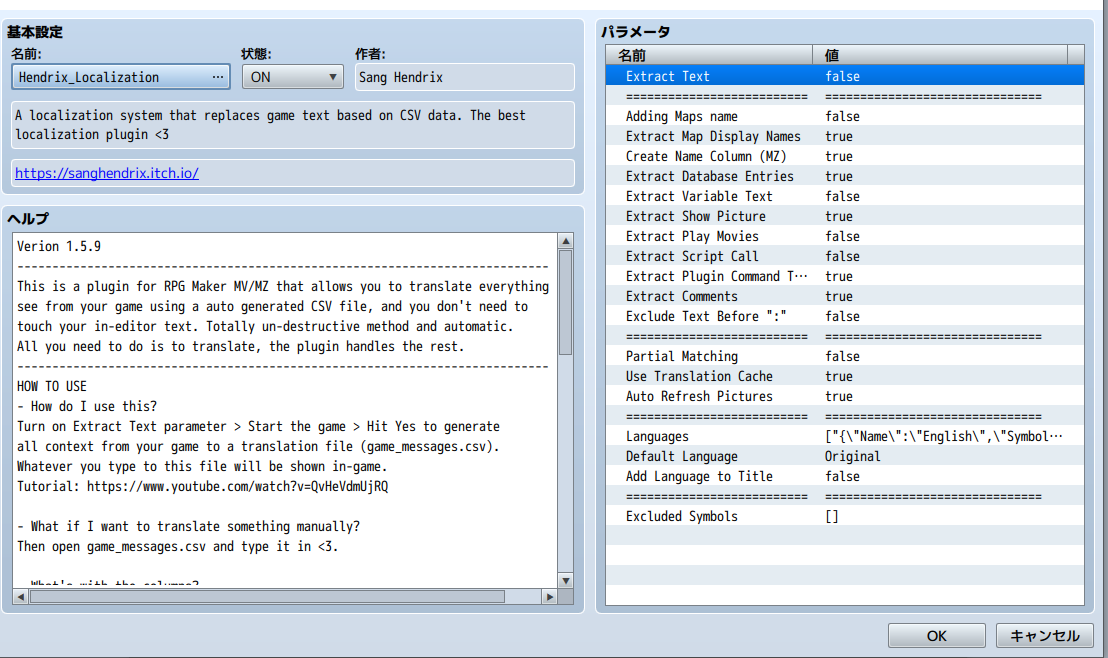
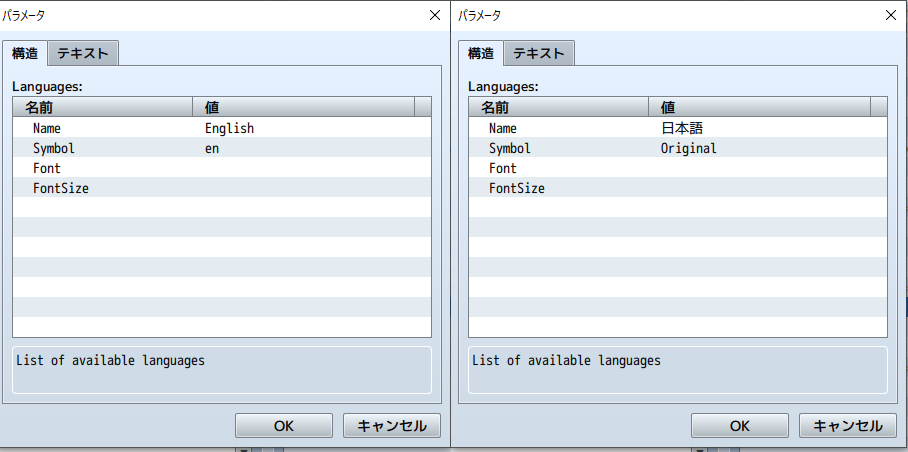
Another thing I’m wondering about is the character names in the Name column. How should I translate them? Should I create a new field specifically for Name in the CSV?
Here is a screenshot of the menu screen. Only the “Character” item is displayed, using the Japanese MenuSubCommand plugin and the SceneCustomMenu plugin. The text “Current Location” is displayed by the AltMenuScreen2MZ plugin. I would like both “Character” and “Current Location” to support language switching.
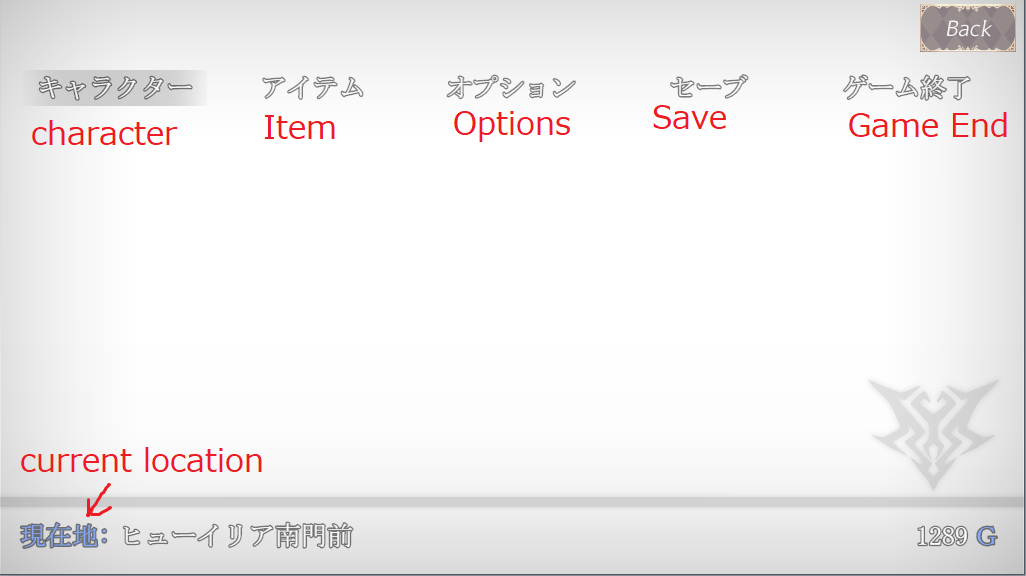
MenuSubCommand plugin
Parent Name: キャラクター
Script: SceneManager.callCustomMenu('Scene_character');
SceneCustomMenu plugin
Scene Identifier: Scene_character
I’m loading it like this, but should I write the following in the plugin?
this.drawText(Hendrix_Localization("キャラクター"));
I’m very sorry for asking so many questions and causing any inconvenience.
Thank you very much for your help.
Thank you very much for your reply.
I was able to display the options correctly thanks to your help.
However, I have encountered another issue, and I would really appreciate your guidance.
I am currently trying to implement language switching in my indie game.
I am using Hendrix_Localization to support two languages: Japanese and English.
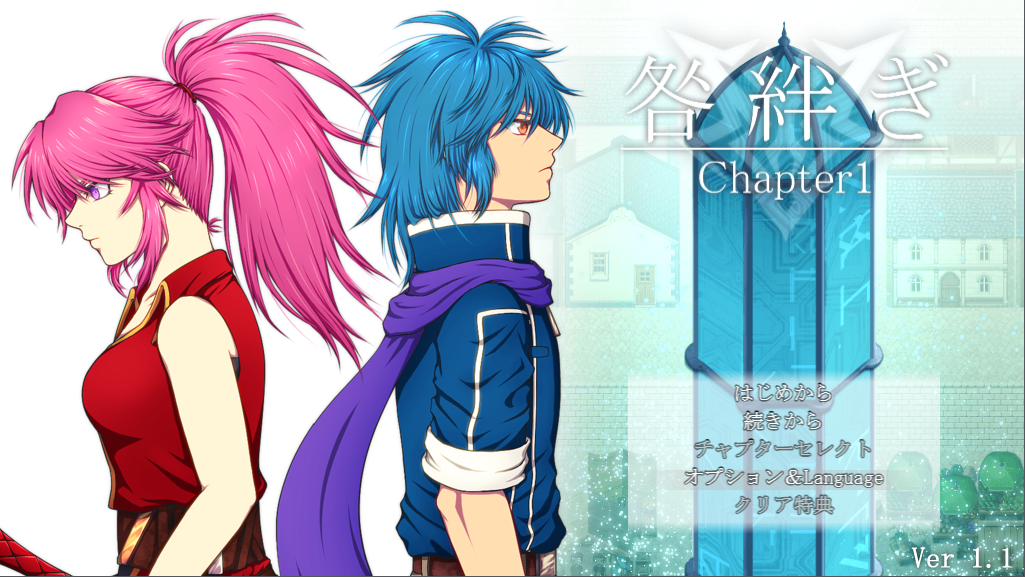
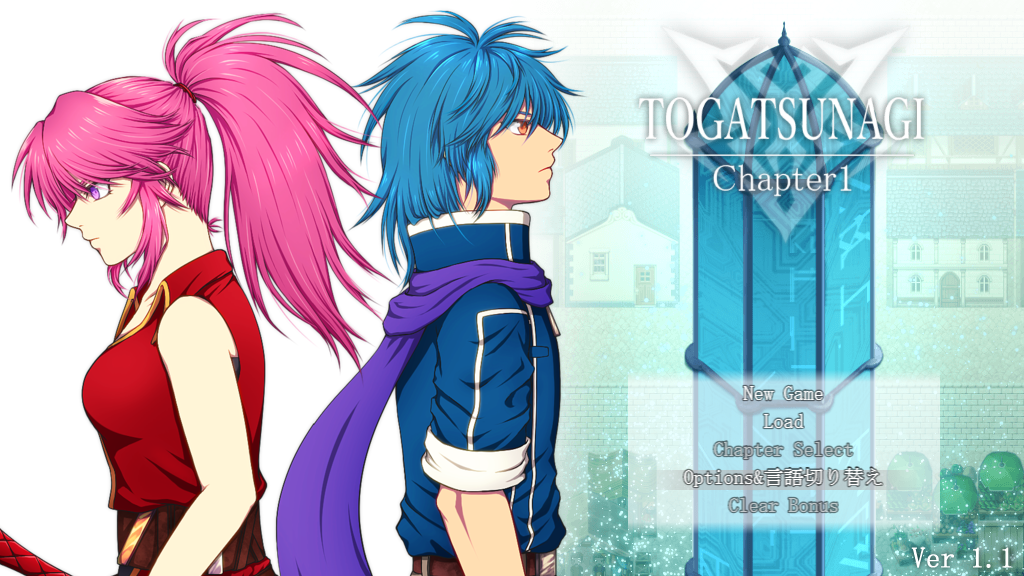
For the title screen, I used CGMZ_TitleCommandWindow, and I successfully managed to switch the title commands between Japanese and English. Thank you very much for that.
However, I am having trouble with the Options screen.
Similar to the title commands, I want the option name to change depending on the selected language:
- Japanese: 「常時ダッシュ」 (English: “Always Dash”)
- English: “Always Dash”
To achieve this, I tried using a JS Option and entered the following code in JS Text:
const lang = ConfigManager.gameLanguage || "ja"; const on = ConfigManager.alwaysDash === true; const label = (lang === "ja") ? "常時ダッシュ" : "Always Dash"; const state = on ? "ON" : "OFF"; return `${label} : ${state}`;
However, both Japanese and English versions seem to appear at the same time instead of switching correctly.
For JS OK, JS Right, and JS Left, I entered the following:
ConfigManager.alwaysDash = !ConfigManager.alwaysDash; return true;
With this setup, the ON/OFF state does not toggle correctly with left/right input.
Instead, the ON/OFF state strangely changes when I switch the Language option.
Regarding the Symbol, I initially usedalwaysDashfor both languages.
However, even when I changed the Name to different values (e.g. Japanese and English), the display always remained 「常時ダッシュ」.
Because of this, I changed the Symbol toalwaysDash_custom.
My assumption is that when the Symbol is set toalwaysDash, the engine always displays the default RPG Maker term, ignoring the custom Name.
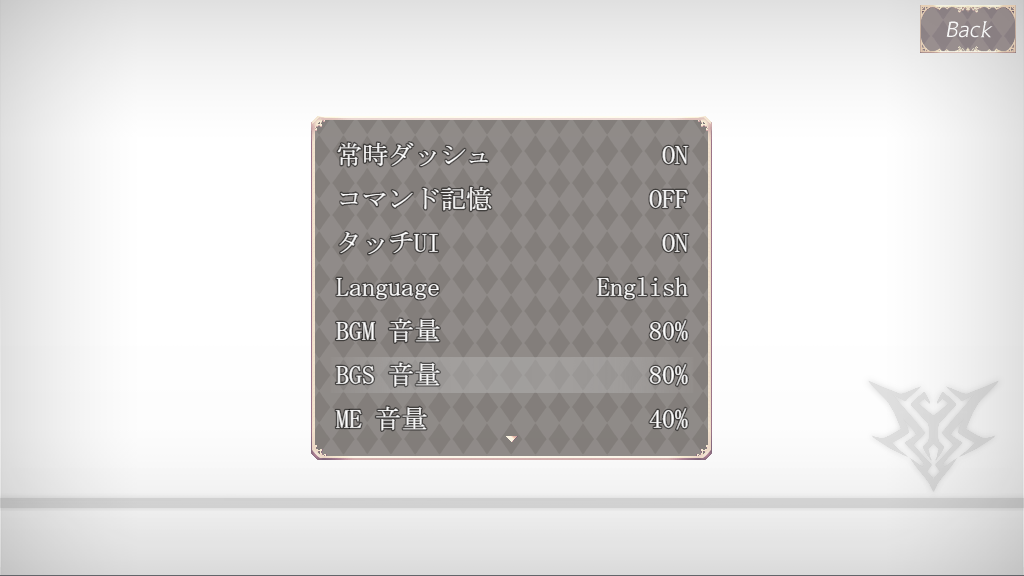
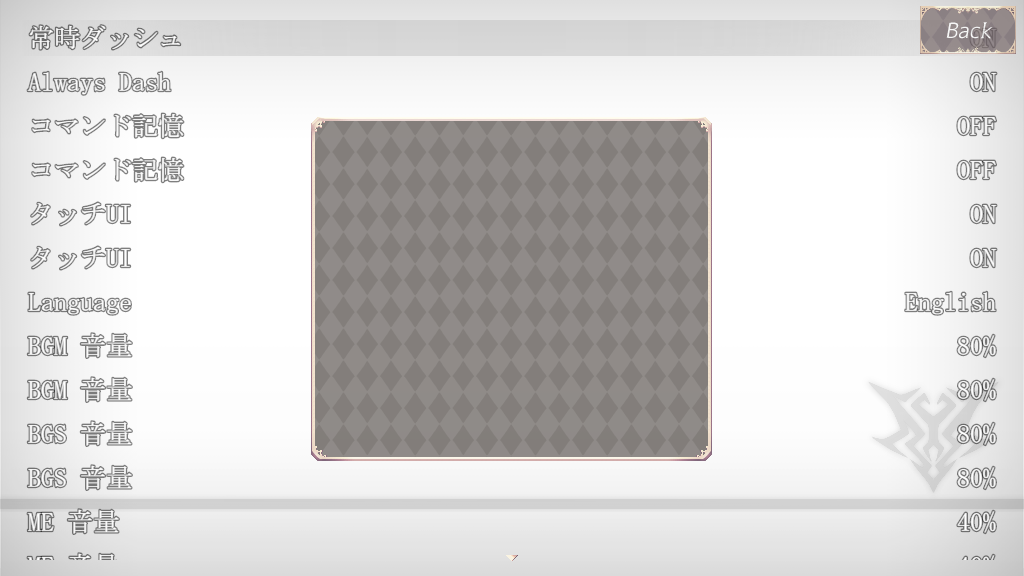
Additionally, I have a question about the options window size.
I originally designed the options to fit inside a custom window frame, but when using this plugin, the option commands expand to fill the entire screen.
Adjusting Window Width does not seem to have any effect.
I would like to know if there is a way to keep the option text inside my custom window frame.
I only speak Japanese and relied on a translation tool to write this message, so I apologize if anything is unclear.
I am also very sorry for the long message and for taking up your time.
Thank you very much for your support.