Indie game storeFree gamesFun gamesHorror games
Game developmentAssetsComics
SalesBundles
Jobs
TagsGame Engines

Thank you very much for your reply.
I was able to display the options correctly thanks to your help.
However, I have encountered another issue, and I would really appreciate your guidance.
I am currently trying to implement language switching in my indie game.
I am using Hendrix_Localization to support two languages: Japanese and English.
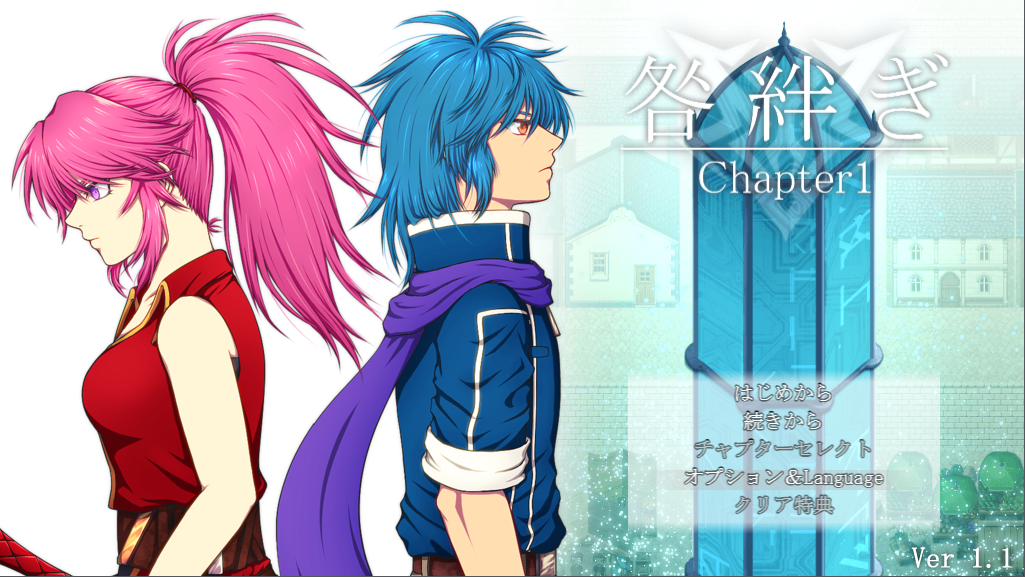
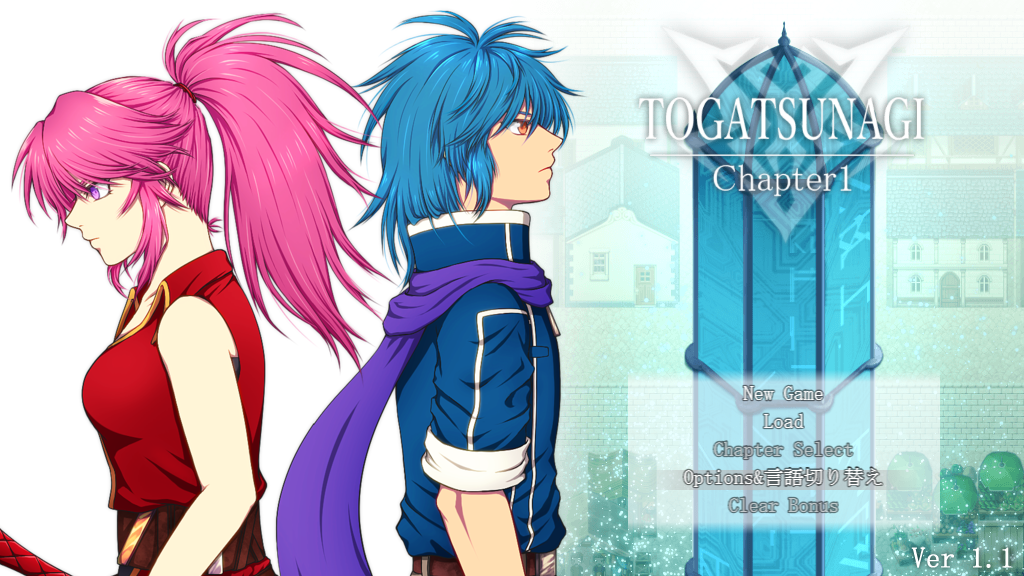

For the title screen, I used CGMZ_TitleCommandWindow, and I successfully managed to switch the title commands between Japanese and English. Thank you very much for that.
However, I am having trouble with the Options screen.
Similar to the title commands, I want the option name to change depending on the selected language:


  • Japanese: 「常時ダッシュ」 (English: “Always Dash”)
  • English: “Always Dash”
To achieve this, I tried using a JS Option and entered the following code in JS Text:
const lang = ConfigManager.gameLanguage || "ja"; const on = ConfigManager.alwaysDash === true;  const label = (lang === "ja") ? "常時ダッシュ" : "Always Dash"; const state = on ? "ON" : "OFF";  return `${label} : ${state}`; 
However, both Japanese and English versions seem to appear at the same time instead of switching correctly.
For JS OK, JS Right, and JS Left, I entered the following:
ConfigManager.alwaysDash = !ConfigManager.alwaysDash; return true; 
With this setup, the ON/OFF state does not toggle correctly with left/right input.
Instead, the ON/OFF state strangely changes when I switch the Language option.
Regarding the Symbol, I initially used alwaysDash for both languages.
However, even when I changed the Name to different values (e.g. Japanese and English), the display always remained 「常時ダッシュ」.
Because of this, I changed the Symbol to alwaysDash_custom.
My assumption is that when the Symbol is set to alwaysDash, the engine always displays the default RPG Maker term, ignoring the custom Name.
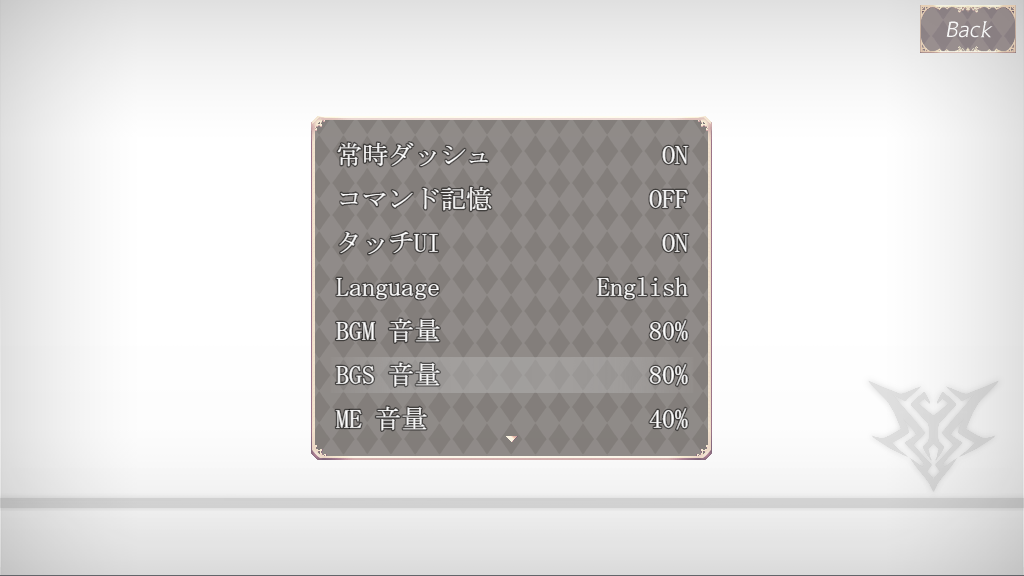


Additionally, I have a question about the options window size.
I originally designed the options to fit inside a custom window frame, but when using this plugin, the option commands expand to fill the entire screen.
Adjusting Window Width does not seem to have any effect.
I would like to know if there is a way to keep the option text inside my custom window frame.
I only speak Japanese and relied on a translation tool to write this message, so I apologize if anything is unclear.
I am also very sorry for the long message and for taking up your time.
Thank you very much for your support.

Yes for the default options, their name comes from the Database -> Terms tab. You can change the default names there.

I see the width issue, I will fix it in the next update. I can add a height modifier too, as I think currently you would not be able to make it fit in the custom frame area in your screenshot without being able to adjust the height too.

Thank you very much for your support.

Is it correct that default options (like alwaysDash) cannot have their names localized, and that the intended way is to recreate them as JS Options for language switching?

The default options should be able to have their name localized, although I guess it depends on how the localization plugin you use works. They come from the database because I try to preserve any default behavior I can, as this usually helps with compatibility. I guess I can add a toggle option in a future update to make it so [CGMZ] Options takes over the name from the database as well, it was actually extra work I did to preserve the default code for the default options 😅

I have seen most localization plugins use a text code which gets substituted out depending on language, my [CGMZ] Options plugin should support text codes so I think there would not be any problems there. If anything you could use [CGMZ] Text Codes Everywhere to get text codes working anywhere they do not already work if needed.

The other approach I have seen localization plugins use is that they scan for the base language and then substitute that out. For example if it sees the string "Always Dash" it would substitute that out for a different one depending on language. This should also work, but this approach can be far more fragile due to white space and other string substitution (such as colors, etc) depending on when the localization plugin scans the string to swap it out causing it to have difficulty matching text.

I have not seen any translation plugin that makes you manually write the if language x then string y approach... usually the plugin does that automatically as most text areas do not allow you to write js. If it requires that then yes it would not work with the default option names here since they come from the database and you can't write custom js there. I would think it would also not work with the default options scene either in that case, so I wonder if maybe you are missing something with how your localization plugin works?

Thank you very much for your response.

I am sorry, as I am still learning and do not yet fully understand how to properly use either Hendrix_Localization or CGMZ_Options.

I would like to take some more time to review the plugins and try translating and configuring them again on my own.

Thank you very much for your valuable time and support.