

You can't have 2 column with the same title as Original. Please change Japanese symbol to jp if possible.
Thank you for your reply.
As you suggested, I modified the CSV so that there is only one Original column and changed the other one to jp. However, even after switching the Language setting to English, the Japanese text is still displayed in the game.
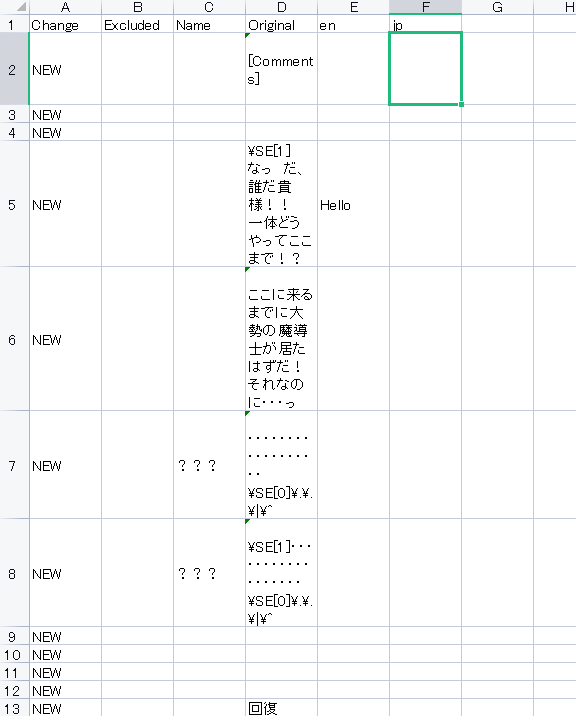
Also, regarding my previous question: how should I translate character names in the Name column? What is the correct way to write them in the CSV for English?
Additionally, for menu items such as “Character” and “Current Location”, is it correct that I need to modify the related plugins and wrap the text like this in order to support language switching?
this.drawText(Hendrix_Localization("TEXT_HERE"));
Thank you very much for your help.
I think it's best to message me directly via Discord so I can ask for videos and reply in realtime and maybe ask for your demo. Sometimes the issue can be due to user using other devs' plugins that conflicted with the Localization plugin, and I just prefer to check the issue in the demo cuz it's fast and convenience and we don't need to ask and answer multiple time to figure out what the issue is.
For translating namebox, simply write the name to Original column and translate normally.