

Well, that was easy!
I've already updated the code and now at the Levels select page you have an option to use your own uploaded alternate sprite sheet -- feel free to give it a try! Note, this is only for the tile images, not the character or any game play - if you give me a fresh character sprite sheet as mentioned in my first reply post, I'll see about adding that in to replace the cat-head flat character. Please let me know how it works and please share any sprite sheet you make. Of course as levels are built, they are tied directly to the image/tile/sprite sheets, so that is something to consider. Also, one more thing... there is a level editor that allows you to place/change the tiles for your own levels. You can post these to the related form and within the hour they should be available for use by anyone. Or you simply copy that data yourself locally and use/share for use in the game. Enjoy!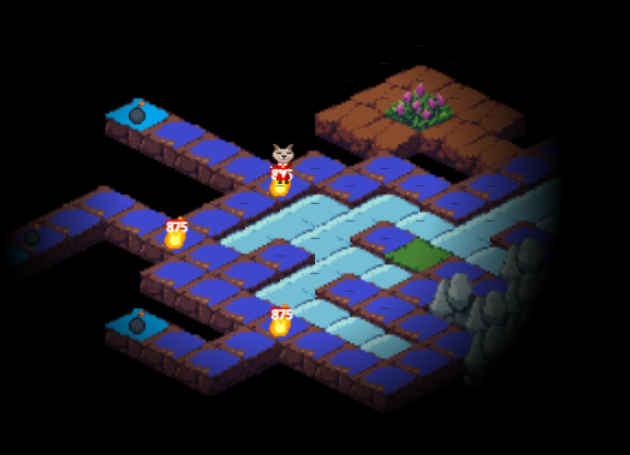
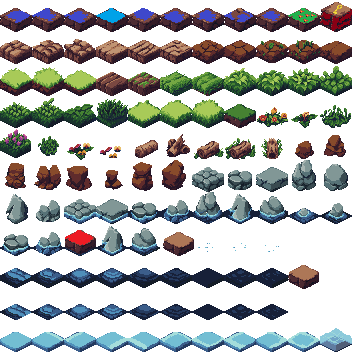
Okay I’ll try some stuff out and I’ll get back to you. But I was just thinking of editing the existing tilset so the new tiles that you made fit a bit better with the style. So I wouldn’t change the size. I’ll try if I can animate a character. What’s the preferred size for the character you want? I can just try with what you already got so it’s easier :)
Here’s what I made fore one of the blocks:  I wasn’t sure what the red was. Is it blood?
So should just put what I make onto your sprite sheet like this?
I wasn’t sure what the red was. Is it blood?
So should just put what I make onto your sprite sheet like this?
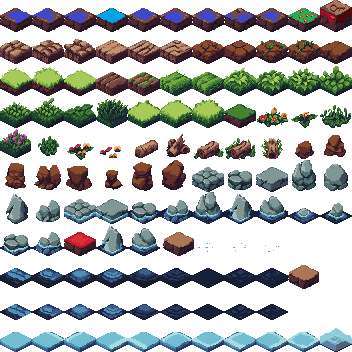
Yes, and if you see my latest message you can actually use the changed tile set. I updated code already to allow you to upload a sprite sheet to use. Keep the background transparent.
If you can find a blank place on the sprite sheet, you can put a character or two right on the sprite sheet and I can use them.. either for the player or even the bomb enemies, depending on what you make and how you change the sprite sheet. The code that determines if the block is a wall or something you can travel on is based on where the image is on the tile sheet and there are a variety spread all over. Trial and error I guess. Generally anything that looks like a wall is a wall ( water is a wall ) and things like flat (grass) you can walk on.
By the way, that block (key locked) tile looks great. The red is used on another tile was just a color I used to indicate that tile would be a bomb. Tile (4) which is just brown, indicates that tile is where an enemy bomb would be, etc.
Also, based on how much time you want to put into possible tile enhancements, if you even wanted, you can make several tile sets such that the whole set itself can be an animated set of frames.
spritesheet1.png spritesheet2.png spritesheet3.png
Then for actual tiles, based on how many sprite sheets there are, the actual tile blocks could animate as well. Where is is no change, there would be no animation. For example. The goal doesn't have to be purple flowers, it could be animated purple flowers, or anything else.
In that scenario, the purple flower on spritesheet1.png would be one frame. The same tile, slightly adjusted on spritesheet2.png would be frame 2 of the purple flower (or something else - spinning portal or something), etc.
Right now I don't have multiple tile sheets so the only animations are the winning assets (Bomb) and other assets like fire, orb, feather, and the cat head as part of the character. (( multiple animated frame tile sheets is probably too much to work for - continuing like you are just modifying individual ones in place is still great and much appreciated. Again, need to preserve the transparency - I'm guessing sometimes posting those images here might lose the transparency -- we'll see. take care and thanks for anything you create, I'll be sure to link you in credits of course!
Okay I tried uploading it and it works great! Do get the files if I upload them too? Or should I just send them to you when I’m finished? Okay so the tile that’s red would be a brown one after you finish everything? So it’s just for visibility? That’s a good idea with animating the tile set. I might try it if I have time. I was also wondering if I should try to do some ui (like a game over screen for example) but it’s okay if that’s too annoying to change. Just let me know if you need something specific. Maybe I’ll try to do a winning animation with the bomb asset but it explodes. With the tile set animation does it have to be three frames or does the amount not matter? Also I was wondering why the sprites look a little bit blurry. I know that with some game engines you can easily change the settings so the pixels scale right but no idea how you would do that with your method. Also thanks for linking me in the credits. I don’t really know how game jams work, if you credit me will it show up as me being part of the game jam?
All sounds good. by the way, I'm uploading a fresh version right now. This one includes the ability to upload 0-4 tile set frames so each tile can be animated as well ( though only 1 tile set is actually needed ). It's a little cumbersome to use with all those frames etc, but it works too.
Yes, when you are happy with whatever tile sets you do, you'll have to send them to me as files so I can include them in the build/published version.
The latest version is now available at https://itch.io/jam/alchemy-jam-7/rate/4154591 and it includes the multiple tile sheet animation things -- if someone locally provides these sheets, their game will feature the animated tile sets. If you do animated tiles this way and after you send those to me, I'll build those into the default game most likely. Wow this should be looking really nice I'm guessing with your art. The images might be blurred because I have a zoom scale on the draw ( they are very tiny at 32x32 otherwise ). You can use mouse wheel in game to adjust the zoom.
This link will join you to the itch game as a contributor to the jam.
https://itch.io/game/accept-admin/4154591/11443227
All good, I've got too much time on my hands! ;-) I have a quiet night at work, so I'll probably be coding on this still some more, or perhaps I'll be making additional levels. I'll try not to bother or rush you, do whatever you like/can with pixel art.
Like I said, there is now the ability to have 5 sprite sheets for use in implementing animated tiles. They can just be duplicates or have small changes for tiles that might want to animate. (( flickering purple flower for example )) - The currently published game has an animated purple flower, and an animated bomb platform (the platform tile that shows when YOU place a bomb down for the bomb enemies to crash into).
How goes? All good here, no worries if you don't find the time to create any more pixel art. I've done a lot more code and have the latest version running at itch. There are still just over 12 days left. The published version features a couple animated tiles; the goal tile (purple flowers) and the player place bomb tile.
The 5 separate tile sheet files that comprise the tiles (and in those rare cases the animation changes for tiles) can be seen at : http://www.lostwords.org/iso-zone/SpriteSheetFrames/ If you wanted to make your own versions of these tile sets, you would use those as laid out as an example. The normal game comes with those as default, but using the additional tile sheet system as you saw, once you have your own sprite sheets, you can upload your own 5 images for those tiles/frames and if you submit all 5 of them within that game page, the game should play using those.
Of course if you do any tile sets or any other pixel things, please send them my way. Based on what they are, I'll try to include/replace them as appropriate before the end of the submission period for this jam, but I have kind of already moved on to my next jam https://itch.io/jam/comfy-jam-winter-2025 so I'm not sure what more code I'll be doing on this Alchemist submission.
Hello I mad just a tiny bit of an adjustment to your sprite sheet a while ago but I still have to look at your files so I might need to change some things.
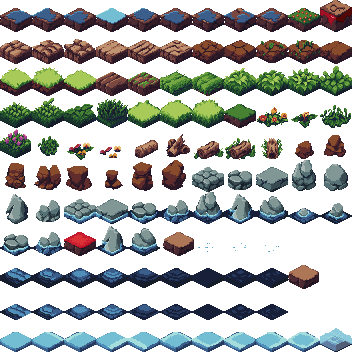
I tried to do a character with the cat head asset but the head was too big for a 32px square to make sense with the proportions but I made this character instead.

I haven’t animated and colored it yet but will try to do it soon. And no worries if you don’t have time to add stuff if I’m sending stuff too late.
That cat looks pretty good and right on point with the Q E Z C diagonals. The only reason I used a cat is that it was a previous asset on the jam page from previous winning theme images. Sounds good, no worries either way, you'll find that even if you do sprite sheets later on, you'll still be able to jump load them for use in the existing game with the Use additional sprite sheet form. No worries.
Thanks! Yes I know it was from the previous year and also thought it was cute. So I tried to do the walk cycle. Because I’m not as experienced with pixel animation as normal 2d animation, I used this walk cycle to help me: https://jesse-m.itch.io/jungle-pack
It’s a bit scuffed, maybe I’ll be able to make it a bit better afterwards. Not sure if it works good with the isometric view.
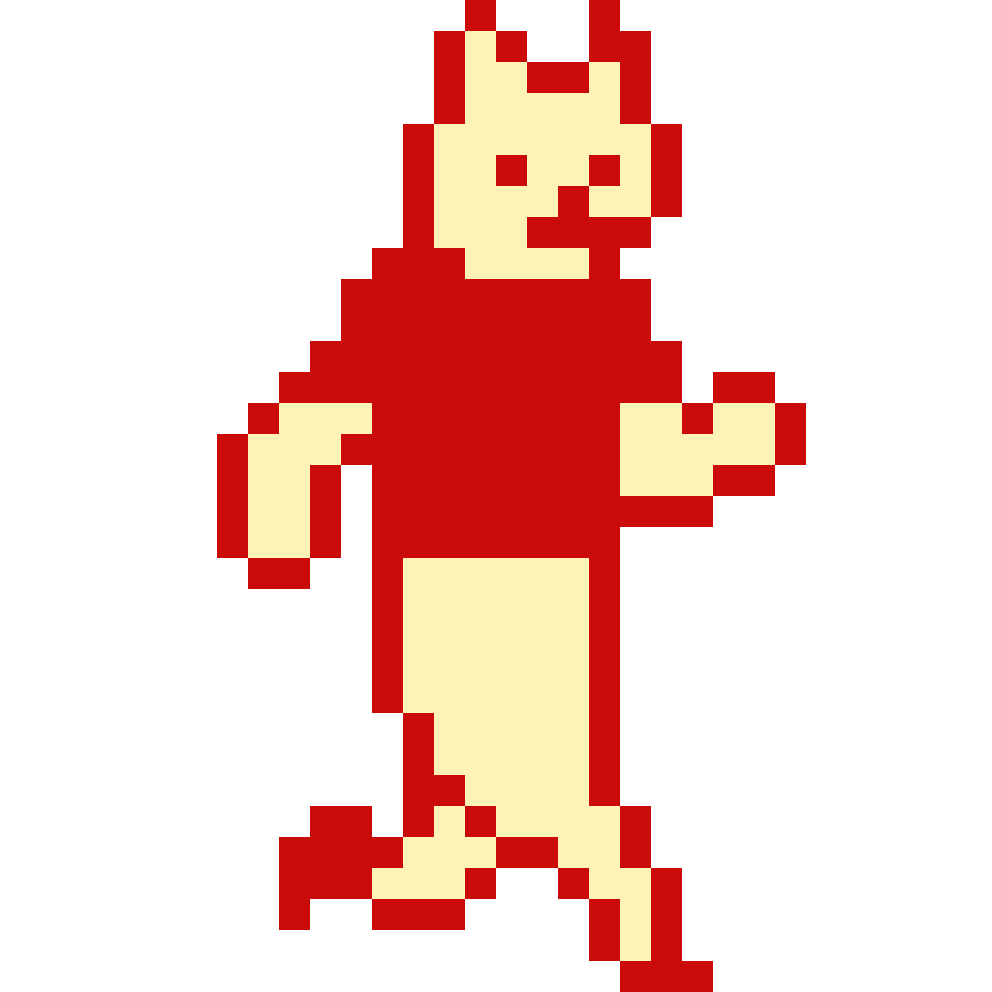


Edit: Okay I guess gifs don’t move on itch
Your question: [ With the tile set animation does it have to be three frames or does the amount not matter? ]
[answer:] There are 5 frames for tile set animations. These are the full tile sets, and between the 5 of them, all tiles can be the same or have those small variations that mimic animation. If not all five are set/submitted in the custom form, it defaults to the standard sprite sheet without the frame versions. If all 5 are submitted (frames 0-4), they are stored in local storage when the game is played and they are used to animate each/any tile.
More game changes and tile sheet additions - http://www.lostwords.org/iso-zone/SpriteSheetFrames/
I've added limited use platform tiles ( 2 changes to 1 changes to blank ).
I've added portal tile ( Blinking green tile will teleport to a random blinking gold tile ).
You can use that link above to get the latest tile set, just in case you are or want to edit those. (Ideally a portal looking arch or something as the portal entrance would be better than flashing green block, but time is ticking this jam is hopefully over soon!)
(( also there's some new alchemy magic -- the instructions page is updated to show what that's about ))