
Indie game storeFree gamesFun gamesHorror games
Game developmentAssetsComics
SalesBundles
Jobs
TagsGame Engines
(9 edits)

For some reason when I was playing this game via WINE, the game crashed after the first act (or whichever one has the fragment-getting) when talking to Big Boi. When reopening the game, Big Boi had a generic "Hey, Catto!" dialogue and going to the right seems to continue the game as normal. (idk why this reads like a creepypasta lol)
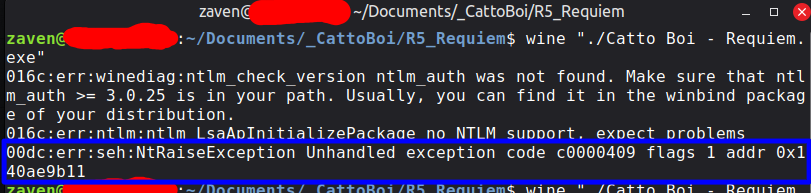

Also, throughout all games, when the windows goes fullscreen it also minimizes itself for some reason...   This isn't a problem with other GameMaker games, so I'm not really sure what's happening.

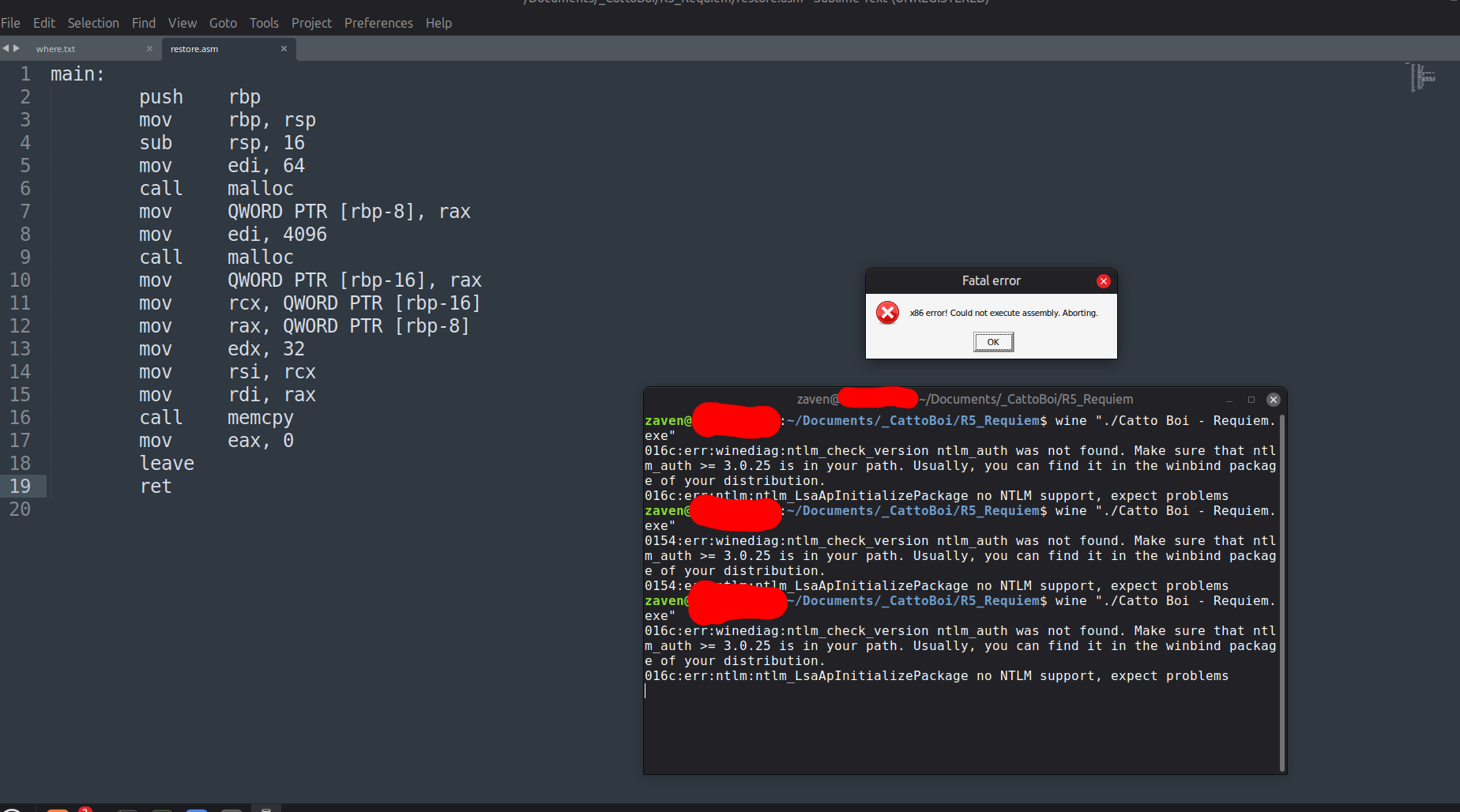
EDIT: The "restore.asm" section isn't working for some reason, it gives an "x86 error" message and closes. I'm not sure if this is an issue with Sublime Text saving the file with the wrong encoding, or if the game just isn't good at reading files on WINE (note: the file is in the same directory as the executable, and a similar segment in frozen tuna with "restore/game.win" worked just fine for me)

the first crash with Big Boi is a weird GameMaker variable unset bug that happens with some players which has been present since launch, which I still haven't figured out the cause of. the game was subsequently patched to save your progress by the time you reach that second half of ACT 1 in case the crash occurred, which is why you could relaunch and proceed normally

the minimizing issue could just be a WINE quirk, but I haven't tested it myself. when I tested the games again on Windows 10 though during the Cat.dll patch, this didn't happen to me

the second "restore.asm" issue may be as simple as checking if an additional space or return character is present in the file (in fact in your second screenshot I can see an extra return on line 20, maybe try removing that!). saving the file with UTF-8 encoding may also help if you haven't done so already

(1 edit)

Thank you!! The "restore.asm" thing worked!!

To anyone else on WINE having trouble with sections like these, this was what I did:

  1. Open the text file in the pre-installed text editor, not Sublime Text.
  2. Resave the file in UTF-8.
  3. Done!

Also I forgot to clarify that the fullscreen minimizing thing is specific to WINE, it didn't happen when I played these game on Win10. Probably doesn't happen on Win11 either, but I'm not installing Win11 to test that LMAO

(4 edits)

Update, the credits have a very high chance of causing a memory leak and crashing the game (or freezing the operating system in my case). Not just on WINE, but I'm pretty sure also on Windows 10.

It also doesn't save, so it sends you back to the very start of the final boss.