

I've played it and I enjoyed. Unfortunately, there was a bug and some ilustrations were just white rectangles. I hope you'll manage to fix it
I’m sorry to hear this, we’ll do our best to help. A couple of follow up questions if you don’t mind:
- Could you provide us with your hardware specs? specifically the GPU and CPU should be enough
- Could you elaborate on “illustrations”? Are you referring to the background art, the cutscenes (e.g. the intro), or something else? There are a few different ways we’ve implemented art into the game, so this is a bit ambiguous to us.
I’ll be able to look further into this with this info. We’re using C# godot, and it’s known for having lots of video rendering issues, so knowing your hardware details will greatly help.
 I have Windows 11 and my processor is Intel(R) Core(TM) i3-7100U CPU @ 2.40GHz 2.40 GHz
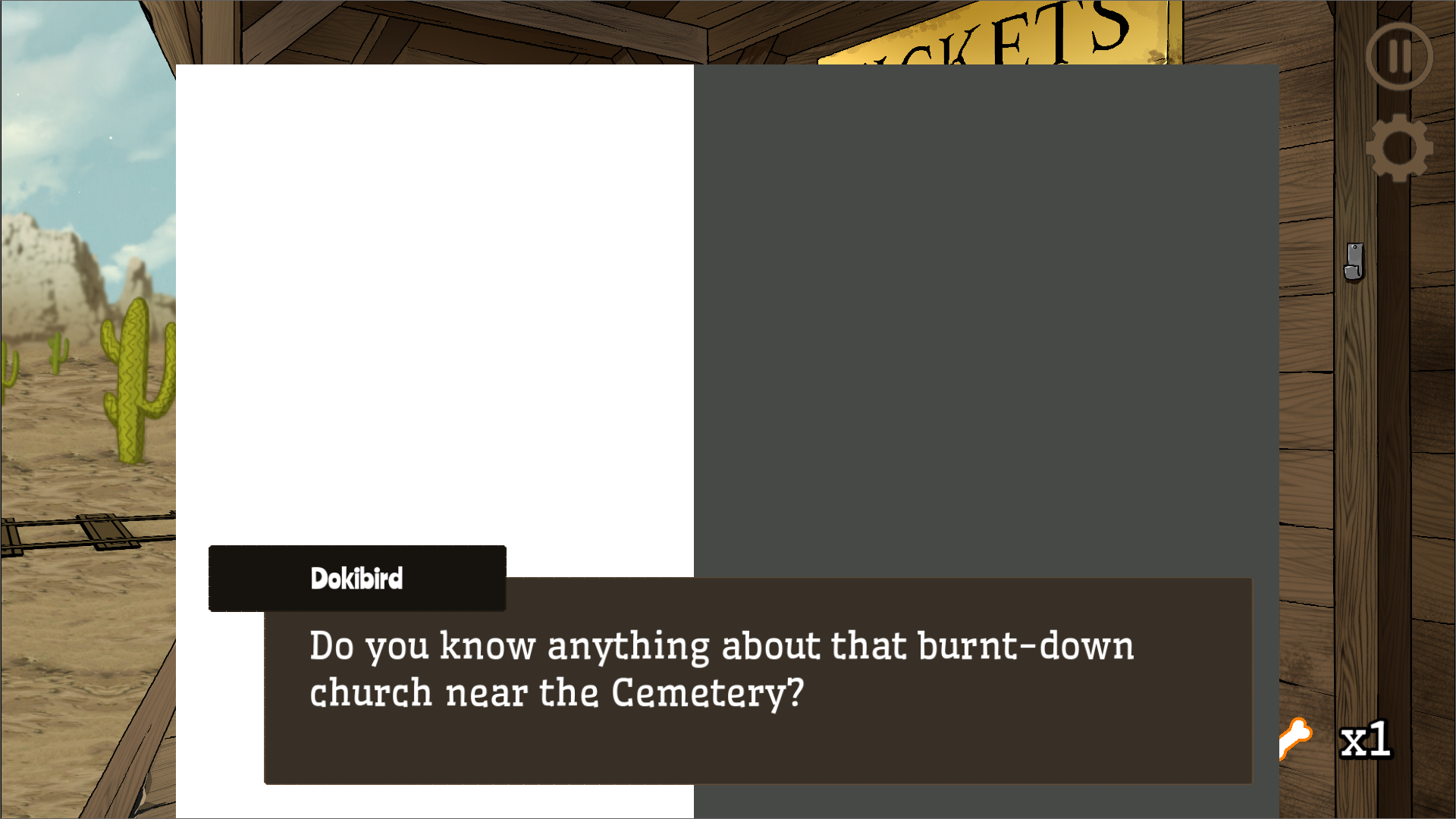
That's what I was talking about. Some sprites change to rectangles during a dialogue. In this one, Doki is white and Dooby is grey. But sometimes they work just right, Also item which is a gas mask is also a white rectangle.
Oh wow, yeah I’m sorry you’re going through this. That’s by far one of the wildest things I’ve seen in all my years coding.
I have a hunch that there are too many graphics being loaded at once and overloading whatever GPU you have. Is this like a work / casual PC? They usually don’t come with a dedicated graphics card and are integrated into the CPU, so I could see some loading issues coming from that. For now I can try reducing the texture sizes to see if that helps you. Sorry about this!
No worries, it’s a great learning opportunity for me since this is my first jam. I’ve released a version of the game that reduces the VRAM consumption by 67%, you can find it in the downloads with the low_ prefix on the download name.
This should help load more of the textures so they aren’t gray/white rectangles, but it’s unlikely to completely fix the issue. If it does improve, that just means we’re on the right track and I should continue reducing the VRAM consumption. I’m sure there are others like you encountering the same issue, so I’m glad you spoke up.
353 days ago (+1)
holy crap that worked?? i mean, awesome! i’m glad we diagnosed that, thanks for sticking with it. if you run into problems with other games like you said, it could be their VRAM utilization might be really high. if they’re using godot, they can change the import mode of an image to ‘VRAM Compressed’ to reduce the workload on the GPU for a quick way to shrink it down
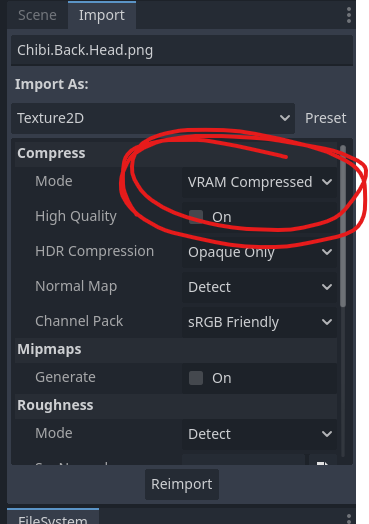
you can monitor the usage in Debugger -> Video RAM as well

hope this can help you check out more games!