

Now it works just fine! Good job on fixing that
354 days ago (+1)
holy crap that worked?? i mean, awesome! i’m glad we diagnosed that, thanks for sticking with it. if you run into problems with other games like you said, it could be their VRAM utilization might be really high. if they’re using godot, they can change the import mode of an image to ‘VRAM Compressed’ to reduce the workload on the GPU for a quick way to shrink it down
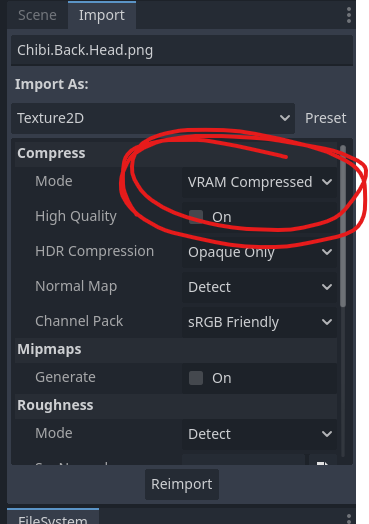
you can monitor the usage in Debugger -> Video RAM as well

hope this can help you check out more games!