

Hi, I'm using an A1200 with TF1260. I get The error shown. I'm using the primary version unarchived onto the SD. Any ideas? 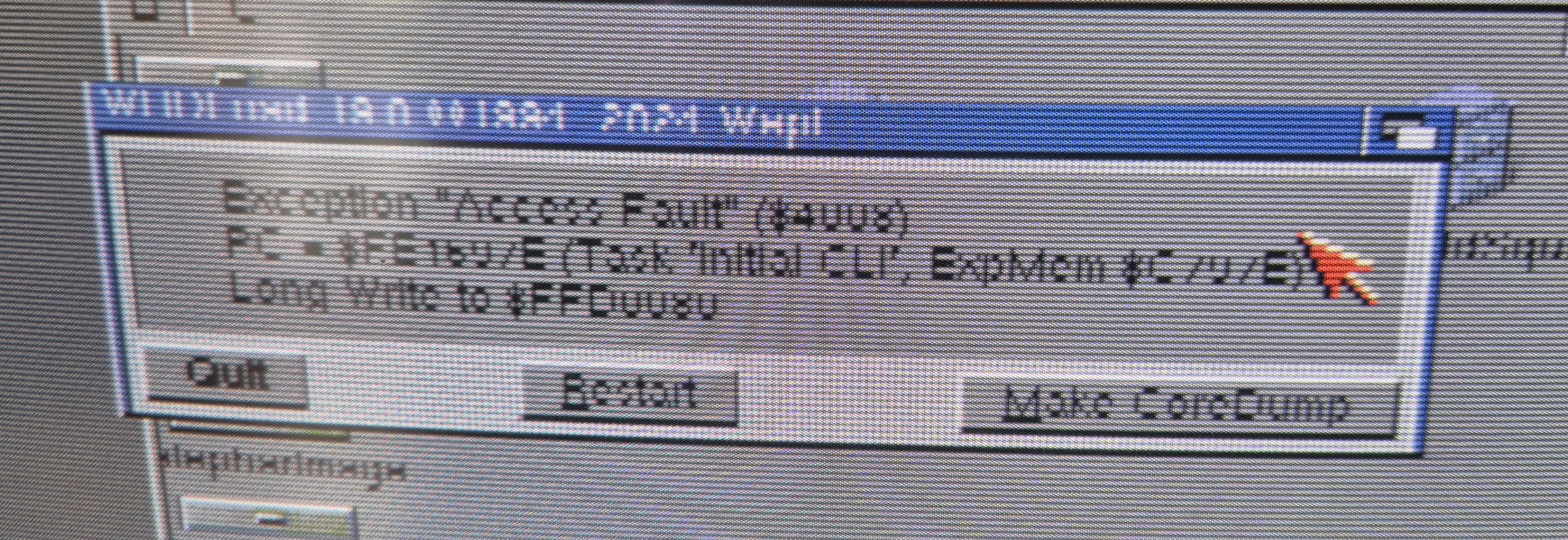
This is probably low chip RAM, happened on AmigaBill's stream last weekend (I think he has TF1260 card too). What he did was to lower the Workbench to 4 colors or similar, to free chip RAM.
It worked for him, but the only way to make sure is to unarchive the *LHA* version onto the SD and run game.exe through the boot without startup method (there's a mini "tutorial" for that below the download links). Thanks.
Try the one in the link below, it has game.exe and also game-crunched.exe (both should work):
https://www.mediafire.com/file/7gkeq3zzmmccveo/CastlevaniaAGA.lha/file
Ok, please try the one in the link below, I disabled the preallocate memory option, you can click on the game icon normally:
https://www.mediafire.com/file/c46p3h9mu2twdmv/CastlevaniaAGA.lha/file
Todd, who also has a TF1260 card, succeed in getting it to run: https://x.com/ToddsNerdCave/status/1948986038535282775
Thanks for the heads up!
I also discovered that when compiled with latest version of the engine (August 10) the non-WHDLoad *LHA* version doesn't runs through Amiga shell anymore (in the boot-without-startup method to keep highest chip mem).
So, I removed the text recommending that method. But it seems to run through normal Workbench now.
As a wild guess, I'd say that some software installed in your system during startup is causing a conflict with Scorpion Engine. It'd be interesting to take a look at your startup-sequence file.
Anyway, I did another test build, now with a Scorpion Engine version from August 15, 2025 - today (link below). Earok outputs a new build of Scorpion Engine almost daily, and they tend to give different results too as things are tweaked and improved.
https://www.mediafire.com/file/u6bh35qjsu53apn/CastlevaniaAGA_WHDLoad.lha/file