
Indie game storeFree gamesFun gamesHorror games
Game developmentAssetsComics
SalesBundles
Jobs
TagsGame Engines

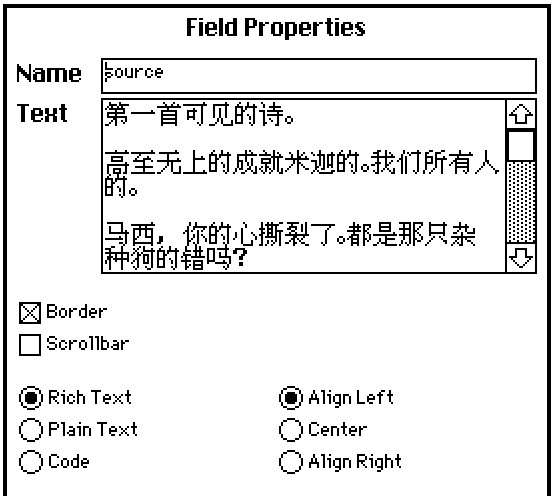
Hello! This is a pretty basic question, so hope I'm not barging in. I've created a Chinese font based on what I needed through editing the menu text, replacing characters ! though a with the Chinese characters I needed, and imported it into my deck.  This is the field I've written my dialogue script to draw from: 
However, when I start the script, the dialogue appears as plain text:
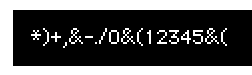

What am I doing wrong? The answer feels like it should be obvious but my brain is fried, ha. 

I presume you're using Dialogizer?

You'll probably need to configure the "tfont" configuration option to select your custom font when setting up a dialog sequence.

(+1)

Perfect, thank you!

(1 edit)

你解决了吗,怎么设置tfont让它起作用的?我在 dialog 的deck里


o:()
o.border.image:windoid.copy[]
o.border.margin:14,16,8,6
o.fcolor:colors.black
o.bcolor:colors.white
o.tfont:"MiSans Normal"
dd.open[deck o]
dd.say["测试."]
dd.close[]

显示的还是乱码,tfont是字体名还是字体文件的完全路径?接受ttf吗?

好吧,我看了下好像只能用decker的字体编辑器做的字体