Indie game storeFree gamesFun gamesHorror games
Game developmentAssetsComics
SalesBundles
Jobs
TagsGame Engines

SHROOMYCHRIST

217
Posts
13
Topics
3,784
Followers
51
Following
A member registered May 21, 2018 · View creator page →

Creator of
Recent community posts

aint nobody care what no gridinsoft thinks

it's Skill Core that messes with the max values, I've determined. They show up without it, but not with it.

(1 edit)

it's fixed now! But there's still a couple issues. the show max values doesn't show or work whether it's set to yes, no, or default, and neither does value/label vert adjust. Also, doesn't seem like there's a way to not show the gauge and just show a number either

(1 edit)

after I updated to 1.0.4, i don't know why, but the HP/MP/TP gauges became immovable. no matter how much I adjust the settings, they just don't move at all when they did prior to the update. Also, with visustella's battle core the window behaviours don't work, they do nothing when without battle core they work like they're intended.

I'm trying to use it with Visustella's Equip Medal System, but the command for the Medals won't show up when I do. Would there be any way to have the two plugins work?

oh quit reporting this comment you guys! i'm NOT deleting it!

(1 edit)

I don't know why, but it's really lagging with Visustella's battle core. I go from 144 FPS to 20-30 when turning it on and I'm not sure why.

EDIT: It happens with the Splitted party status window, but not with the Single Window one.

woohoo

I heard you're looking for pixel art projects to take on, but there's no way to message you on Twitter or BlueSky... where do I get in contact?

would you consider adding mouse support?

THE PAID VERSION COMES WITH A FULL-QUALITY WAV OF THE OFFICIAL COMPANION SONG "PAID IN BLOOD"... AND NOTHING MORE.

FOR THE AESTHETIC LOL

UHH I HEARD SOMEONE MADE AN UNOFFICIAL WEB PORT THAT'S PLAYABLE ON MOBILE AND OTHER SYSTEMS BUT I DON'T HAVE THE LINK. I COULD DO A MOBILE PORT BUT I DON'T UNDERSTAND MV'S ANDROID EXPORT.

THE SECRET SONG! IT WILL RELEASE OFFICIALLY NEXT MONTH.

YOU FOUND IT!

(1 edit)

GOOD INSIGHT. THOUGH, WHAT I WAS GOING FOR WAS, THAT IN TIMES OF DESPERATION, PEOPLE ARE MORE LIKELY TO TAKE A QUICKER BUT HARMFUL PATH OVER THE SLOWER YET HARMLESS ONE. YOU DON'T HAVE TO BUY THE WEAPONS, BUT THEY MAKE IT QUICKER AND EASIER AT THE COST OF CAUSING DIRECT HARM TO HARVEY.

THE MORAL DILEMMA IS NOT "HOW QUICKLY CAN I REACH 25K WHILE CAUSING AS LITTLE HARM AS I CAN?", BUT "SHOULD I EXPEND MY ETHICS TO REACH 25K FASTER?"

YOU CAN'T UNDO WHAT YOU'VE CHOSEN.

THE ONLY CHOICE NOW IS TO PROCEED.

CAN'T. RPG MAKER MV ISN'T COMPATIBLE WITH MAC UNLESS YOU USE WINE EMULATOR.

HARVEY'S WIFE READING THIS: 

OF COURSE IT IS!

ANNOYING-ASS SMARTSCREEN, USELESS THING

AM I RIGHT OR AM I RIGHT LADS

I MEEEEEEAN YOU DO YOU DIVA

IT IS NOT

IT VERY MUCH IS, LAD

(1 edit)

INTERESTING TAKE FROM THIS... I KNOW HARVEY IS POPULAR WITH THE LADIES BUT TRY TAKING HIM ON A DATE FIRST BEFORE GOING ALL BDSM ON HIM

YOU CAN ACTUALLY GO UP TO THE HAMMER FOR THE GOOD ENDING. THE SCISSORS LOCKS YOU INTO THE NORMAL ONE.

When the pro version is released, would you consider adding an enemy display window like in Final Fantasy SNES, or an MP cost window to the skill menu? Or separating the help window for Skill and Items?

Could you add a way to show the spirits in battle the way they do in the map?

(1 edit)

Would you consider adding a way to display actor commands horizontally instead of vertically like by default? Or precise pixel height value like the width? And I've noticed the actor command window can't go off-screen, which could be helpful for rough positioning, but I want the bottom border of mine to go slightly  off-screen.

I think it's the new Aerosys Battle UI Customizer. That changes the battle UI a lot and I've been using that.

Great! Now that's fixed, but I found another issue, that the plugin breaks the fight menu. I press cancel to go back to the fight menu but it automatically closes and goes back to the actor command, regardless if skip fight menu is true or false.

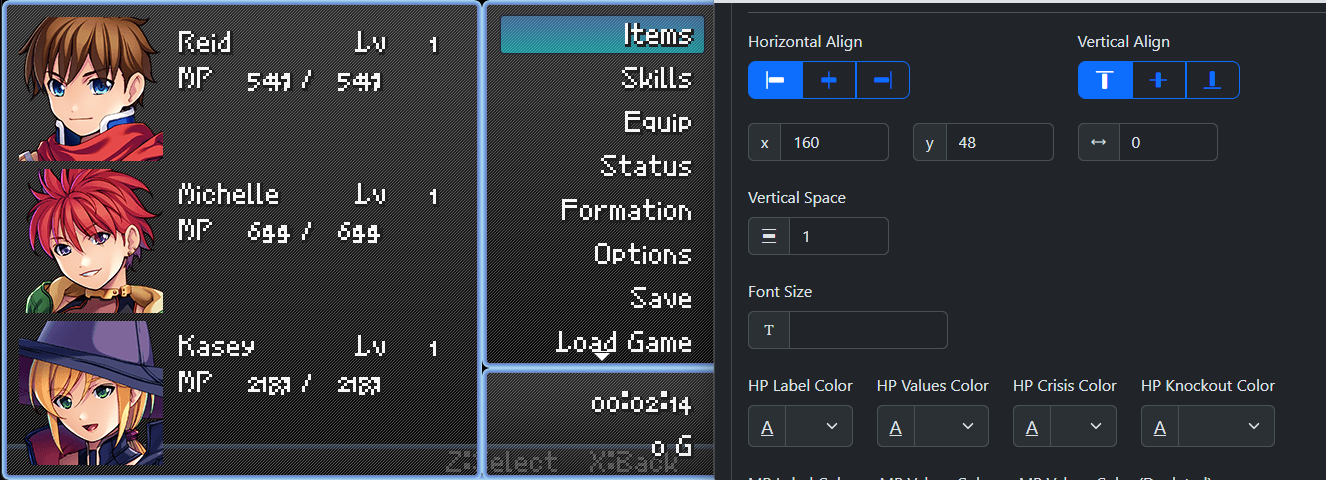
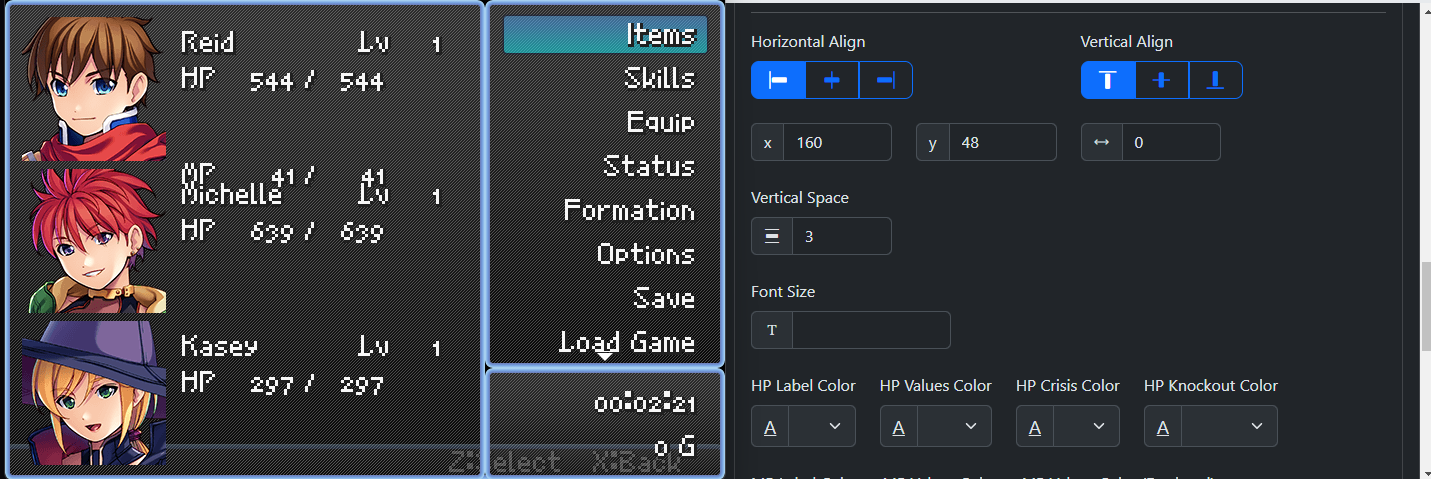
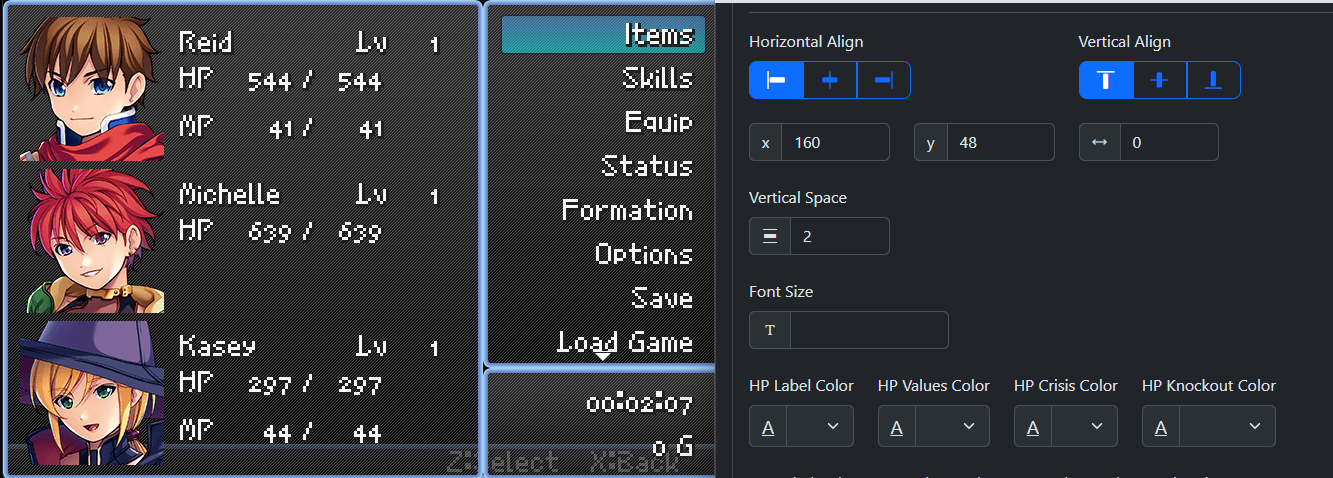
I'm also having trouble adjusting the HP and MP in another project. I'm using a GBA resolution, and the vertical space in text mode is all out of whack and weirdly exponential. Here's it in 3 different values, so you can see how weird it is.

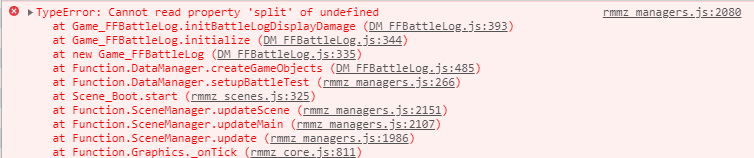
completely default settings, no other plugins, and this happens for some reason. What's going on here?

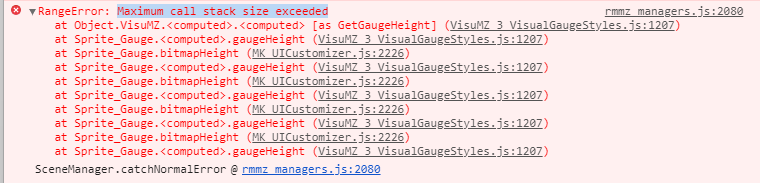
I'm getting the error Maximum call stack size exceeded with Visustella's Visual Gauge Styles...

Also, it seems to work with VisuStella's frontview UI mostly, so I think this would be good.

(1 edit)

Ooh, this sounds great! Would you consider adding something to only use certain parts of it, like the skill/item window, enemy selection, escape, combat log, and button assist overlay, instead of the whole thing? Like, separate parts? Because there's things here that are perfect for my project but I already have parts of my UI done I'd like to keep.

hmm, when I do that it doesn't do anything.

Is there any way to offset the cursor for some enemies? It's showing up in a really weird place for some enemies and I'd like to change it for them.

Seemed interesting until I saw the ChatGPT. Skipping this now.

When do you think the next update will be out?