On Sale: GamesAssetsToolsTabletopComics
Indie game storeFree gamesFun gamesHorror games
Game developmentAssetsComics
SalesBundles
Jobs
TagsGame Engines

Privateer_Lev

129
Posts
9
Topics
20
Followers
9
Following
A member registered Mar 20, 2019 · View creator page →

Creator of

Recent community posts

Thank you for taking the time to play and leave feedback!
What sort of lineup option(s) are you thinking of?
What type of stats keeping would you like to see?
..I guess I need t think about saving games so there could be some progression.

(1 edit)

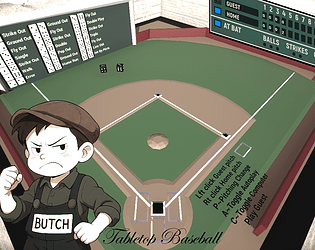
Confusion seems to be a theme, so I've added some tutorial screens to explain; baseball and how I set it up to use dice.
This will be in version TabletopBaseballv.12 posing once game is unlocked from current voting period.

(1 edit)

Since confusion is the majority of the replies.

I have added additional text/detail to the tutorial screens for;
ver. TabletopBaseball.12 which will be uploaded once the game is unlocked from voting period.
Devlog: TabletopBaseball v.12 - Tabletop Baseball by Privateer_Lev

Thank you for taking the time to leave feedback. I will experiment with some changes toward your suggestions.

Thanks for taking the time to look and leave message. Really all you do is click the mouse buttons, right or left (pretending to roll dice) depending on which team is batting.

I'm sorry this is somehow confusing. It is a tabletop baseball game; One team is at bat, the other is the pitcher (dice roller). The pitcher rolls the dice and the result is what occurred eg; hit/out etc. The result is found, audio clip plays, baserunners/outs/runs etc all update automatically.

The game is made so that two people could play, Guest pitching with ~ G or left mouse button, and the home team player pitching with ~ H or right mouse button.  Since most don't have two local players you can hit the ~ C key and the guest team will be pitched by the computer You can also hit ~ A and the game will autoplay both sides.

The goal is more runs than opponent after nine (9) innings.

(2 edits)

Thank you for taking the time to look/play?/post.

Sorry, it's a simulation of a game I played as a kid in my neighborhood. Kind of a trip back to a simpler time imo. So kind of time traveling.. I am old :D 
Just how I interpreted it.

I hope you enjoy my game and if you have any suggestions, I am still actively working on this project (Not lost interest yet :D) and would love other people's input, as I am a solo hobbyist.

Have a Great Day 

I want to thank you for taking your time to try my game and for leaving such great, well thought out feedback. I have noticed the far dice (visibility) but truthfully had stopped looking at results (I'll get them contained again). I really like your idea of high lighting the roll represented on the dice wall. I'm still fussing with the dice a little as I too, often seem to struggle to make good rolls or feel it's random enough.

Thank you again
Have a Great Day! 

"- Your game must be 2D only."

Can I have dice, rolling dice in my game? They are 3D

Neat game idea!

I like your game, my lack of coordination is obvious :D Nice work

The scroll is way to slow, many full sweeps sideways to even face the doorway from start point. 

Awesome retro feeling game. I did struggle with the mouse 'aim' but that's me not you ;)

Really good

Haha I used to work at this company! Well done! Fun play.

Ahh th bugs are eating me! Gret job on a fun game!

Great concept, scary :D

Fun and challenging game Good job!

Thank you for the feedback, The duration of play is one reason I added the 'Auto-Play' option as one of the last things.

I'll look into trying to give similar option to allow choosing/changing spacebar, Or maybe I'll just switch it. 

I am planning on a UI indicator for deck size(s) but it's not in there yet.

Thank you again for the feedback and hosting the jam :D

Thank you for the feedback, The duration of play is one reason I added the 'Auto-Play' option as one of the last things.

I'll look into trying to give similar option to allow choosing/changing spacebar, Or maybe I'll just switch it. 

I am planning on a UI indicator for deck size(s) but it's not in there yet.


Thank you again for the feedback and hosting the jam :D

That sounds interesting, but without mouse movement menu selection etc. will be a good challenge.

Not working on Windows, Black start screen? spinning cursor, then close

Well done, very clean. If I were to make any suggestion it would be narration, As I get older reading becomes more of a labor.

Thank you for taking the time to play and write feedback :D

Yes! Fix it, make it better, polish that knob.

Really nice job with the art, sound and theme! 

Cute game, good work on the art, sound and control(s)

That or some unbreakable block placement? Cool keep going ^_^

131300 is my best, I'd love to see another level!

Thank you for taking the time to play and leave feedback.

Everyone has done such a great job on this jam, I think it's the best one I've joined.


Left mouse button only One Button Game by Privateer_Lev (itch.io)

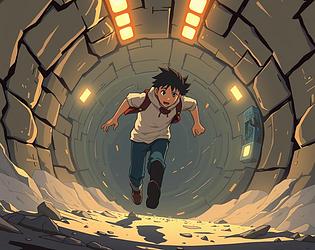
Gain 1 point for every second you're not splattered

Catch Energy cells to fight back.

Eventually reach the surface.

Jam Theme - CHARGE  

Either for charging ahead or charge your energy blaster

Windows version added

Made with Unreal Engine v4.23

>_< That was it Thanks

Wonderful job on this! It just keeps getting better.

Played before, but just tried and the main screen & music load but won't start and key(s) mouse don't start it