On Sale: GamesAssetsToolsTabletopComics
Indie game storeFree gamesFun gamesHorror games
Game developmentAssetsComics
SalesBundles
Jobs
TagsGame Engines

POW Games

73
Posts
5
Topics
82
Followers
15
Following
A member registered Feb 29, 2016 · View creator page →

Creator of

Recent community posts

(1 edit)

Thanks for your continued support CODORÇO. 

I see the bug. The polling rate (Hz = per second) is calculated like this: samples / (time - nextSecond) / 1 second. So, it needs a full second to pass before the calculation is accurate. I'll fix it somehow - good catch!

Total sample changer = very good idea. 1000Hz gamepad = wow! I hadn't considered this; my gamepads are all very low Hz. 

Analogue resolution is also a very good idea. I'm wondering how to calculate this. Currently values come in from 0 to 32767. Do you think recording the minimum distance between current and previous readouts would be enough? I'll take a look at Stick Analyzer.

I'll get to work on this right now, you should see these things in the next update in a few days.

Don't worry, happy to help. You've done a deep dive into SDL's code, beyond what I know, and I don't think I'm doing anything unique in my app. 

This is how them momentary buttons work:

case UI::RumbleLeft:
    SDL_RumbleJoystick(joy, 0xFFFF, 0x0000, 64);
    break;
case UI::RumbleRight:
    SDL_RumbleJoystick(joy, 0x0000, 0xFFFF, 64);
    break;

And that's called every `SDL_AppIterate`, which probably means them data packets are being spammed. Maybe not the best way of doing it. 

How does the strength compare to the rumble test page under "More Tests"? You can toggle the rumble on/off with the checkboxes.

Hi.  Just guy, not guys 😉; I keep my multiple personalities to myself 😆.

I'm using SDL_HINT_JOYSTICK_ENHANCED_REPORTS , but I'm also using SDL_HINT_JOYSTICK_GAMEINPUT, SDL_HINT_JOYSTICK_HIDAPI_PS3_SIXAXIS_DRIVER. It may be that SDL3's gamepad tester app uses the triggers to set the vibration strength, which maybe isn't reaching max? You'd have to look at the source code on Github. Or maybe there's a quirk in the hardware that prevents the motors from spinning harder if they're started up gradually. I plan on adding sliders to my app which would help test this behaviour.

Hope you guys manage to get moonlight-noir working with your gamepad. Let me know if I can be any more help. 

Please let me know what you find out. If an API is smoothing out the outliers, it would be good to have an option to disable that. My guess is that HIDAPI is doing it. If it can be disabled, I'd like to add that feature to SDL and then I can expose it in my app. 

I'm really pleased to see the CSV  feature being used. And thank you for your support.

It's an interesting observation you are making. I have some theories. Do you know what API Steam is using? My app uses HIDAPI by default, but also uses Raw Input and Windows.Gaming.Input. Do you see any change in output when using these different APIs? You can force the use of one by de-selecting the others, then restarting. My theory is that maybe HIDAPI is filtering out the outliers. Also, if Steam Client is running in the background, it can affect the output of my app. Another theory is that Staem's test is showing raw data before API filtering. 

I hope you can find out what's going on. To dive deeper into how my app receives the data, look at SDL3. The source code is on Github, so you can see exactly what system calls are being used to gather input. You could also try leaving a message in the SDL forums. Someone there might have an idea what's going on with the hardware. 

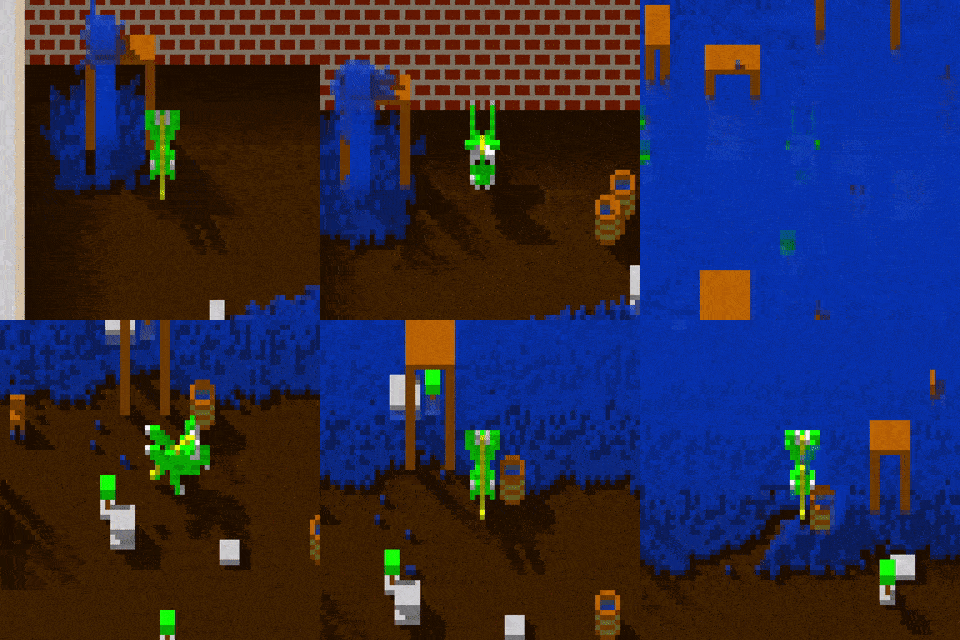
Hi, thanks for the interest. I'm currently working on a pixel editor, which can be used to create 3D matrix objects to be imported into the sandbox environment. Once I finish the editor, I need to update the engine. This year for sure. It's slow going, but everything will start to come together quickly.

Hi. Yes, I need to update it for modern hardware. It used to work years back. It's on my list of things to do, but I'm prioritising on making a living more lately. Thanks for bringing it to my attention.

This app uses SDL, which in turn uses HIDAPI. Both on Github. The key here might be the comprehensive mapping database, which is also used by the Steam Client.

(1 edit)

Hi, thanks for reaching out. 

An Android app should set up a list of permissions to access gamepads. One of the pop-ups when the app starts for the first time is a "BLUETOOTH_CONNECT" permission, which in theory is only needed for Steam controllers. I believe there's another one that pops up when you insert a gamepad in to USB, which is the important one. I've seen a discussion about this on Github regarding emulators not connecting to controllers because they're lacking this permission, which needs to be included in the Manifest when the app is built.

My app uses the same comprehensive gamepad mapping database used by the Steam client. This might be where my app has the advantage over others. Different Android versions will produce different scancodes for Nintendo Pro gamepads as well, which adds to this problem.

So in conclusion, the other apps need to have better gamepad support coded into them. It's a big task to get it working, which is where SDL & HIDAPI do the heavy lifting for me. 

Does disabling HIDAPI in my app make much difference? If you use my app to give the gamepad a kick-start before entering the other app, does that help (it's been known to with some gamepads) ? Keylaout file?  Is that the .kl file? I have considered adding support for kl files, but have zero experience with them. What puts me off is that the few mapping apps out there have terrible reviews because it opens a whole can of worms that end up disappointing users who don't know about rooting.  Your input is welcome.

Great! Let me know if there's anything else I can do

Also, thank-you very much for the purchase  \(^-^)/

Please let me know if this works now

This should be fixed now. I had built the debug version of "NoAds", but not the release, so it picked up the wrong .exe. Thanks so much for letting me know. 

Maybe I shouldn't have stayed up to 2am working on this  (=__=)

Ah, thanks for letting me know. I might have made a mistake somewhere, let me look into it now.

Hah! Okay, I'll take a look at it soon and see if I can make it resizable.

What size would you prefer windowed mode to be? Bigger, or smaller? This game is intended to be played full screen, which is why Windowed mode isn't really supported.

Enjoy! It's been 30 years since first release. 

Hi, yes, that's a good idea. I haven't worked on this project in years, but I intend to pick it up soon and make a fully-fledged sandbox game with it.

This has now been fixed in version 1.47. Thanks again for bringing it to my attention.

Hello! Oops, I see the problem. It's a simple fix - I'll upload a new version ASAP. Thanks for bringing this to my attention.

Interesting note: I fixed the app to "LandscapeLeft" - the idea was so people could play with the sensors without the app flipping as they rotate their device. Since you can stop auto-rotation from the Android's pull-down menu, it's not necessary, so I'll let it choose left or right landscape. 

Ok?

Gracias por su interés. ¿De qué te gustaría saber más?

Hola Por el momento, no hay forma de obtener información adicional sobre la batería. La zona muerta solo se puede ajustar por juego usando la configuración de zona muerta de cada juego. Las zonas muertas son un problema físico y no hay forma de corregirlas con esta aplicación, que solo puede proporcionarle datos para ayudarlo a saber qué valor usar.

I made my own game engine on top of a library called SDL. I made it a long time ago now and have made much better engines since. I'm starting to work on making new games soon. Thanks for your interest :-)

Hi. Unfortunately it all depends on the 3rd party app's gamepad support. Most apps have basic support at best, which is why your cheap controller isn't picked up. My app uses the same library that the Steam Client uses, which comes with a huge database of controller mappings, which is why it works well. The only thing you can do is reach out to the developers of the other apps and encourage them to improve their apps :-)

It's been a while, but did you try the latest version? There's a new axis test page that covers dead-zone and stepping, and even a circularity test.

Hi, thanks for your detailed message; I will try to help.

Firstly, I apologise for that huge advert! it's not supposed to be that large - Google are only supposed to make it 10% of the height of your screen -  something's going strange there, I'll try to look into that.

An unmapped joystick means that the Android system cannot identify what type of game controller it is, so it doesn't know what the buttons or axis should be. Basically, Android doesn't have the driver for this controller. I do remember this controller - I used to have 2 of them - and they were horrible. I have some suggestions:

Do you have access to a PC or laptop? Can you compare what the Windows version of my app does with these controllers? Windows should be able to load the correct drivers and map the buttons and axis correctly, and also show both controllers. It'll show you that they're not compatible with Android. If you also get the unmapped warning on the Windows version of the app, you can submit information about the controller using an app called "SDL Gamepad Tool". This will help include the mapping for them controllers in SDL applications / games, and also Steam games in the future.

In conclusion, this yellow message means that the gamepad is not compatible with Android, so it doesn't know which button is which, so it makes a guess. Games may not work with it. This is also the reason why both controllers aren't showing. Without a driver, it can only see one USB device.

Keep in mind that my app is showing you exactly what the Android system can see. It's a diagnostic tool. If a controller doesn't appear to work, then the app has performed its task.

Hi, thanks for playing my game. No need to unzip the question pack. It's a raw data file, just manually drop it into the directory where Quiz Quartet is installed and it will be picked up the next time you run the game. I will create an installation package for it in the future - but for now it's raw because I'm still in prototype mode for this game. Will start work on it again soon

Hi, yes, I can add that.

Can you help me understand what would be expected by the end user? You can already see where the dead zone is by looking at the numbers coming out when idle (from -32768 to 32767).  Should they be as a percentage, or floating point instead? Let me know how this can be improved.

With the axis step, I could plot points on an x-y graph where the coordinate land, would that work? Would you expect to measure the step of triggers as well?

You can do this with the Steam version using their play-together feature. Otherwise, I don't think I'll be working on that. Not enough people are buying the game and it would take a lot of work and I want to put my time into new projects.

Ahh, thanks! I think the fact I've been developing the same game for the past 30 years might indicate something is wrong with me, lol. 

No, thank you kazter :-D

Can I have your house and your car for free? thanks

1996. Makes one feel old, doesn't it?  lol.

If you can design levels suitable for the Elite set, I would be very interested in seeing them. I was hoping players would submit their levels to me actually. I could make a whole set that includes the best pick of player designed levels.  You never know, the Elite set might get added one day.

So nice to receive such kind feedback, especially from someone who played the original - thank you!

I did scrap the Elite levels idea unfortunately. Renaissance wasn't as well received as I had hoped; and I got some quite vindictive negative feedback (see Steam reviews). So far on itch, this game has only 1 review of 1 star - again, seems very vindictive? 100+ levels take a long time to design, so I decided to close this project up to focus on new ideas - which I have lots of . The retro level set was easy and fun to make because of no background, a simple set of bricks and most levels were inspired by other breakout games, so I'm really glad I put the effort in to make them.

I hope you will follow me closely and  see what I can come up with next.

Haha, it's OK. That all makes sense, thank you. I'm working on some different projects right now including a quiz game and a sandbox engine, so watch this space :-)

This is always good to hear. Thanks for your support. Let me know what you think of PowBall Renaissance 

When I make as much money as the developers of Doom, I will add cheat codes just for you :-)

And I'm not going to spend hours making a video of all the levels for you; cheeky of you to ask! There are playthrough videos on YouTube you can watch though.

I've used SDL1.2 (DirectX 7) to port the DOS version to Windows. The black borders on full screen mode are due to video hardware not being able to scale up from 320x200 - some monitors / video hardware can do it full screen no problem, some others not - it's not something you can change with software. There's no hotkey or quick fix because the game's graphics are hard coded to a special (unchained) 320x200 DOS video mode.

I can re-engineer the graphics to scale using SDL2.0. I was thinking of crowdfunding to pay for the time it will take to do, is that something you are interested in donating to?

Thanks for showing interest. I'm planning to start working on this again soon, so I hope you can follow the progress with me. I already did a lot of work on it since this project and it's come a long way. It's very fast now, even on weaker CPUs:
https://www.youtube.com/watch?v=Mb7kMhyUe9k