Need better indication for the relics. I have no clue what you're idea of a soft or hard ping sounds like. Got an error right as I was crossing into the ice layer:
Uncaught TypeError: Cannot read properties of undefined (reading 'isDiggable')
the penalty for missing once is just way to extreme. You could be perfect 15x in a row, miss scoring on the last one and "poof" you get no multiplier at all.
I'd say kill enemies faster so there aren't so many on screen! But I've adjusted the sound effect used for the rockets. The settings page was ultimately going to support volume controls for sfx and music, just couldn't get that far in 2 weeks.
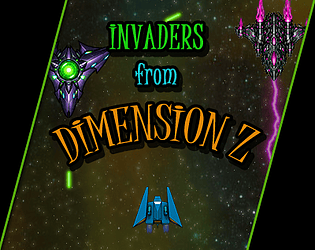
I like the game, but it's too hard to tell the difference between background noise and enemy bullets. And too often I found myself trapped by an inescapable barrage of bullets with no path to avoid. And if you die on the boss, losing your weapon makes you too weak to really do much against it.
Made it to wave 20 before dying on the boss. Not sure how I got that far considering how insanely fast the game moves. Definitely need to either lock the frame rate down or make controls not dependent on fps. And it really needs sounds.
Good start, very arcade like. I like the bloom fx on the graphics. It does run pretty fast chrome, a lot more playable from FF which doesn't have gpu acceleration. The speed seems dependent on frame rate. One option is to pick a target framerate (like 60) and calculate the ratio between that target and the actual frame rate. Then multiplying your movements (enemies, bullets, etc..) by that fraction should yield identical movement regardless of high or low frame rates. For instsance: fps = 60.0 * 1.0/actualFramerate bulletSpeed = 3 * fps
Fun game. The slower movement adds a new difficulty mechanic for me. Game was fluid. I like that score wasn't simply based on killing enemies, but accuracy and timing add up as well.
Why the controller doesn't work automatically in Chrome but does so in FF is still unknown, especially since I'm using the same controller code from a previous project that does work. I have added a manual fix. Press "J" to bring up a prompt. It'll ask you to press a button on the controller you wish to use. Once it says it was detected, press J again to close the prompt then start the game normally.
I played it using the CCS64 emulator. I don't know if its the emulator or what, but holding the fire button down seems to pause the game until I let go. So to continuously shoot I have to just spam the button instead. The ship randomly changes to other variants, it's a bit confusing. Still, I like the graphics. Makes me feel like I'm playing my Amiga again.
Cool concept, I beat all the levels once I figured out what to do. Shame there's no scoring of some sort. Could really expand this into something bigger.
I didn't realize it was for a contest, in that case totally understand. I've done game jams, but none that were as short as a week. I like, there's plenty of potential, but deadlines do get in the way of completion.
Cool graphics, but a lot of empty space. I nearly quit the first time because I went into 5 buildings of nothing. You either need to increase the fire rate or not let the enemies sit at the elevators and molest you the second you reach the floor. I had 4 virus basically block me in before I could even move, and one bugged out. Bullets just kept going through it and it wouldn't die, so I died instead. That was after I did the red key building.
Never could figure out what the X/30 was or how you're suppose to win the game. Best chain it said I got was 9, game ends at 19/30 or even 5/30. But it's fun arcade style game.
Pretty good, I saved the farm. Once I noticed I had infinite bullets, I just went crazy. The last group of rabbits never even made it over the fence! A mouse sensitivity adjustment might be nice. I would've liked to have seen some kind of visual effect of the bullets on target. Also needs to go back to a menu or something when it ends rather than just leave me stuck in fullscreen with the only way out is to refresh the page. But overall it ran smooth and bug free in chrome.
Pretty good, I saved the farm. Once I noticed I had infinite bullets, I just went crazy. The last group of rabbits never even made it over the fence! A mouse sensitivity adjustment might be nice. I would've liked to have seen some kind of visual effect of the bullets on target. Also needs to go back to a menu or something when it ends rather than just leave me stuck in fullscreen with the only way out is to refresh the page. But overall it ran smooth and bug free in chrome.
Is the mouse movement slowed down any? I kept thinking I had a hair my mouse's laser or something, it just didn't feel 100%. I think I scored 80, not sure. After it ends, the text all overlaps and you can't read it. But you definitely have some collision issues once the drop speed accelerates, passing right through the barriers. Look into "swept" collision. In your case, a simple line-line intersection test would do the trick.
marble madness! I think the controls need a lot of adjustment. I beat the first 2 levels, but only after dying about 100 times. It's extremely difficult to control the ball, to the point it almost felt like they were backwards. I could press left from the start and still fall off the right side of the map.
Fun little game. Would be nice if I knew how many levels there were or if it showed your current time. It's a hard little game given the limited visibility range. Since enemies move, I feel like you should be able to see them at a greater distance. I found myself running into enemies even when rapidly cycling through colors because the enemy wasn't visible until it was right in my face.
I'm guessing this fits the contrast and protect it themes. Though as someone who didn't play with virtual pets, there's no clear instruction what to do. And given the nature of the graphics style, I wasn't quite sure what some things were. I won the slider game about 30 times and only made 2 gold, never got any from the mirror game. Don't know if there was another method to earn gold but ultimately died because i couldn't afford anything.
spikes on the ground need to stand out more. I died constantly from walking into them cause i can never see them, they just look like part of the background.
I completed the demo (you cut me off at the aliens!) Excellent game so far. I really dig the animations, a lot more detailed than I would've expected. I spent 5min just jumping in water to stare at it lol.
I discovered I could use a controller for the little dino, is there no way to control the main character with it? Cause I really wanna use my controller to play this.
The cloud was causing major slowdowns in the browser that I wasn't seeing on desktop. I believe I have corrected this. Also added a frame rate counter, you can toggle it by pressing "F".
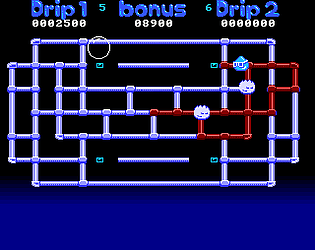
I think adding the enemies will be my next goal once I've learned their mechanics from the original game. I know they don't always run towards drip so I need to study their movements a bit.
fun little game. Took me a few times before i realized exactly what was going on. Once I noticed it was the same map over and over and everywhere I skated made holes for the next loop, I finally made it on the leaderboard.
I like the cyberpunk style of the game but there's a few issues, mainly with the double jump not working consistently. 99% of my deaths were directly attributed to the jump not working. Most of the time, I don't know where the next platform will be until AFTER I've jumped. Lastly, can you move the close button for the score table so it's not overlapping the fullscreen button?