
Indie game storeFree gamesFun gamesHorror games
Game developmentAssetsComics
SalesBundles
Jobs
TagsGame Engines

Paradajz

54
Posts
1
Topics
138
Followers
23
Following
A member registered Apr 01, 2021 · View creator page →

Creator of

Recent community posts

Hey!

To get that classic 'start with magic x' feel, you can use both the <skill: ID> and the <skills: ID;ID;ID> tags together on the same Materia item:

<skill: 10>: This acts as your 'instant equip' tag. The moment the player equips the Materia, they immediately have access to that spell.

<skills: 10;11;12>: This tag tells my plugin to track the AP progress for these skills. Since the first one (Skill 10) is already granted by the first tag, the menu will just show it as 'Mastered' or ready to go.

Thank you 😊

Hey!

you don't need to do anything special to 'get' the update—just head back to your download page on itch.io and download the plugin file again. I have uploaded the latest version that includes the fix for that rendering error you mentioned.

I’ve also included a test project in the download, which should help you see exactly how everything is set up in the database.


Let me know if it works for you now  :)

Hey! Thanks for the feedback. I've actually just uploaded an update today that introduces State-based progression, so you should be able to use passives through Materia now without needing to rely on permanent skill learning! You can download it now!

As for the donation, that is incredibly generous of you, but you’ve already paid for the plugin, so please don't feel obligated! I really appreciate the offer. If you’re insistent, I do accept support via PayPal:
@paradajz


Thank you very much!

Great idea!


you can add 'Static States' to your Materia right now by using the standard RPG Maker 'Traits' box in the database (which will apply the state the moment the Materia is equipped), it is not currently tied to the leveling/AP progression.


But i will add a 'State Progression' feature in the next update that will allow you to tie specific States to AP thresholds, just like Skills!


Update is coming today/tomorrow :)

Thank you very much!  I am glad i could help :)

The setup instructions can be found in the plugin's Help section inside RPG Maker MZ's Plugin Manager.


A quick overview:


• Materia are created as Armor entries in the database.


• Skills are created in the Skills database and linked to Materia using the plugin's notetags.


• AP requirements are set through the skill notetags.


• Equipment slots are added to weapons and armor using the slot notetags described in the plugin help.


• Icons are selected using RPG Maker's normal icon system (the Icon Index field in the database). If you're using a custom IconSet, place it where RPG Maker normally expects it ("img/system/").


You do not need to create any special folders for Materia or their data. Everything is configured through the database and notetags.


The only optional assets that use folders are things like custom windowskins, which can be selected from the standard "img/system/" folder through the plugin parameters.


I will add a demo project soon  for better guidance.

Thanks for the extra information.


Since the Materia effects are working and the mastery stars/icons are displaying correctly, I'd like to rule out a database setup issue first.


The plugin pulls the displayed information directly from your RPG Maker database. For example:


• The description shown in the Materia scene comes from the Materia item's Description field in the Armor database.


• Skill names are pulled from the Skills database based on the IDs used in your "<skill: x>" or "<skills: x;y;z>" notetags.


• AP progression values are pulled from the referenced skills' note boxes using the "<ap: x>" notetag.


So if a Materia has no description, or if the referenced skills are missing names or AP notetags, the scene may have little or no text to display.


Could you check one of the Materia that isn't displaying correctly and verify that:


- The Materia has a description in the Armor database.

- The skill IDs in its notetags point to existing skills.

- Those skills have names set.

- Those skills have "<ap: x>" notetags if you're using AP progression.


Also, since you're using VisuStella plugins, please try moving the Materia plugin near the bottom of your plugin list (below all  plugins) and see if that changes anything.

You can also add me on discord and send me a screenshot of the issue;

@paradajz93

Hi! Could you tell me a bit more about the issue?

Is the font missing only in the Materia scene, or throughout the entire game?

Also, are you using any font or UI-related plugins? If so, please let me know which ones you're using.

The Materia plugin itself doesn't modify or load fonts, so it should be using whatever font your project is already using. Knowing a bit more about your setup will help me narrow down what's causing the issue.

Do you mean that a materia is only equipable by some character(s)? I could add a notetag for that in the next update.

This is awesome, thank you very much! Video backgrounds are always in high demand, so this will definitely come in handy. :)

Hey!

You can pay with credit card now (Stripe)  either here or on Patreon :)

Thank you !

Hey! To change the death animation, just put <deathanim: x> in the enemy's notebox in the database (replace x with your animation ID).

If you want an attack to not show blood at all, you can use the <noblood> notetag alongside this. 


Alternatively, to disable the default blood globally, you can just set the very first parameter in the plugin settings to an empty animation ID.

It's been a little while since I worked on this plugin, so I’m going to look through the code again and push out some updates soon!

(2 edits)

Hi,

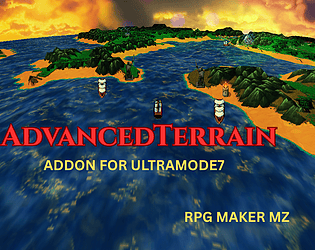
No this will not work on Ultramode7 maps without glitches. 

Are you trying to do water or something else?

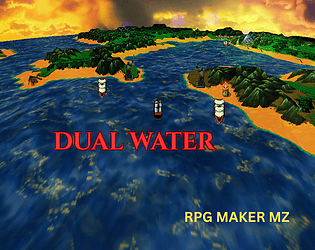
This one will work (water only): 

https://paradajz404.itch.io/para-dualwater


I actually use Visustella Battle Core (+ a bunch of others) during my own testing, so I’ve already pushed a fix for that incompatibility. You shouldn't have any problems!And if there are any issues, I will fix them ASAP.

Done :)

No sorry, the custom ui comes from vizustella menu core :)

No problem,

You can aks on my server: https://discord.gg/XuqdbX7CR

Or just add me on Discord and dm me: @paradajz93

(1 edit)

Hi, 
This plugin only allows  mp4 or webm., but you can convert your gif to a video.
It works with Vizustella Plugins , i am using battle core + a bunch of other plugins.

Nostalgeek is also ok :)

Hey!
Just "Paradajz" 
Thank you :)

Hi,
yes it is, i am using Visustella´s battle system.

This is Awesome, Thanks!

Hi,

Do the other scenes work with custom videos?

The most common issue is a typo in the scene name itself. 

Can you confirm that both, the name of this scene  and the video files are correct?


If you tell me which plugin or scene is causing this  i will try it on my own.

Yes it does :)

Hey!

The water is done with 2 water layers   and my plugin: https://paradajz404.itch.io/magicparallaxjs

The reflection on the water  itself is done with   this plugin:  https://the-northern-frog.itch.io/tsr-mirror


Thank you very much!

Test it and if you still find some issues i will try  to fix them asap!

Hi!

It’s compatible with Sang Hendrix Action Combat. The plugin only changes how the map is rendered (camera zoom), so it won’t break hitbox positions or collision—they’re still calculated in map coordinates.

The only caveat is mouse-based interactions: if your game relies heavily on clicking (e.g., clicking events/NPCs, click-to-move), very large zoom-in/out can make mouse hits feel a bit off. That’s a coordinate-conversion thing, not hitboxes. In normal zoom ranges it’s barely noticeable.

Thank you! :)

Cool, I just bought your plugin today—it’s great!
Would it be possible to make PvP (2–4 players)? Also, do you have any plans for a multiplayer (online) plugin for this?

Oh cool i am looking forward to it !

Keep up the good work ! :) 👍


Danke!


Hey 👋. 


I love this generator thank you very much for creating it!


However, i noticed that some outfits are missing from previous versions like this one:


Is this on purpose? I really like to update the hair on my old characters but i cant get this outfit (And some others)


Thank you  in advance :)

Hi!
I'm interested in purchasing this plugin, but I have a couple of questions:

  1. Is this plugin compatible with pixel movement systems?
  2. I'm working on an RTS-style game where events function as “units” that can follow the player or carry out commands such as moving and attacking obstacles or enemies. Would this plugin be suitable for creating such unit behaviors in an RTS strategy context?

Thank you for your time!

Hello!

Did you put the file in the "movies"  folder?

And also did you put the .mp4 extention also in the plugin parameters?

There are no plugin commands needed for this plugin, only edit the plugin parameters.

Lastly check if a other plugin is blocking it (unlikely), try to disable all other plugins to check.

the animation file is empty

I need to buy RPG Maker MV so  ican examine and test it. 

Although some code adjustments will be necessary, it should function in MV. 

I'll be getting it in the near future because I want to bring my other plugins over to MV, too.

Hi,

Great plugin as always!

The on-map shadows work great, but the in-battle shadows are not working for me. (I use many VisuStella plugins.)
I know this was asked in the past, but I wanted to know if there is a patch or something available now?

Is this Plugin only for the bundle?

I cant buy it.

(1 edit)

Sorry, i think i found the problem now.
Can you test it again?  i uploaded a new version. 

Hi,
I just updated the plugin—so it should work now! If not, please get back to me with more details about the plugins you’re using.
For reference, I’m using 1280x720 resolution for both my game and the videos I use.

Thanks for your feedback! :)