On Sale: GamesAssetsToolsTabletopComics
Indie game storeFree gamesFun gamesHorror games
Game developmentAssetsComics
SalesBundles
Jobs
TagsGame Engines

MrBq

10
Posts
3
Topics
1
Followers
2
Following
A member registered Mar 10, 2018

Creator of

Recent community posts

Hello! I need some help with the Native Cursor extension. I'm trying to change the cursor sprite, but it doesn't seem to take effect.

In my Create Event, I wrote:
spr_cur = native_cursor_create_from_sprite(spr_cursor); 

native_cursor_set(spr_cur);

And in the Step Event

native_cursor_update();

The cursor just won't change to my custom sprite. I am not sure what I am doing wrong here. Does anyone have any ideas?

(1 edit)

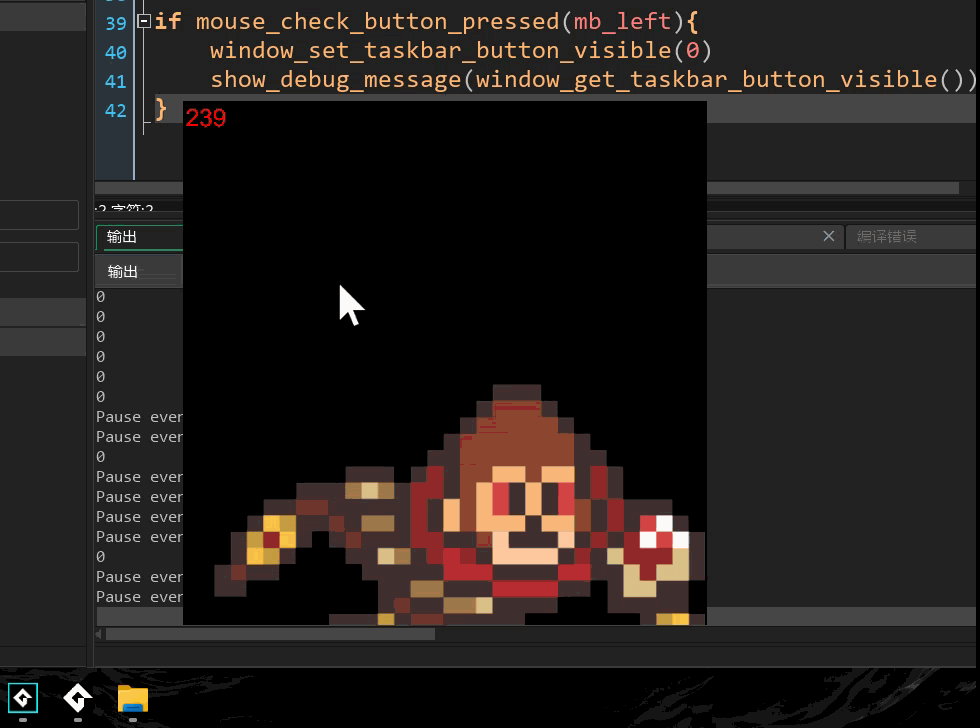
My system is Windows 11 25H2, and my IDE version is 2024.14.2.120. As shown in the screenshot, I triggered window_set_taskbar_button_visiblevia mouse input in the Step event, but the taskbar icon did not disappear — although window_get_taskbar_button_visiblereturns 0.

After testing, calling window_set_taskbar_button_visible(0)in the Room Start event correctly hides the taskbar icon, but it can’t be shown again when triggered in the Step event.

Is there a usage restriction for this function? Or could it be due to a partial breakdown of the code caused by a system environment update?

Hello, I'm encountering the same issue. It seems that the translucent pixels on the outer edge of the sprite are being rendered as green. Is there a solution to this?

Sorry to bother you again,

  1. About the system tray issue mentioned earlier: I tried but it didn't work. No matter which DEMO option I selected, I couldn't find the application in the system tray. Is there any other way to make it appear?
  2. For my next project, I want it to run on both macOS and Windows, and I'd like to implement trackpad gestures like two-finger swiping for control. However, after extensive searching, I still haven't found a reliable way to achieve this. The "gestures" and "device_mouse" related functions in the official documentation don't seem to work. Could you please advise if there are any viable solutions?

Thanks for the reply.
For the first point, your plugin’s display_capture_measure_all comparison parameter gave me some inspiration to determine if the screen is rotated.
For the second point, I will give it a try!

Hello YellowAfterlife, first of all, I purchased several of your plugins as needed, and they are very useful. Thumbs up to you. I am now facing two issues during development and would like to ask if you have any solutions:

  1. How to get the orientation from the Windows display settings? I tried using display_get_width, display_get_height, and display_get_orientation, but none of them worked. I also couldn't find a similar solution online.

  2. Is there a plugin that can display the game in the System Tray and provide right-click menu functionality?

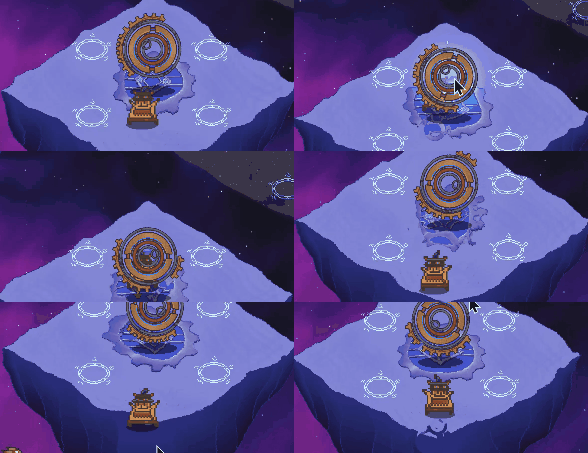
After uncommenting the PP_DISPLACEMAP_OFFSET code at the location you specified, I observed that it was also affected by the camera. Upon closer inspection, the PP_SINE_WAVE_OFFSET effect is actually camera-dependent as well. The shaking amplitude intensifies when obj_player moves. Please check if this matches the phenomenon I described? If so, does this meet your expectations?

Unfortunately, despite passing the camera position in real-time via the step event as suggested (tried both obj_camera.x/y and cam_get_view_xy), the water ripple distortion still shifts with camera movement - exactly as shown in the GIF. Clearly I'm missing something critical here. 🤦‍♂️

Hello, after testing, there are still some issues (likely due to my insufficient understanding of how to use this plugin correctly):

  1. I might not fully understand the correct way to pass OFFSET parameters. I wrote: test_renderer.SetEffectParameters(FF_DISPLACEMAP, [PP_DISPLACEMAP_OFFSET], [obj_camera.x,obj_camera.y]) But this causes an error. I found "Offset X" and "Offset Y" in PP_DISPLACEMAP_OFFSET - could you show me exactly how to use them?

  2. I discovered the black screen issue was actually because my obj_pause disables most objects (including obj_ppfx 😅) when created. Testing shows application_surface still works normally.

"Hello, since the built-in FX features in GameMaker are affected by the camera, I purchased your Post-Processing FX. After several hours of experimentation, I successfully implemented the v4 'Underwater' effect on a fixed layer (this is the only effect I need). However, I'm currently facing two issues:

  1. The ripple variations in the 'Underwater' effect are still influenced by camera movement. My game uses the common camera-follow-player mechanic, and this visual interference is unacceptable. Did I overlook something? Is there any way to make it immune to camera movement?
  2. I have a pause system that uses the sprite_create_from_surface function when paused. If I want Post-Processing FX to globally take over the game's rendering system (using application_surface_draw_enable(0)), it causes sprite_create_from_surface to fail, resulting in a black background appearing visually during pauses. Do you have any suggestions for modifications?"