not exactly, but camera 2d has the 'limit' property (https://docs.godotengine.org/en/stable/classes/class_camera2d.html#class-camera2...) which wont let it move past the limit assigned. you can set up a system to get your levels limits and pass it to the camera, if thats what your asking. (this only gets you one giant cube the camera cant get through) otherwise, you will have to code your own camera system and detection (which probably already exists via assets). you could do this with a character body node acting as camera manager, and getting the velocity to point towards where you want the camera to be. again, the point being you are asking for a solution to problem that you can already solve very easily. if you do want to make a proper feature request however, you can always go to https://github.com/godotengine/godot and submit. (tutorial to help you out a bit
Monsanima
31
Posts
44
Followers
183
Following
A member registered Sep 16, 2016 · View creator page →
Creator of
how we schedule our lives in the 21st century - for school
Visual Novel
The Only Co-op Single Player Mattress Game! for school
Action
Play in browser
Recent community posts
Maintenance release: Godot 4.6.2 comments · Replied to BoboGames in Maintenance release: Godot 4.6.2 comments
Reach the flag and don't die comments · Replied to An00bgod in Reach the flag and don't die comments
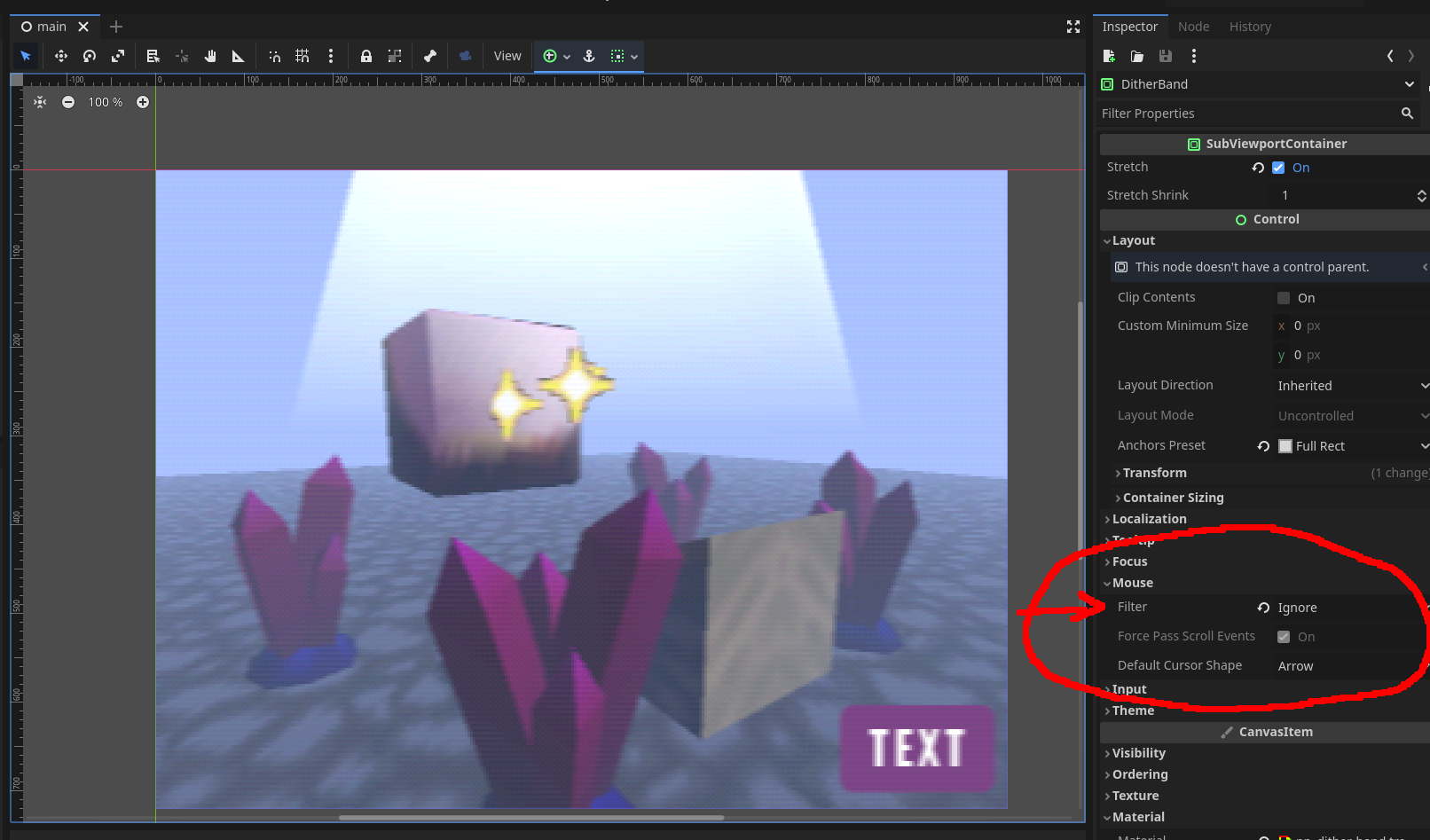
I think the fix is mainly to have your world scene as a child of the subviewport. The subviewport is basically a texture, and it wont display to anything unless you assign it to display to something. You do this by putting as a child of a subviewport container node. However, the subviewport wont have anything to display unless it has a camera as a child. So make sure to put the entire world scene as the child.
If that doesnt fix anything, make sure the subviewport container is not eating mouse inputs. Since the container is a control node, it will likely automatically take all mouse inputs and not pass them down. Just mess with the option highlighted in the picture until you hopefully get it working!
These Are Not Real People jam comments · Replied to BonOldFashioned in These Are Not Real People jam comments
Away Back (CDG Jam Fall 23 - Community Vote & 1st Place Winner) jam comments · Posted in Away Back (CDG Jam Fall 23 - Community Vote & 1st Place Winner) jam comments