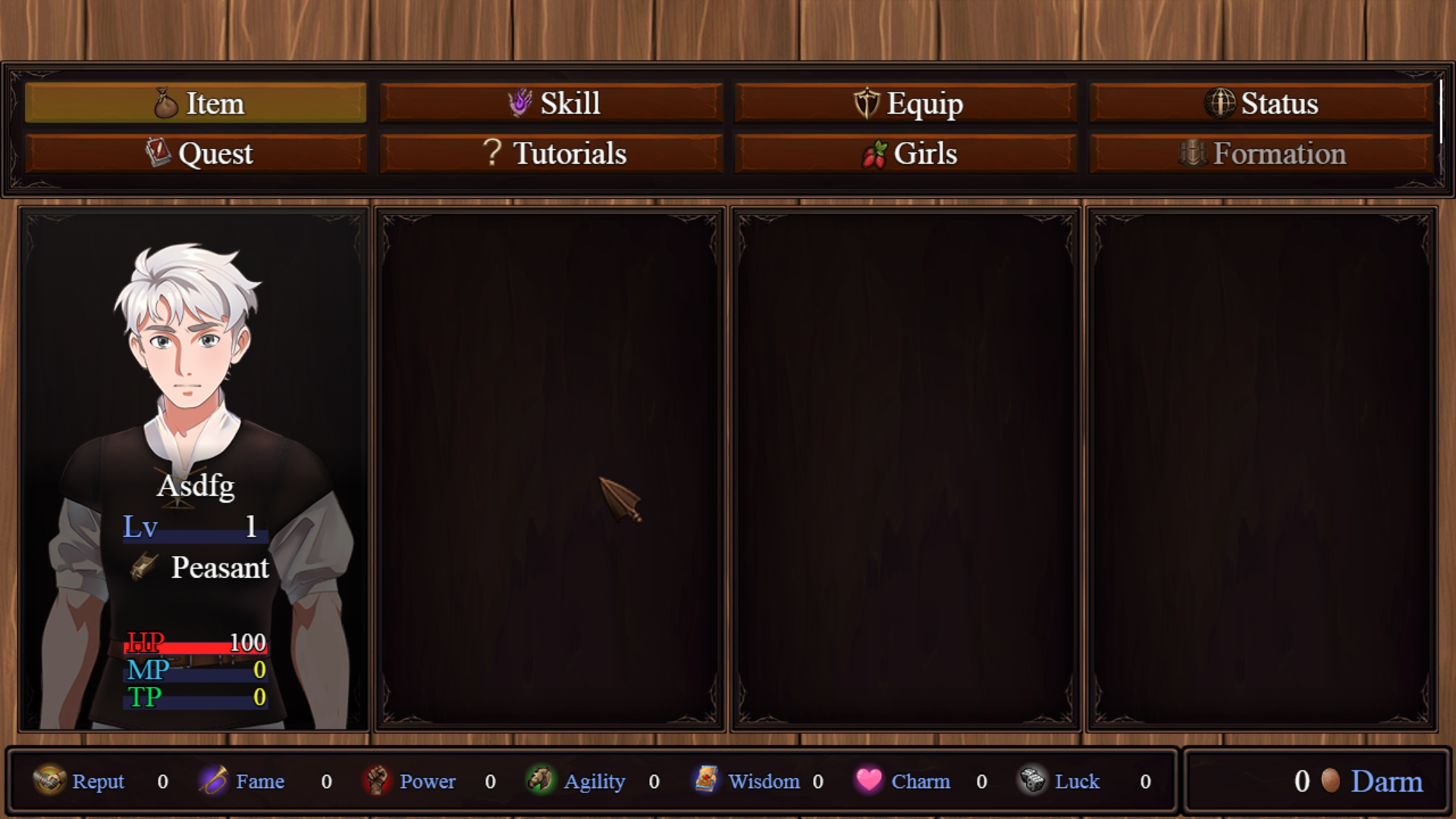
My desktop install just...vanished. It was there yesterday and today it's not. It still appears in add/remove programs, but I can't uninstall it because it can't find the file to uninstall. The folders are there, but the .exe is gone.
MockMicrobe
Creator of
Recent community posts
My pleasure, I'm looking forward to this game. You had me hooked with the opening.
I downloaded it from this page, so I'm hoping this is the official source.
As for the white screen, it happens when I launch in either windowed or fullscreen. It's about a 50/50 chance each time I launch if it's a white screen.
And for the Save/Load buttons, I never noticed the scroll bar on the side. Maybe a line in the Menu Screen Tutorial page that you can scroll to see all the menu buttons? Or make the scroll bar bigger/more noticeable.
I also noticed in windowed mode it doesn't resize the screen to fit the window. It just cuts off whatever's not in the window, making window mode unusable. Turn 'Stretch Screen' on in the options fixes that.
Of course, I can't recreate the Tutorial crash now that I want it to happen.
Now that I've got the save/load issue sorted, I was finally able to give this game a proper try. And I must say, I am very unhappy I found this game so early in development. Now I have to wait for this masterpiece to be finished before I can lose a weekend or three to it.
What little I was able to play was intriguing. Half the time, it doesn't start, it's just opens a blank white screen.
Unfortunately, once I'm in, the game crashes every time I try to open the Tutorial from the menu screen.
And there's no option to save or load the game, despite the tutorial saying there is. If you could make a new auto-save point after you wake up in the house, that would be great. I'm getting frustrated running from the dead in the ash island, as that's the last save point I have.
Less rare could be a way to go about it, but the problem with RNG is there is a chance they'll never appear. Off the top of my head to keep RNG and guarantee all figures are collectable, is a rising find percentage. For example, over a ten day span, the odds to find increases 10% a day, with 100% chance on day 10, resetting once it's collected. Alternatively, hiding them in scenes you're guaranteed to see would be better, and give everyone a chance to get them all.
And an issue with clicker games is they can be very unfriendly to people who can't click rapidly or precisely. If that's the only way to earn money, they can't progress in the game. If it's a way to boost earning, then it turns it into a grind for them to earn it otherwise. Will there be other ways to earn money as the game progresses?
Very good start, the artwork is good, and the world building is off to a solid start.
In the arcade, for the duck game, it doesn't matter what duck you pick, the number is the same for all of them. I get the notification at the top of the screen, which took me a while to figure out I was gaining tickets from that. It also appears you're limited to one figure a day, then it goes to lucky 13 for the duck selection.
For the shirts and skins, it's a good clicker game. They're all worth one money, maybe go 1-2-3 as the distance increases? Same for the balloon pop, good clicker. Maybe different sized balloons with different values? To increase the earnings from the games and reduce the time it takes to buy stuff.
The panty smack is the only one I found frustrating. The hit box for the targets isn't clear, and doesn't seem to match the location of the hand on screen.
The timer for all games starts at 20, even though the text says you have 25 seconds.
The prices for items are too high in relation to the effort it takes to earn the money and tickets. At best, it's around 10 games per item .
What's the answer to the corridor of destiny? The last time I played was 4 months ago. I loaded a save, but you can't talk to Lina about her acting days. I typed in every major egyptian god on the wikipedia page and none of them worked. These types of puzzles need a way to solve them in game that doesn't rely on memory or starting a new game.
Edit: That's because his name is spelled differently on the Wiki page.
I've been trying to post this for a while, but apparently itch is having server issues:
When Eve asks if you if you treat Vivian good and you reply No:
```
I'm sorry, but an uncaught exception occurred.
While running game code:
File "game/eve_scenes.rpy", line 93, in script
$ Eve -= 1
File "game/eve_scenes.rpy", line 93, in <module>
$ Eve -= 1
TypeError: unsupported operand type(s) for -=: 'LoveInterest' and 'int'
-- Full Traceback ------------------------------------------------------------
Full traceback:
File "game/eve_scenes.rpy", line 93, in script
$ Eve -= 1
File "renpy/ast.py", line 922, in execute
renpy.python.py_exec_bytecode(self.code.bytecode, self.hide, store=self.store)
File "renpy/python.py", line 2218, in py_exec_bytecode
exec(bytecode, globals, locals)
File "game/eve_scenes.rpy", line 93, in <module>
$ Eve -= 1
TypeError: unsupported operand type(s) for -=: 'LoveInterest' and 'int'
Windows-10-10.0.19041
Ren'Py 7.4.6.1693
Reclusive Bay 0.17.2
Sun Aug 15 22:26:29 2021
```
When at the police station with Vivian, it runs through the scene twice if you go with Distract.
Edit: I loaded an earlier save and it didn't run through twice.
Bug 2: Email Problem, Rollback works, Ignore doesn't.
```
I'm sorry, but an uncaught exception occurred.
While running game code:
File "game/MC_PC.rpy", line 1251, in script
call screen email_app_window
File "renpy/common/000statements.rpy", line 569, in execute_call_screen
store._return = renpy.call_screen(name, *args, **kwargs)
Exception: Empty text tag in u"I'm sorry {}".
-- Full Traceback ------------------------------------------------------------
Full traceback:
File "game/MC_PC.rpy", line 1251, in script
call screen email_app_window
File "renpy/ast.py", line 2009, in execute
self.call("execute")
File "renpy/ast.py", line 1997, in call
return renpy.statements.call(method, parsed, *args, **kwargs)
File "renpy/statements.py", line 278, in call
return method(parsed, *args, **kwargs)
File "renpy/common/000statements.rpy", line 569, in execute_call_screen
store._return = renpy.call_screen(name, *args, **kwargs)
File "renpy/exports.py", line 3057, in call_screen
rv = renpy.ui.interact(mouse="screen", type="screen", roll_forward=roll_forward)
File "renpy/ui.py", line 298, in interact
rv = renpy.game.interface.interact(roll_forward=roll_forward, **kwargs)
File "renpy/display/core.py", line 3276, in interact
repeat, rv = self.interact_core(preloads=preloads, trans_pause=trans_pause, pause=pause, pause_start=pause_start, **kwargs)
File "renpy/display/core.py", line 3693, in interact_core
root_widget.visit_all(lambda i : i.per_interact())
File "renpy/display/core.py", line 567, in visit_all
d.visit_all(callback, seen)
File "renpy/display/core.py", line 567, in visit_all
d.visit_all(callback, seen)
File "renpy/display/core.py", line 567, in visit_all
d.visit_all(callback, seen)
File "renpy/display/screen.py", line 437, in visit_all
self.child.visit_all(callback, seen=None)
File "renpy/display/core.py", line 567, in visit_all
d.visit_all(callback, seen)
File "renpy/display/core.py", line 567, in visit_all
d.visit_all(callback, seen)
File "renpy/display/core.py", line 567, in visit_all
d.visit_all(callback, seen)
File "renpy/display/core.py", line 567, in visit_all
d.visit_all(callback, seen)
File "renpy/display/core.py", line 567, in visit_all
d.visit_all(callback, seen)
File "renpy/display/core.py", line 567, in visit_all
d.visit_all(callback, seen)
File "renpy/display/core.py", line 567, in visit_all
d.visit_all(callback, seen)
File "renpy/display/core.py", line 557, in visit_all
for d in self.visit():
File "renpy/text/text.py", line 1770, in visit
self.update()
File "renpy/text/text.py", line 1747, in update
tokens = self.tokenize(text)
File "renpy/text/text.py", line 2221, in tokenize
tokens.extend(textsupport.tokenize(i))
File "textsupport.pyx", line 105, in renpy.text.textsupport.tokenize
Exception: Empty text tag in u"I'm sorry {}".
Windows-10-10.0.19041
Ren'Py 7.4.6.1693
Reclusive Bay 0.17.2
Sun Aug 15 21:58:32 2021
```
I second the walkthrough.
Once we've met people, could we get their pictures on the map so we know where to find them?
Also, a problem when you text Ms. Taylor as she gets out of the bath:
```
I'm sorry, but an uncaught exception occurred.
While loading <'Image' u'taylor_cellphone_5.png'>:
File "game/script.rpy", line 288, in script call
call level_up_begin
File "game/script.rpy", line 288, in script call
call level_up_begin
File "game/script.rpy", line 288, in script call
call level_up_begin
File "game/script.rpy", line 288, in script call
call level_up_begin
File "game/phone.rpy", line 231, in script
call screen phone_message(taylor_name,"Just dried myself off.")
File "renpy/common/000statements.rpy", line 531, in execute_call_screen
store._return = renpy.call_screen(name, *args, **kwargs)
IOError: Couldn't find file 'taylor_cellphone_5.png'.
-- Full Traceback ------------------------------------------------------------
Full traceback:
File "game/script.rpy", line 288, in script call
call level_up_begin
File "game/script.rpy", line 288, in script call
call level_up_begin
File "game/script.rpy", line 288, in script call
call level_up_begin
File "game/script.rpy", line 288, in script call
call level_up_begin
File "game/phone.rpy", line 231, in script
call screen phone_message(taylor_name,"Just dried myself off.")
File "D:\ItchGameBundle\GoodnightKiss2-1.21-pc\renpy\ast.py", line 1949, in execute
self.call("execute")
File "D:\ItchGameBundle\GoodnightKiss2-1.21-pc\renpy\ast.py", line 1937, in call
return renpy.statements.call(method, parsed, *args, **kwargs)
File "D:\ItchGameBundle\GoodnightKiss2-1.21-pc\renpy\statements.py", line 277, in call
return method(parsed, *args, **kwargs)
File "renpy/common/000statements.rpy", line 531, in execute_call_screen
store._return = renpy.call_screen(name, *args, **kwargs)
File "D:\ItchGameBundle\GoodnightKiss2-1.21-pc\renpy\exports.py", line 2905, in call_screen
rv = renpy.ui.interact(mouse="screen", type="screen", roll_forward=roll_forward)
File "D:\ItchGameBundle\GoodnightKiss2-1.21-pc\renpy\ui.py", line 297, in interact
rv = renpy.game.interface.interact(roll_forward=roll_forward, **kwargs)
File "D:\ItchGameBundle\GoodnightKiss2-1.21-pc\renpy\display\core.py", line 2702, in interact
repeat, rv = self.interact_core(preloads=preloads, trans_pause=trans_pause, **kwargs)
File "D:\ItchGameBundle\GoodnightKiss2-1.21-pc\renpy\display\core.py", line 3194, in interact_core
self.draw_screen(root_widget, fullscreen_video, (not fullscreen_video) or video_frame_drawn)
File "D:\ItchGameBundle\GoodnightKiss2-1.21-pc\renpy\display\core.py", line 2094, in draw_screen
renpy.config.screen_height,
File "renpy/display/render.pyx", line 490, in renpy.display.render.render_screen (gen\renpy.display.render.c:6805)
rv = render(root, width, height, st, st)
File "renpy/display/render.pyx", line 259, in renpy.display.render.render (gen\renpy.display.render.c:3520)
rv = d.render(widtho, heighto, st, at)
File "D:\ItchGameBundle\GoodnightKiss2-1.21-pc\renpy\display\layout.py", line 722, in render
surf = render(child, width, height, cst, cat)
File "renpy/display/render.pyx", line 166, in renpy.display.render.render (gen\renpy.display.render.c:4075)
cpdef render(d, object widtho, object heighto, double st, double at):
File "renpy/display/render.pyx", line 259, in renpy.display.render.render (gen\renpy.display.render.c:3520)
rv = d.render(widtho, heighto, st, at)
File "D:\ItchGameBundle\GoodnightKiss2-1.21-pc\renpy\display\layout.py", line 722, in render
surf = render(child, width, height, cst, cat)
File "renpy/display/render.pyx", line 166, in renpy.display.render.render (gen\renpy.display.render.c:4075)
cpdef render(d, object widtho, object heighto, double st, double at):
File "renpy/display/render.pyx", line 259, in renpy.display.render.render (gen\renpy.display.render.c:3520)
rv = d.render(widtho, heighto, st, at)
File "D:\ItchGameBundle\GoodnightKiss2-1.21-pc\renpy\display\layout.py", line 722, in render
surf = render(child, width, height, cst, cat)
File "renpy/display/render.pyx", line 166, in renpy.display.render.render (gen\renpy.display.render.c:4075)
cpdef render(d, object widtho, object heighto, double st, double at):
File "renpy/display/render.pyx", line 259, in renpy.display.render.render (gen\renpy.display.render.c:3520)
rv = d.render(widtho, heighto, st, at)
File "D:\ItchGameBundle\GoodnightKiss2-1.21-pc\renpy\display\screen.py", line 675, in render
child = renpy.display.render.render(self.child, w, h, st, at)
File "renpy/display/render.pyx", line 166, in renpy.display.render.render (gen\renpy.display.render.c:4075)
cpdef render(d, object widtho, object heighto, double st, double at):
File "renpy/display/render.pyx", line 259, in renpy.display.render.render (gen\renpy.display.render.c:3520)
rv = d.render(widtho, heighto, st, at)
File "D:\ItchGameBundle\GoodnightKiss2-1.21-pc\renpy\display\layout.py", line 722, in render
surf = render(child, width, height, cst, cat)
File "renpy/display/render.pyx", line 166, in renpy.display.render.render (gen\renpy.display.render.c:4075)
cpdef render(d, object widtho, object heighto, double st, double at):
File "renpy/display/render.pyx", line 259, in renpy.display.render.render (gen\renpy.display.render.c:3520)
rv = d.render(widtho, heighto, st, at)
File "accelerator.pyx", line 110, in renpy.display.accelerator.transform_render
File "renpy/display/render.pyx", line 259, in renpy.display.render.render (gen\renpy.display.render.c:3520)
rv = d.render(widtho, heighto, st, at)
File "D:\ItchGameBundle\GoodnightKiss2-1.21-pc\renpy\display\im.py", line 583, in render
return cache.get(self, render=True)
File "D:\ItchGameBundle\GoodnightKiss2-1.21-pc\renpy\display\im.py", line 266, in get
surf = image.load()
File "D:\ItchGameBundle\GoodnightKiss2-1.21-pc\renpy\display\im.py", line 628, in load
surf = renpy.display.pgrender.load_image(renpy.loader.load(self.filename), self.filename)
File "D:\ItchGameBundle\GoodnightKiss2-1.21-pc\renpy\loader.py", line 576, in load
raise IOError("Couldn't find file '%s'." % name)
IOError: Couldn't find file 'taylor_cellphone_5.png'.
Windows-8-6.2.9200
Ren'Py 7.3.5.606
Goodnight Kiss 2 1.21
Wed Aug 11 13:00:45 2021
```
Kicks this error when trying to open email.
```
I'm sorry, but an uncaught exception occurred.
While running game code:
File "game/MC_PC.rpy", line 1190, in script
call screen email_app_window
File "renpy/common/000statements.rpy", line 569, in execute_call_screen
store._return = renpy.call_screen(name, *args, **kwargs)
File "game/MC_PC.rpy", line 1216, in execute
screen email_app_window():
File "game/MC_PC.rpy", line 1216, in execute
screen email_app_window():
File "game/MC_PC.rpy", line 1248, in execute
viewport:
File "game/MC_PC.rpy", line 1255, in execute
vbox:
File "game/MC_PC.rpy", line 1256, in execute
if len(emails.list) > 0:
File "game/MC_PC.rpy", line 1256, in <module>
if len(emails.list) > 0:
File "game/classes/Emails.rpy", line 63, in list
sorted_emails = sorted(active_emails, key = lambda email: (email.date.year, email.date.month, email.date.day, email.time, email.char, email.progress), reverse = True)
File "game/classes/Emails.rpy", line 63, in <lambda>
sorted_emails = sorted(active_emails, key = lambda email: (email.date.year, email.date.month, email.date.day, email.time, email.char, email.progress), reverse = True)
AttributeError: 'unicode' object has no attribute 'year'
-- Full Traceback ------------------------------------------------------------
Full traceback:
File "game/MC_PC.rpy", line 1190, in script
call screen email_app_window
File "renpy/ast.py", line 2009, in execute
self.call("execute")
File "renpy/ast.py", line 1997, in call
return renpy.statements.call(method, parsed, *args, **kwargs)
File "renpy/statements.py", line 278, in call
return method(parsed, *args, **kwargs)
File "renpy/common/000statements.rpy", line 569, in execute_call_screen
store._return = renpy.call_screen(name, *args, **kwargs)
File "renpy/exports.py", line 3057, in call_screen
rv = renpy.ui.interact(mouse="screen", type="screen", roll_forward=roll_forward)
File "renpy/ui.py", line 298, in interact
rv = renpy.game.interface.interact(roll_forward=roll_forward, **kwargs)
File "renpy/display/core.py", line 3276, in interact
repeat, rv = self.interact_core(preloads=preloads, trans_pause=trans_pause, pause=pause, pause_start=pause_start, **kwargs)
File "renpy/display/core.py", line 3693, in interact_core
root_widget.visit_all(lambda i : i.per_interact())
File "renpy/display/core.py", line 567, in visit_all
d.visit_all(callback, seen)
File "renpy/display/core.py", line 567, in visit_all
d.visit_all(callback, seen)
File "renpy/display/core.py", line 567, in visit_all
d.visit_all(callback, seen)
File "renpy/display/screen.py", line 432, in visit_all
callback(self)
File "renpy/display/core.py", line 3693, in <lambda>
root_widget.visit_all(lambda i : i.per_interact())
File "renpy/display/screen.py", line 443, in per_interact
self.update()
File "renpy/display/screen.py", line 631, in update
self.screen.function(**self.scope)
File "game/MC_PC.rpy", line 1216, in execute
screen email_app_window():
File "game/MC_PC.rpy", line 1216, in execute
screen email_app_window():
File "game/MC_PC.rpy", line 1248, in execute
viewport:
File "game/MC_PC.rpy", line 1255, in execute
vbox:
File "game/MC_PC.rpy", line 1256, in execute
if len(emails.list) > 0:
File "game/MC_PC.rpy", line 1256, in <module>
if len(emails.list) > 0:
File "game/classes/Emails.rpy", line 63, in list
sorted_emails = sorted(active_emails, key = lambda email: (email.date.year, email.date.month, email.date.day, email.time, email.char, email.progress), reverse = True)
File "renpy/python.py", line 1056, in revertable_sorted
return RevertableList(sorted(*args, **kwargs))
File "game/classes/Emails.rpy", line 63, in <lambda>
sorted_emails = sorted(active_emails, key = lambda email: (email.date.year, email.date.month, email.date.day, email.time, email.char, email.progress), reverse = True)
AttributeError: 'unicode' object has no attribute 'year'
Windows-10-10.0.19041
Ren'Py 7.4.6.1693
Reclusive Bay 0.16
Wed Jul 28 10:56:55 2021
```
Phenomenal work. I had no problems running on ultra graphics and large platoon size. The AI is great at taking cover in dips and craters. The AI does tend to clump up, so a single well placed shell will take out a platoon huddling in a crater. Also, the units should be able to move left and right, as well as front and back. In one game, the British took the German left, and Germans took the British left. The centers got traded back and forth, but the flank units never turned to the center to clear out the trench. I eagerly look forward to this game. I might break my 'no early access' rule for this.
I'm constantly getting the error:
Loading Error
Failed to Load: audio/se/ErisLF53.ogg
It's annoying because it constantly interrupts the flow of the game.
version 0.0.4b pc
EDIT: It was to the point is was nearly unplayable, so I copied ErisLF33 and renamed it to ErisLF53, that stopped the error from appearing every ten seconds.
The night events I'm referring to aren't related to lockpicking, but the main story. After you talk to Lily, and she broaches the subject of saving up, you have to talk to Cas and Paige. When you talk to Cas at the Royal, the option is 'Hey, I want to ask you about something that Lily brough (sic) up" which leads to the dining room night scene. However, that option never goes away, and the event can't be repeated.
For Paige, the option is 'You have a second,' which leads to the hot tub scene. The option remains after the hot tub scene is completed, and the hot tub can't be repeated.
You're quite welcome, debugging is a pain.
Bugs for 15.5.1 (fixed in 15.5.2, which I didn't notice was released before making these notes):
When talking to Cas in the dining room about the savings plan, the 'Actually I'd change alot' and 'Maybe the amount of clothing you have on' options loop back to the beginning of the conversation, the only way out is to select 'Nope, not a thing.'
Paige's hot tub conversation, all options, both after peeking and not, loop the conversation back to the beginning, there's no way to leave the conversation.
15.5.2 bugs with new game:
Cas and Paige night events (dining room and hot tub respectively) about the savings can be completed, but the options to start the events still remain for them in the restaurant dialogues, but the events do not fire again. The hint says to talk to Lily at the Royal, but the only option is 'nothing.'
It throws errors when I click on Lily and Cas's rooms, but can be rolled back or ignored. The game crashes when you buy gifts, and click on them while it was in the spot at the top of the screen where the inventory is. That error seems to be because it's calling non-existent labels for those items.
I also seem to have hit a wall. I can't get my points with Paige above 14, and you need 15 to progress. And with Cas, I have no idea what to do with the 'early day' hint.
How are you supposed to save money to purchase upgrades? The only time I can talk to them is at the restaurant, and their options are 'nothing' and 'how's business/work shift.'