Indie game storeFree gamesFun gamesHorror games
Game developmentAssetsComics
SalesBundles
Jobs
TagsGame Engines

Mega Miley

27
Posts
4
Topics
7
Followers
3
Following
A member registered Dec 29, 2015 · View creator page →

Creator of

Recent community posts

(1 edit)

Oh and also just noticed that the screen scaling got fixed, the sliders and values no longer overlap or get cutoff all over the place!

As for the grouping of assets, could you add a way to remove certain assets from a group? Got a bunch in my favorite group that I added when I was first trying that out but I can't seem to remove them from the group (and having to delete an entire group and then re-add everything that should be in there obviously isn't the way to go)

Edit:
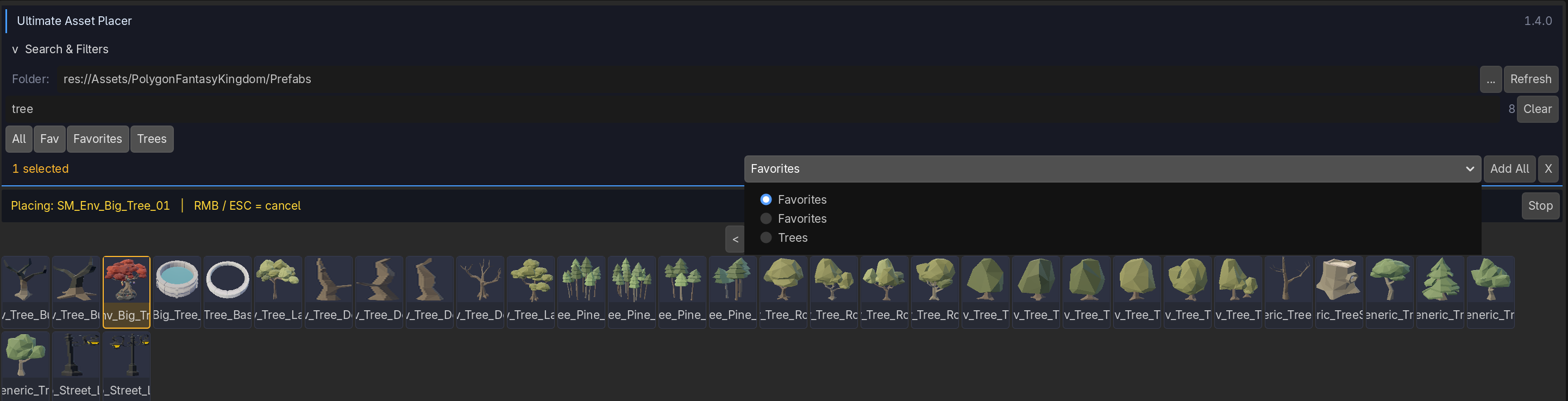

I somehow created 2 Favorites groups.. One has the abbreviated name, the other in full.. They seem to have the same assets and also the original Fav group got cleared somehow..

Cool! Seems to be mostly working, the thumbnails do feel a bit squished though, I think this may be because whatever logic you have to generate the thumbnails is trimming the transparent excess but the preview always expects it to be in a 1:1 aspect ratio.



Either the thumbnails should be generated in a 1:1 aspect ratio, or the TextureRect/Sprite2D (whatever underlying node you're using to display them) should not stretch it to 1:1 at all times)

Also, 2 large chunks of assets got their icon generated quite quickly but now every time I hit refresh it just does the one asset before the last generated thumbnail

If my assets are like this, 50 with no thumbnail, 50 with a thumbnail (in that order), then the next refresh it will be 49 with no thumbnail and 51 with a thumbnail (again in that exact order, instead I would expect it to start from the first asset and work its way forward in chunks)

Cool, looking forward to it :)

Hmm, I made that change but the tscn files are still just showing a scene icon rather than a thumbnail of the asset


Where would that setting be? I don't see anything related to the thumbnail generation in the UAP Settings tab nor the Editor/Project settings themselves. Also, how would I force it to re-try the thumbnail generation for the tscn files? Just refreshing the assets doesn't seem to do anything

For the negative numbers, for the Grid Y I can definitely go beyond -10 with the slider, all the way down to -100 it seems (displayed as -1 before being cut off)

But without .tscn support for the thumbnails this tool doesn't have any use to me. A lot of my objects have other stuff setup in them to make them intractable and/or have other gameplay features  so if I can't place them with through this tool than that's kind of a waste. Are you planning on adding support for this in the near future anyways? If not them I'd like to request a refund instead as this tool simply won't work for me.
(1 edit)

Just bought the asset but my .tscn files aren't showing any icon in the asset browser.. How can I get the thumbnails to show on them?

And also, how do I remove assets from a group? I can add them, but I can't remove single assets from it it seems.. Plus the UI has a ton of scaling issues for me as well
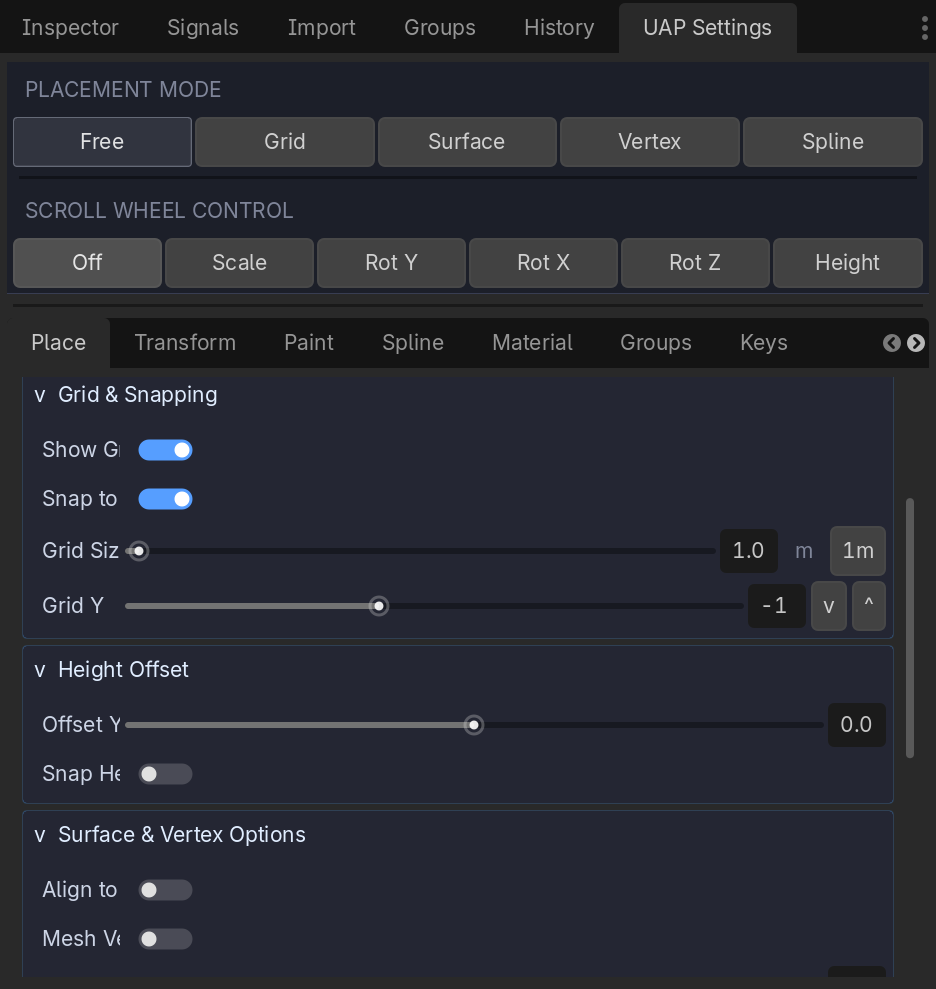
A bunch of labels are cutoff too early and negative numbers beyond -10 can't even get displayed properly. Also, when scrolling down the list with my scrollwheel it often scrolls on the Sliders themselves which then unintentionally changed the values within them. Note that I'm on a 4K monitor and use 150% display scaling inside the editor settings

(1 edit)

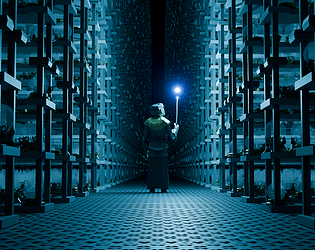
Absolutely! The Hall of Prophecy's is what it's named in the movies I believe, part of The Department of Mysteries . Was the first thing that came to mind when the theme dropped, thanks!

Yup, but as you said yourself it's better to modify them quite a bit to make it not seem like it's just the demo scene as-is

Given the Synty assets are in 3D it is the expectation, but if you can turn them into a 2D or a 2.5D game then go ahead :)

When I press CTRL + O on Windows with 2.2.1 nothing happens, CTRL + S and other shortcuts work just fine

(1 edit)

Whenever I try to copy paste grouped but separate objects they end up in the same group after the paste. Here's some screenshots to show what is happening


Both separate groups, once I select both, copy, paste they suddenly become one combined group
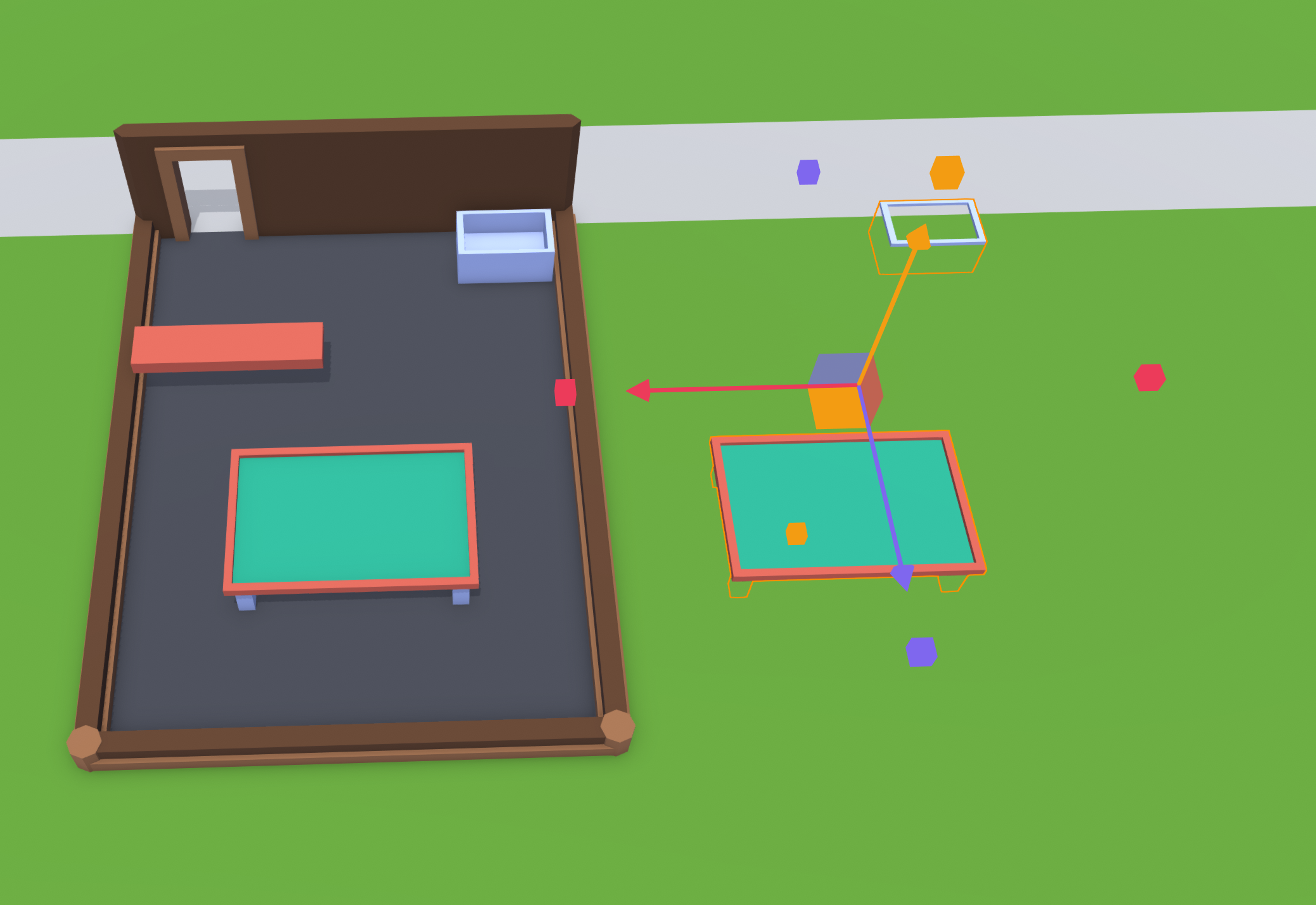


I would expect the two groups to remain as they were before and not combine into one. When I try to un group them they just turn back into their individual base blocks rather than the original groups.

Using 2.2.1 on Windows 10

When using groups the rendering of the object breaks when you select the object, happens on all groups I've tried so far

Not selected renders fine:


When selecting the group the outline is fine but the actual object somehow gets clipped into other parts:

Using 2.2.1 on Windows 10

Whenever I select a single object by simply clicking it has a very high change to start selecting extra stuff as soon as I move my mouse even though I've already let go of the mouse button.. It makes it quite difficult to really use the tool as I need to double check if what I have selected is actually what I was trying to select or if other unrelated objects got added to the mix.

Second issue is that it often selects objects behind what I'm trying to select, no idea why this is happening and the only way I can work around this issue is by moving my camera around in the hopes that the different angle will allow me to select the object I'm clicking on (I would expect the selection to take the object closest to the camera but it frequently picks objects further away)

I've been using 2.2.1 on Windows 10

Break the Cycle

Graphics, 5/10

Programmer art but it conveyed the meaning quite clearly, didn't have to guess what certain things meant

Theme, 6/10

I think you mentioned you used "Breaking the habbit" from Linkin Park and took it as breaking the cycle, cool idea but I feel like more could have been done with it

Controls, 5/10

A visual guidance of where the ball would go would have been a great help here, also it's possible to hit the red spikes whilst you only just jumped which feels odd, would have been better to increase the collider size so that you would already lose if you're too close to it

Overall I fell like this game was lacking juice and sound effects, that combined with a bit of visual guidance on where the ball would go would have made it a lot better. Never the less, you finished the game so great job!

Juice, 4/10

There were audio ques but the visual ques were a bit lacking. Also I'm not sure whether this was intentional but it felt like the red hearts would shrink your boat size which feels counter intuitive as red hearts are generally used as live and good things despite the color red

Graphics, 9/10

Great graphics! Works well together and looked quite pleasing

Sound, 7/10

Not bad but not great either

Theme, ?/10

I think the song used was "Fly me to the moon" but the game felts more like "Crash the moon to cause a flood". Not sure how to rate this

Controls, 5/10

The horizontal speed was often equal to the main character which made it quite difficult to properly follow him, also when hitting him at odd angles he could go super fast which was quite disorienting

Overall a nice game :)

(1 edit)

Juice, 8/10

Great juice overall, missing at least some kind of background music for the menus though.

Graphics, 8/10

The Graphics work well together and the animations are fun!

Sound, 9/10

Whilst slightly repetitive, it doesn't feel annoying. Don't think I would be able to play it for more than 15 minutes in one go but I also don't feel like that's the intention of the game

Theme, 6/10

The game definitely fits within the theme of making a game about a song but the song doesn't give itself much to work with

Controls, 6/10

The controls itself were easy to understand but it was difficult to see what you would have to press next which made you lose points

Overall a great little game :)

Lovely concept! My main criticism would be on having better polish to the game but in terms of the main concept I really liked it!

Fun little game, there does seem to be a bug (or leftover debug thing) where if you right click you get sent back to level 1 with no warning or confirmation.. Would have been better if it didn't reset my gameplay after level 3 when I accidentally clicked that

Fun little game, the level design was kinda unclear though and there is at least one puzzle where you can get stuck if you cut the rope too soon after which it becomes impossible to break the pot. Other then that it was fun to play :)

Cool game! Got quite challenging the further in you got but had a nice progression to it, nicely done!

Fun concept, the controls were brutal though, couldn't get past the level with a slight overhanging floor because I could only jump up or fall to the left 

Haha yeah the flipped cars were something I noticed as well but I liked them too much to fix them :P

Thanks! The credits are on the main page here on Itch itself :)

I've already got an idea to combine this theme with the "You are the power source" theme that was also on the list, and no it's not a rouge like in any way, good luck everyone :D