On Sale: GamesAssetsToolsTabletopComics
Indie game storeFree gamesFun gamesHorror games
Game developmentAssetsComics
SalesBundles
Jobs
TagsGame Engines

Matteo

24
Posts
1
Followers
5
Following
A member registered Oct 14, 2018 · View creator page →

Creator of

Recent community posts

TY for the appreciation! I think the lock should stay in the second sidebar, as to not alter the order of things. Also because I hate when things are offset and I can't "mindlessly" move the mouse in a direction or corner due to something I gotta click being placed weirdly. But I'd like to hear the others' opinions, maybe make a poll on that forum?

The panel: I saw it once when using the program, couldn't tell you how to trigger that because I didn't mentally process that it was an icon in the toolbar. That would be a good solution, putting the stats there and leaving just the Copy to clipboard pop-up when you click on the file path.

(I had this reply written for quite a while, I wanted to add a small paragraphs about UI palettes but for now this is absolutely enough).

Hi Baj/Alexis, I picked up the program a few days ago after trialling it for some months – I'm very impressed with Drafft 2! It's much more usable now, can't wait till all the features from v1 are back. 

I've been writing down some suggestions/requests, but since you're already working hard, here's only my quickest-to-implement ones:

  • I would align the edit lock toggle to the right of the sidebar while all the other icons remain aligned to the left, for consistency. It will also help in case of a new icon/new icons in the future.
  • Thick quadrant origin lines so you know where 0, 0 is in the dialogue graph. Maybe a "bring back to center" icon too (+ bring to selected?) when you're really far from the starting point/highlighted node.
  • A status bar would be nice. This is Scrivener's, for a good comparison: https://imgur.com/IRM5fI4. I was thinking it could appear when you click on the file path at the bottom center of the document, along with a Copy to clipboard button or something like that. Literally came up with this right now.

Also, have two mockups I made of how Drafft would look like with backgrounds, just for kicks: https://imgur.com/a/BtMHnj2

P.S.: I'd add a function that makes fair text darker on buttons and such if you choose a primary color that's too vibrant, and shifting the Drafft logo's hue along with it so that it doesn't stay purple.

That's spacing (through sidebearings), not kerning. Kerning in this case is contextual advance.

Now, it would be cool to have, but when it comes to pixel fonts, natural irregularity and "planning around X" are the common state of things. Kerning will be a waste of time 99% of the time.

I can see it implemented in a painless way as an on/off feature for punctuation like the comma and so on, but it's still a very extra thing to have here. After all, every pixel font any of us has ever liked was never kerned! The dev can think about this later IMHO.

Lol'd

Also why the parallel world mechanic, lol (x2)

If you paid for it you can, apparently: https://github.com/Electravirus/MV3D/blob/master/LICENSE.md

My bad! I knew there was Azerty and the like, but Z/X are such standard A and B keyboard substitutes for most games that it didn't even cross my mind.

We sadly can't update things while the jam's running. Luckily you can play on your phone ;) or Win + Spacebar to cycle between languages if you're on Windows like me.

True, but I personally found I get higher scores when I develop a rhythm (which is also definitely sustainable). Let's just say it's more fun to play it the "right" way, like Metal Gear without resorting to the lethal weapons.

Thank you. People frequently say I should try dubbing cartoons – but I get turned down pretty often so I've stopped asking animators! 😂

Took me a bit to understand what was going on. I actually appreciated the gamedev/3D modelling references, even if I've never rigged anything in my life! The finishing move was also funny.

(2 edits)

i5-10400F, GTX 1060 3 GB and 16 GB RAM. I will also specify I do not struggle playing UE games of about the same detail level (e.g.: Supraland), so IDK why either!

Edit: also updated drivers and restarted my PC before trying to play again.

Very fun, I actually chuckled at the instructions screen.

Unfortunately, neither version boots. Have some consolation five stars.

Thrilling sound novel...

JK! I liked it! Very polished, gave it 5/4/5 stars.

Oh hey, it's Troisnyx from Maj7 :D

VERY fun! Not gonna struggle through the second level for now but this is thematically among the top role reversals I've played so far, because it's got a mechanic worthy of an enormous perspective change.

Couldn't play more than a few minutes unfortunately! It goes down to 1 fps unless I stand still and give it some time. Also got a few characters to "hang" when skipping dialogue.

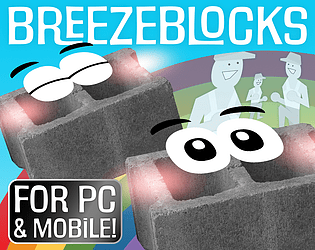
Totally understandable + expected, I had to leave out a "sinkhole superpower"/pavement crushing mechanic for Breezeblocks too when I realised it was going to require too much refactoring. Time limits sadly push you towards the fast food equivalent of programming practices.

Thank you and you're not "wrong"! Copy-pasting something for you:

30 seconds after Mark roughly said "Pong but you're the ball" [in the theme reveal video] I thought "Mario but you're the brick" (this ended up being my game, Breezeblocks). Later I thought "Spy but you're the camera/lights", but juggling light and shaders was gonna be more difficult for a noob like me, so I dropped that.

Interesting proof of concept, the interface's flow is quite smooth! Two things:

  • I managed to render the game unresponsive on my first playthrough, I think I clicked on the cards one too many times and then it wouldn't let me re-equip nor discard any of them. The buttons on top became unusable.
  • Could have been improved by adding timers or some good mouse button smashing: there's a great point Mark made in one of his jam videos where he said that when you're making a game in which you play with numbers, you have the player go into a paralysis if you give them too much freedom, because everyone will automatically start wasting time comparing numbers for an easy win. With such limitations, things would get spicier in a good way, prompting the use/development of time-based management skills(?) and whatnot.

^ This is just me tossing an idea I thought was very topical, don't overthink it as some sort of deep critique! :D

Thank you for playing and that's the second highest score so far! I managed to get 33940, while a friend got almost 29k.

(1 edit)

TY for playing!

The first thing you described is a correct assumption, because programming the game with the idea of penalising misinputs would just be mean; "hitting workers costs lives" isn't supposed to happen! The game behaviour goes like this:

  • There's two objects at the sides of the stage I called gates, and once the unscathed workers touch them they make you get a strike because you let them through (undesired outcome).
  • A worker coming from the left can only interact with the gate on the right and viceversa. This is the first of many design choices made to not let conditions clash.
  • Every statement of this kind runs just once and is restricted to the specific objects.
  • The workers' states are set at spawn time, so there are at least no portions of code awkwardly going off after that potentially causing chaos with the wrong gate.
  • Gates are not barriers, which I placed under each brick to decrease the points each worker gives you (100 to 50 to 25).
  • A worker who's been hit will be deleted immediately and replaced with his crushed version in a hard hat. They are different objects like the barriers and not the same with a triggering condition turned off.

You're the first person to describe that happening, but I think I can imagine at least one possible scenario why: like I previously pointed out I've noticed some niche/old browsers or old computers might eff around with either the sprite positions or collision boxes. I made it so that a worker coming from the opposite side of another worker who spawned the previous turn will meet the other worker exactly at the centre of the brick above them, which means that if you notice them being grossly offset when you play, you can be sure something is definitely wrong.

Perhaps when workers of a specific direction get hit when they are past the second brick on your device, their sprite and the gate happen to be offset in a way that they touch when they're not supposed to be close to each other. Again, this is just me speculating on one scenario, basing myself on what I've seen happening. Since everything is quite tightly scoped and the objects are always different, "this worker I took out still made me lose a life" is quite the oddball event, whether it's the engine's fault or mine.

As far as fixing something like this – supposing I did nothing wrong – or the sprite offset that's confirmed to happen on Brave goes... I can only tell people to make sure they're on the last 64-bit version of Chrome/FF, maybe play with one graphics setting (hardware acceleration?) and nothing more. Basically prevention. GDevelop can natively distinguish OSes but not platforms, and even when it is bundled as an .exe it's basically some Electron/Chromium wrapper thingy. The experience is still that of running an HTML5 game through a browser. I don't know if they have the power to fix anything if I go on their GitHub and go, hey, things are looking weird for everyone on Brave who's played my game, as I can imagine they depend on many external projects other than Chromium which they don't have a say on. Reproducing conditions is an exponentially bigger affair than with other engines as, AFAIK, browsers and rendering are the Wild West, due to the little standardisation they have.

That's all I could rationalise as a noob programmer, thanks for coming to my Ted talk!

Kudos to you if you did everything in 48 hours! The core gameplay feels more polished than janky or frustrating even if the mouse is basically on autopilot.

Updated to v1.01 – Quick fix to stop sounds from playing continuously on the game over screen. Hope that's it.

I'm gonna stop updating here, don't wanna strain the servers at this moment. Perhaps I could fix the touch screen/keyboard UI discrepancies or add LMB/RMB controls in the future?

P.S.: very old browsers might misplace the sprites on screen because they're not up to date. Sadly, that's on you & GDevelop.

Seems to work on major desktop and mobile browsers, but someone using Brave showed me that he had at least one visual issue (score number drooping). Lemme know if something is wrong on your device/software!