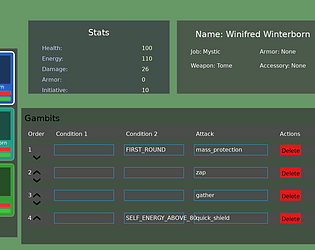
Thank you! Gambits were the #1 thing I wanted to implement. Big fan of Unicorn Overlord and I think the gambit system has a lot of potential as an autobattler!
I've done an online card game before + plenty of networking stuff at work, so implementing the online mode was the smoothest part of the jam! (~2 hours total to set up a simple python server with FastAPI + MySQL db and throw it on GCP)
I like the world map! I appreciate the WIP pages, it gave a pretty good outline of what this game wanted to be.
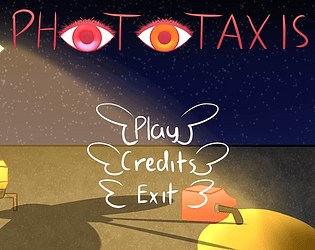
The audio is definitely one of its strong suits-- It's neat that my punches were sync'd to the music, and I think you have something that you could explore there when you implement the active skills-- (MUD + Rhythm genre???)
Great job!
-It seems like I can keep fighting the monster after reaching 0 hp.
-I don't see Mud School on the world map. Where's my home-town?!
I agree 100%. I wanted to show the character portraits and little sparks/vfx on attacks! Alas not enough time. I struggled with UI/placement this jam, there's a lot of info at once, so sizing/placing it reactively was awkward and time consuming. I'll be looking for (or making my own) library for UI. I tried LUIS and it wasn't for me.
The puzzles were satisfying when I knew how it worked and the minimal aspect was visually powerful. It felt like a puzzle box! Presentation overall is great.
I was also confused by level 1 (clicking+dragging)-- I see you addressed this in the comments, but adding a one-time notice in-game for level 1 or just mentioning it on the itch web page.
Thank you! I was hoping to get around to adding equipment/level ups between rounds in the Challenge mode, but there's only so much time in a week!
I used Cursor :)
I hate UI and UI hates me, so I outsourced most of the widgets to AI-- at most, I handled size/placement. At first it was a static box just printing out the last 10 actions in my `allLogMessages`, but it did a pretty good job adding the scroll feature!
See attached. Full code for my `widgets/scrollbox.lua` and the necessary code to use it in the simulation: `states/battle.lua` (see HUMP gamestate)
I like the colors+patterns it creates when you get to bullet heaven territory. Would be cool to see a shader trail for the lasers or maybe another color thrown into the mix!