

Hi! Thanks for letting me know, I believe I fixed it. Can you download Dawnfolk and try again? I actually included both my mods directly into the folder this time. Let me know if it works. Take care!
A member registered Jul 30, 2016 · View creator page →
Creator of
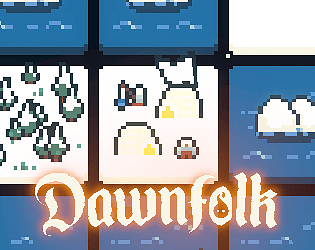
A mod that adds a new snowy level to Dawnfolk
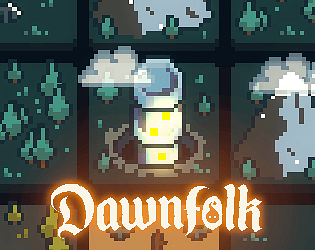
A mod that adds a new spire building to Dawnfolk
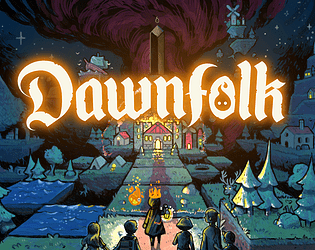
Charmingly dark and puzzly survival building game.
Strategy
Play in browser
A minimalist city builder with bits of survival into a fantasy medieval world. And it fits into a 64x64 square !
Strategy
A Space Retro-Arcade Strategy Shooter about saving the galaxy, nothing less !
Strategy
Play in browser
A fast-paced hack'n'slash rogue-like where you're the game master and the challenger.
Action
A fast-paced Cyber Retro Climber Runner for casuals and hardcore gamers.
Action
Play in browser
Help a kind Hacker protect systems before they go out of control. Your Controller? A command prompt of course!
Puzzle
Play in browser

Bound is a shoot'em up where two players are linked and have to cooperate to beat enemies.
Shooter
Resist Darkness or embrace it. Will you be consumed by your own powers ?
Role Playing
Play in browser
Recent community posts
Dawnfolk - Exclusive Itch.io Edition community » Modding » Mods List · Replied to theycallmenels in The Light Spire
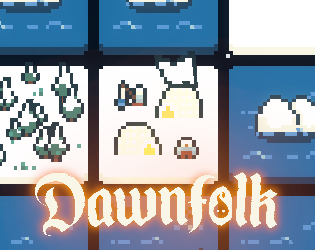
Explore the Icylands: A New Challenge Awaits!
This mod introduces a brand-new level: the Icylands. Your mission? Build a thriving city on this barren, frozen landscape: where construction on ice is impossible!
To overcome this harsh environment, you'll have access to a new building: the Iskarr Camp. Each camp can be specialized to gather crucial resources: food, materials, light, or workforce. Strategically choosing the specialization of each camp is essential to conquering the Icylands and ensuring your city's survival.
Get the mod here.
Dawnfolk - Exclusive Itch.io Edition community » Modding » Mods List · Created a new topic The Light Spire
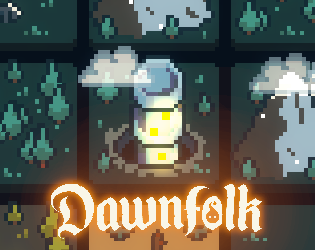
It adds a new science building, the Light Spire.
I've seen a fair number of players a bit upset that the light well does not have an upgrade.
But adding this building after release makes the balancing a bit complicated, so a mod is the perfect way to solve this!
You can upgrade the light well into a light spire. It produces slighly more light per day, but more important, has two of the abilities of the tower of light!
It can generate light from materials, and spread light to decrease darkness strength (just like destroying monoliths).
It also has its own custom event that can happen after some time, I'll let you discover it!
Both the building name and event text have been translated in all the game's supported languages.
Get the mod here.
Dawnfolk - Exclusive Itch.io Edition community » Guides · Replied to STIRLICO in Official Modding Guide
Dawnfolk - Exclusive Itch.io Edition community » Guides · Created a new topic Official Modding Guide
Intro
Welcome, Mod Developer!
I'm Darenn, the creator of Dawnfolk. My first steps into game developement were made by creating mods and custom maps for Warcraft III. It's important for me that everyone else is able to do the same with my game Dawnfolk.
Dawnfolk version 1.3.0 officially adds modding and Workshop support to the game. You'll learn how to create your own mods in this guide!
I invite you to join the Dawnfolk's Discord and give yourself the modder role to get the latest modding news and talk with other modders (it's good place to ask for help too).
Thank you, and happy modding!
Get access to the source code and game files
The problem with source code and legal stuff
The best way to create mods for a game is by having access to the original source code of the game (it's possible to mod without it but it's tedious unless the devs create special tools). Usually, developers do not share the source code and assets because people with bad intentions could rebuild the game, redistribute it, use the assets or code in their own commercial projects, or worse: sell it while impersonating the developer (yes, it happens more often than you think).
Other games made with Godot will ask you to decompile the game with a special tool to get the game files. However it's a bit tedious and it can create bugs. In the case of Dawnfolk, decompiling actually removes all the comments from the code (making it harder to understand how things work), and breaks dependencies between some files, causing crashes and stuff.
Since the game has been out for a while now and that my publisher's legal team is here to back me up, I decided to directly give you access to the source code to give you the best experience possible.
Guidelines
By accessing the game source code and using it to develop a mod, you are agreeing to my Modding End User License Agreement (EULA) and the following guidelines. Let's cultivate a thriving and safe modding community together.
⚠ You are allowed to use the provided source code for developing your mods if you accept the following rules ⚠
❗ The distribution of Dawnfolk in its binary or decompiled forms, including the pck, is prohibited.
❗ When sharing your mods source code make sure to only include your modded files and not include original game files. Use a proper .gitignore file to assist with this.
❗ The Dawnfolk source code and/or assets are to be used exclusively for creating mods for Dawnfolk.
❗ Creation of Dawnfolk versions for other platforms, such as homebrew, mobile, etc., is not allowed.
❗ Your mods should be free from any form of malware, hacks, or advertisements.
❗ While I encourage creativity, remember that mods must not be commercialized or used for financial gain. However, you are allowed to accept donations for your time through platforms like Patreon and Itch.io, or through sponsorships.
❗ If you do not want to agree to my Modding End User License Agreement (EULA) at the end of this guide or the guidelines above, decompiling, accessing the source code or modding Dawnfolk is not allowed.
By adhering to these guidelines, we can ensure a respectful and enjoyable modding experience for all Dawnfolk fans.
Downloading the source code
Simply download the "Dawnfolk Modding Tools" directly from the itch page of the game.
The password to extract the archive is hidden in the Modding End User License Agreement at the end of the guide, please make sure to read it before modding anything!
Install GodotSteam
Dawnfolk uses a game engine called Godot. You're gonna need to install it to modify the game.
🚨 You need to precisely use the same Godot version (3.5.3) that I used to make Dawnfolk. It's called "GodotSteam" because it's special version with steam libraries.
You can download it here.
To run it on windows, launch godotsteam.36.editor.windows.64.exe.
If you have issues with godotsteam (on Mac of example), just use the normal Godot version. You'll have error messages about steam but you should still be able to run the game in editor and make mods.
Run in Godot
To open the project in godot, run godot, and click import project.
Then select the project.godot file in the game source code you downloaded previously.
Before you start modding, it's a good idea to try running the game in Godot first.
To run the game in Godot, click the play ► button in the top-right, or press F5.
If the game launches, that's perfect!
You don't need to export!
You won't need to export the project to test it. If something is stopping the game from running in debug mode in the editor, it means there's a bigger problem that will need to be solved. The code that handles loading mods also works differently outside of the editor, so you need to stay inside it to fully test things.
Also remember that you are not authorized to export the game and distribute it in any way.
Creating Mods
At this point you're all set and ready to create mods.
Some things can be modified easily without any programming knowledge (buildings, textures, new maps), but for advanced stuff, you'll definitely need to learn how to use the Godot game engine.
Dawnfolk also uses a plugin called Godot Mod Loader to make modding as easy as possible. You should read their own modding guide to learn how to create mods.
You should definitely explore the game project before trying anything. Take a look at the buildings, the events, the quests, the maps, and learn how it works. Feel free to change anything in the game project, the only things that will be saved in your final mod will be in your mod folder.
Example Mods
The game project will come with two mods that I made myself. You'll find them in the [b]mods-unpacked[/b] folder. I documented them with comments to explain things, so definitely check them out. They can show you how to:
- Edit a game sprite
- Modify an existing building (visual, but also production, name, everything)
- Create a new building
- Create a new event
- Create a new map
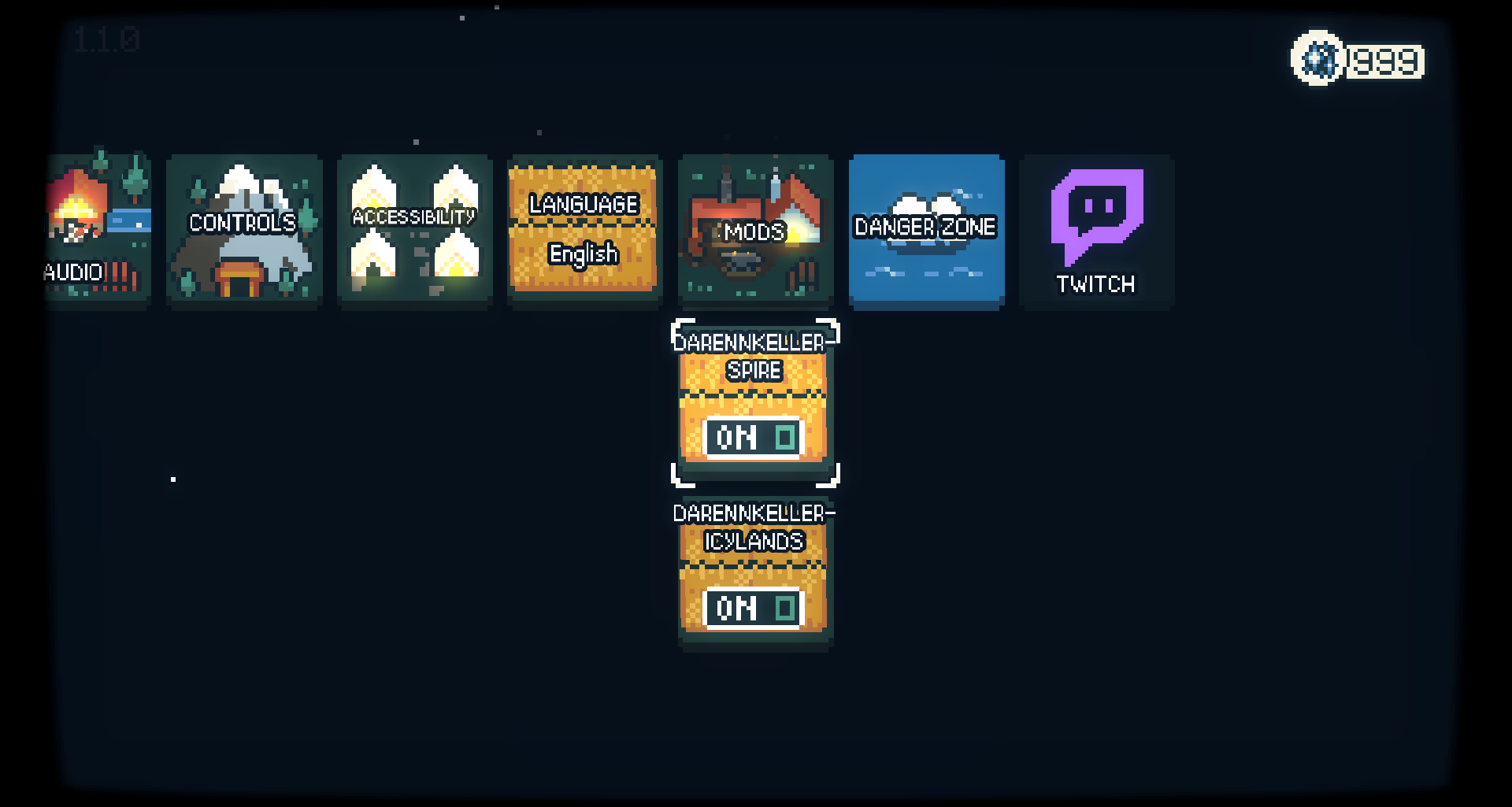
- Create a new button in the main menu and run your new map from it
- Create your own quests and dialogs (with translations)
- Create a new mini-game
Tips and Tricks
You can press "F7" while in game to open the debug menu and access tons of cool stuff for testing.
Sometimes, some script like "action.gd" and "globals.gd" won´t show their properties in the hierarchy. This is a bug from Godot, the workaround is to simply edit the script files (add a blank line) and save to make the properties appear again.
Modding Ideas
Not sure what to create? Here are some ideas of mods you could create:
- Fan Translations
- New events with dialogues and choices
- New buildings
- New biomes/terrains
- New maps and quests
- New weather types
- A mod where you play as the darkness!
- New map generator for curious expeditions
- A texture pack that completely redesign all the buildings!
- A new music pack
- A new sounds pack
- New mini-games!
- Alternative story levels!
- Your own story campaign with new characters
- Options to make things even harder
- More UI elements to show hidden information (darkness strength, events cooldown, etc...)
Distributing your mod
Your mod is ready? Awesome!
Now let's share it with the world.
Create your mod archive
Mods are distributed via archives, that can be placed in the 'mods' folder located next to the game's executable.
To create an archive, open the project in godot and go into the mod tool tab.
Then simply click on the Export Mod button!
Learn more on the Mod Tool documentation.
Distribute
I strongly suggest creating an itch.io page for your mod so that itch so that player can download your mod.
Here are a few guidelines to create your page so that players can easily find the mods:
- Add [Dawnfolk Mod] at the start of your title
- Make sure the classification is "Game Mods" and not "Games"
- Add the "dawnfolk-mod" tag (optionally, add these tags: city-builder, strategy, 2d, pixel-art, survival, puzzle, minimalist, fantasy, roguelite)
- Add those install instructions directly on the page description:
"Download the zip file and place it in the 'mods' folder located next to the game's executable (do not extract it!). You can then enable or disable the mod from the options menu in the game. Make sure to restart the game for the changes to take effect."
- Add this as first line of your description with a link to the Dawnfolk itch page: "This is a mod for the game Dawnfolk made by Darenn Keller."
Feel free to take a look at one of my mod pages as a template/inspiration.
And here's the game logo if you'd like to use it in the thumbnail.
Spread the word
Not a lot of players visit the workshop naturally, so you need to reach out to them and tell everyone about your new cool mod.
You can share it on:
- The Dawnfolk workshop steam forum (if you're also publishing on steam, check out the steam guide)
- The itch.io Dawnfolk community (in the mod list category)
- The Dawnfolk discord (in the #mod-vault channel)
- All social networks (X, Bluesky, Reddit, etc...)
If I notice it and find it cool, I'll make sure to share your mod!
Modding End User License Agreement
By downloading the source code and uploading mods, you accept this mod-specific end-user license agreement (EULA).
Intro
I appreciate all the support shown by Dawnfolk players and am honored that players want to create mods based on Dawnfolk (the “Game”). While I love to see the incredible things that you create, I spent a lot of time, effort, and resources creating the universe and intellectual property of Dawnfolk, and I need to protect and indemnify me against any issues originating from mods I have no control over. So, I have created this policy to explain what you can and can’t do with your mod.
The password necessary for extracting modding resources is included within this policy.
When I update the game, some changes might not work well with other software, such as Mods. If that is the case, try running an older version.
General Rules
The source code is provided for the purpose of modding the game Dawnfolk.
Mods are created and used at your own risk. Darenn Keller is not responsible for any damage, data loss, or issues caused by third-party modifications.
This game and all related assets are copyright Darenn Keller. Mods are allowed under these terms, but modders do not own any part of the original game or its intellectual property.
In Short
**Use common sense, follow the law and these rules, respect the Game and its community.**
I may showcase your mod on other platforms without compensation, but I will attempt to credit you.
I am trying to be open, honest and trusting with the hope that you hold me in the same regard.
Please read the following policy carefully before creating any mod, as it is legally binding.
Terminology
- "The Game" - Refers to the game Dawnfolk game made by Darenn Keller.
- "Mod(s)" - Something original that you or someone else created that doesn't contain a substantial part of our copyrightable code or content.
License
If and as long as you comply with this policy, Darenn Keller grants you a personal, limited, non-transferable, revocable, and non-exclusive license to create Mods based on the Game - which you have duly obtained access to.
You are granted permission to:
- Read and study the source code for personal use or educational purposes.
- Modify this code to create game modifications (mods) for Dawnfolk.
- Share mods that rely on or patch the base game, without distributing the full game.
- Receive donations related to the distribution of your mods.
You are NOT allowed to:
- Export or redistribute the game in full or in part as a standalone product.
- Remove the license or attempt to obscure its presence.
- Use the code and assets for commercial purposes or in unrelated projects.
- Make mods that contains illegal or offensive content.
- Make mods that impersonate official content.
You hereby grant Darenn Keller and his affiliates a nonexclusive, royalty-free, sublicensable, irrevocable, and perpetual right to transmit, broadcast, otherwise communicate, publicly display, publicly perform your Mod in any manner or form and in any medium or forum, whether now known or later devised without compensation to you or any third party. This right shall survive the termination of this Agreement.
Unless otherwise agreed, the creation and publication of mods are strictly non-commercial. The mod shall be provided free of charge and be freely available, but you may accept donations for your time through Patreon or Itch.io and similar services, or through sponsorships.
Any third-party mods integrated into the Game (whether official or user-created) are not endorsed or supported by Darenn Keller unless explicitly stated. Darenn Keller does not assume responsibility for bugs, errors, or legal claims related to modded content. You are responsible for your own mod.
Intellectual Property (IP) rights
Your rights in your mod only extend to the new, original content you create as part of your mod and do not extend to or grant any rights to the Dawnfolk game, any related IP rights or any content made available by Darenn Keller in relation to the Game. Please do not use any third-party content in your mod without permission and only use materials you are allowed to use.
If Darenn Keller coincidentally develops or has developed content similar to your mod or parts of your mod, Darenn Keller shall be free to fully use the content it has independently created without you gaining any rights to it. In other words: I will never steal content from your mods, but please understand that I also do not want to be prevented from making or finishing content for the Game, just because a mod accidentally contains similar contents or ideas.
Behaviour and Mod Content
Do not reverse engineer the Game, or any related tools except for the purpose of modding.
Tools and mods are being made available at your own risk.
The following are prohibited:
- creating mods that contain any material which is unlawful, infringing, inappropriate, or violates any contracts or third-party rights.
- using the Dawnfolk IP in a way that is offensive, grotesque, racist, sexist, vulgar, disparaging, or defamatory.
- creating or using hacks - mods that unlock paid content like DLCs, remove DRM, provide an unfair advantage in competitive game modes or similar.
- using your mod to add advertisements or any monetization feature into the Game.
- hHsSguLa6EuKnZW2miRsd0fRZ4ecRdp0fLTibt
- obfuscating or making your code ambiguous in any way. Players and staff must be able to easily audit and verify the safety of the mod.
Mods intended to be just for personal use should not be published for public use.
Personal mods may not be used in a way that affects other players of the game, i.e. using them to gain an unfair advantage in competitive game modes.
Darenn Keller has no obligation to use, distribute or continue to distribute mods, and I may restrict or remove mods breaking any of these rules at my sole discretion.
I have the final say on what constitutes a Mod and what doesn't. You may not distribute any Modded Versions of our Game or software, and we’d appreciate it if you didn’t use Mods for griefing. Basically, Mods are okay to distribute; hacked versions or Modded Versions of the game client or server software are not okay to distribute.
Reporting
If you encounter content created by another user that you find offensive, I encourage you to report this content by mail to: darenn@dawnfolk.com
In case of Dispute: first, let’s try to solve disputes informally. If it does not work, arbitration or the courts in Paris, France will settle it.
itch.io Community » General » Release Announcements · Created a new topic Dawnfolk is Out! And Itch is getting an Exclusive Special Edition