That Achievement requires more than just what you told me in order to trigger, however, if you believe this may be a legitimate bug because you did the other stuff necessary for it to trigger, please send me an email about it through: https://cattrigger.com/about-cattrigger/
(Sorry, just wanna avoid spoilers while still ensuring this achievement isn't bugged) :P
Thanks for streaming my game, I'm happy you enjoyed it!
I did test every song with content id to make sure nothing gets flagged, and I always double / triple check that all songs were in the public domain or CC.
But if you did get flagged in some way, let me know so I can remedy it.
For a browser version? Or Android? Android is still in development. However, the webgl & itch.io implementation is just incompatible with the type of stuff in the game, unfortunately.
I sent a request weeks ago to itch.io and they never got back to me on access to CSS, so I'm not sure if there's a solution out of that, and it doesn't seem like itch.io themselves prioritizes this.
Itch.io already has the ability to detect links on their platform, and indicate where they are coming from. I value comments on my page, I don't value people spamming links from malicious sources to it.
I could even go as far as saying there should be a whitelist that a developer can control, for instance, because I do appreciate people who leave feedback via a youtube video of my work.
But at the very least, you should be able to give developers the tools to prevent a comment of posting a link onto our comment page.
I think Mac only keeps your last 'block app' in memory for a short period of time, so open the app again and then immediately go to the settings to check it.
If that doesn't work, it could be a myriad of things, including if you have admin access to the Mac or some other issue that I'm not aware of.
Again, if the problem persists, you can always use Steam or the Itch.io Game Launcher.
Mac will usually allow opening of games downloaded from either of them.
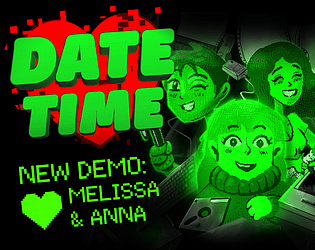
First, run the demo and receive the error again. Then, go to your settings and under "Privacy & Security" there should be something like 'Date Time Demo' was blocked to protect your Mac. There should be a button next to it that says 'Open Anyway' and Mac should run the app from now on without any issues.
However, if you are still unsure about running the individual app file, you can always play the game through Steam or Itch.io Launcher, and Mac will not block those connections.
Apple will always block apps from developers they do not have in their database. A lot of smaller game creators don't really upload their stuff to Apple's app stores, so that's probably why Apple blocks a lot of different games you are trying to play.
The Mac Operating system sometimes blocks unsigned apps from playing. Please use either the itch.io launcher or adjust your privacy & security settings.
You can also download the demo on Steam, which also works on Mac without any adjustment to privacy & security settings:
I have just seen a stream where the game cuts to black and soft locks after the scrolling credit sequence. Is this your error as well?
If so, please submit a report about what platform you played the game on, what you did that may have led to that error and also your computer specs so that I can further investigate the problem. Thank you!
I took a glance at your playthrough, it seems you bumped into a fatal error near the end of your playthrough that was met to a blank screen. I haven't seen the error at all in any testing or streams yet, and would be interested in learning more about how you got the error.
Sometimes, MacOS considers Unity Apps that are not attached to an app store (such as Apple Store, Steam or Itch.io's own app) as unauthorized. You should be able to adjust your settings so that any app can run, or download the game from the official itch.io app store.
If that doesn't work, then let me know and I'll look into it. Thank you!
Date Time uses an amped-up animation system that makes scenes cinematic and dynamic, but unfortunately, that system is not supported by itch.io's webgl.
The game is available on any modern computer system, be it Mac, Windows or Linux.
My bad on the text, a bit of an oversight, since the option was a straggler from an older project.
Text on the newest update has been standardized into one size for this game since its default size is integral to all the text boxes. If the updated version still has the big text, go back to the older version you have and set it to normal and then switch, OR follow my directions on the changelog.
Sorry about the confusion, a shame the Ada notes screwed up for you on stream!