

In interact mode, you can drag dividers between the column headers to adjust their sizes:
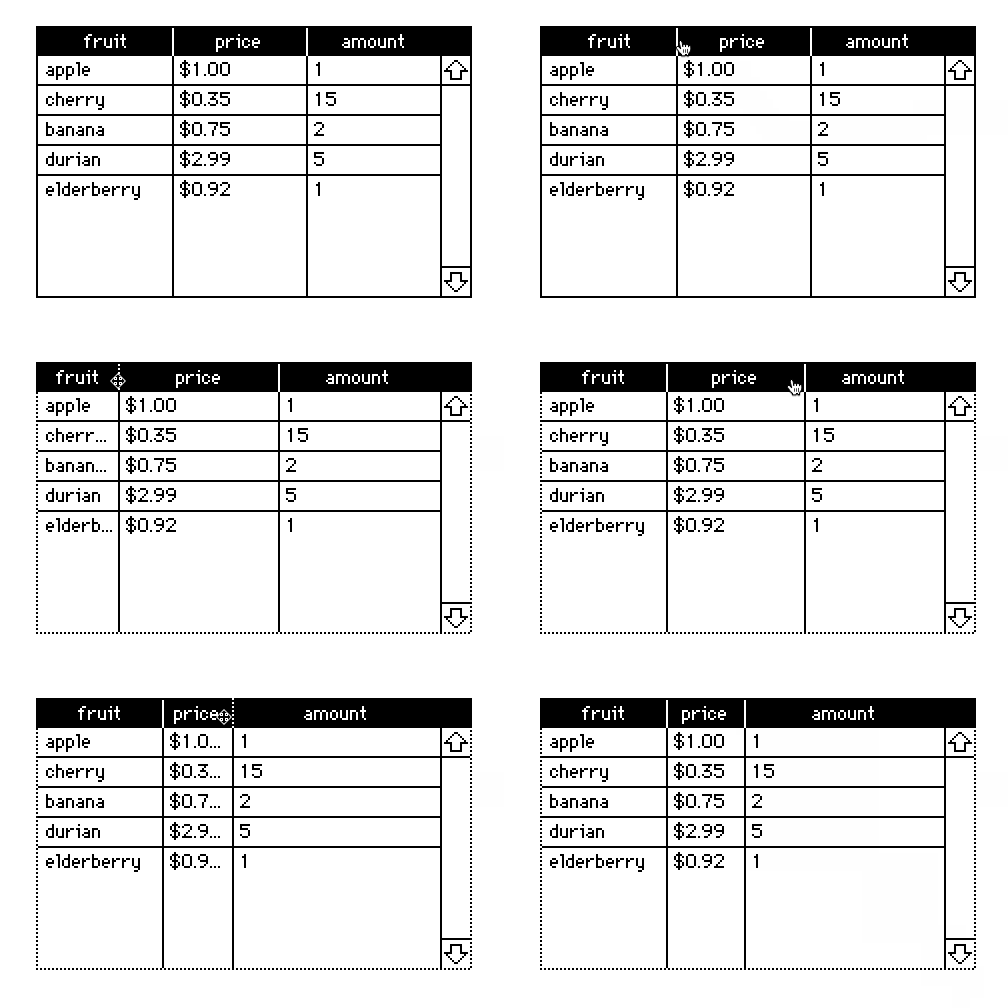
If you ever want to "unfix" the column widths you can click "Reset Widths" from the grid properties panel.
You can also set the column widths of a grid with scripts or via the Listener with the "grid.widths" property, which accepts a list of column widths in pixels:
mygrid.widths:60,30
Manual resizing constrains the minimum width of columns so that you can always distinguish their drag handles, but with scripting/the Listener it is possible to set columns to 0 pixels wide, as a way of hiding columns from the user without removing them from the underlying table.
Does that make sense?