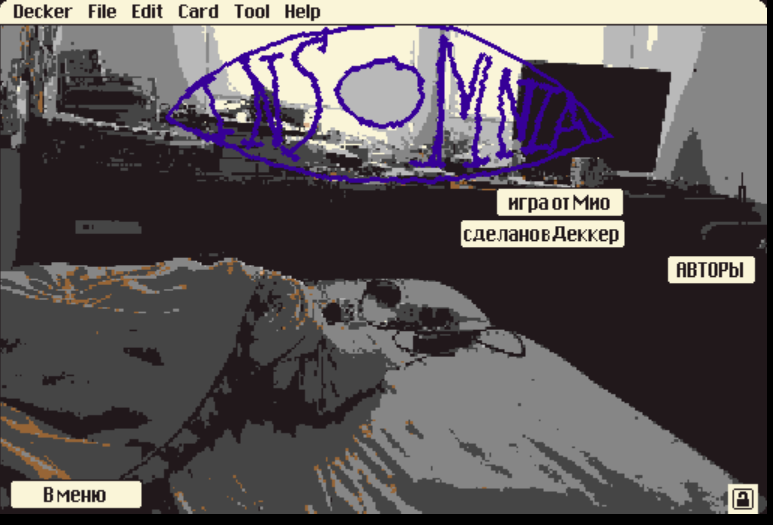
Dear, mion! I'd like to translate Insomnia to Russian. With the help of st-chem-atelier (game-dev), who kindly created a custom Cyrillic font, I'm willing to try and test it on different .deck projects! Let me know if you're interested.
I have a question about editing the text in Decker.
I managed to edit the UI text, but I can't figure out how to edit the rest of the text properly. I can see the text content in Visual Studio Code, but some Cyrillic characters need to be entered manually using Alt keys, so editing it directly there is difficult. It's a font, so it won't appear if I edit within the code.
When I try to select the text inside Decker, only the window/frame gets highlighted, and the actual text elements don't seem to be accessible.
I need access to the text in order to work with fonts and make sure Cyrillic characters display correctly. Could you please tell me the correct way to edit the text or where the source text should be modified in Decker? Is it even possible?
Thank you!
Iamyourmind0.0@gmail.com
Are you talking about the dialogue? To make it, I used the Dialogizer Module. Basically, the way it works is that it can either pull text directly from the script in the widgets or card scripts (in which case the font can't be changed) or from a custom text field. I think it should be possible to change each event so that it pulls the text from a field rather than the script using field.value so that it retains the font formatting with a custom Cyrillic font.
(I hope I understood your question correctly lol)
Thanks for the link. I think I'm explaining things poorly lol.
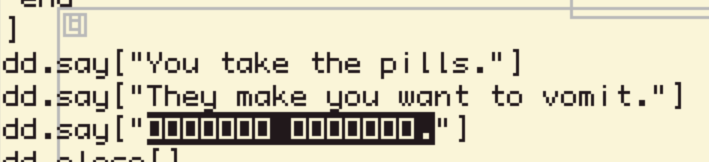
I’ve noticed that some text (such as choice options and a few dialogue lines) is stored directly in the scripts (dd.say etc.).
The issue is that the Decker script editor uses its default font, which doesn’t support Cyrillic, so Russian characters appear as squares. Unlike the text fields, I can’t change the font there.
I'm really trying to figure it out because it seems very interesting to me and I'm a very stubborn person.
I'm starting to wonder if this might simply be a limitation of Decker.