

Hi! Yes, you are missing both the "Instant Text" toggle, as well as the button for "fast text skipping".
A text speed of 10 is NOT the fastest text speed in Transportal. Highlight the current text speed option, and then press the right arrow on the keyboard. It should say "Instant", like the screenshot below. This will make entire messages appear at once!
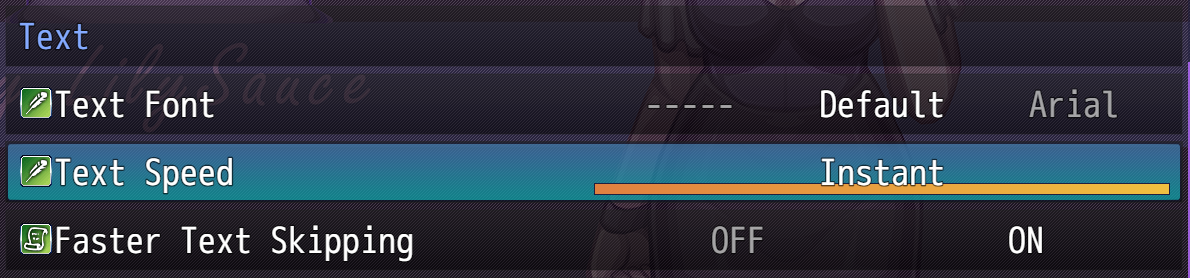
Additionally, if "Faster Text Skipping is "ON", you can hold down the PageDown key (R1/RB on controller) to fast-forward through dialogue scenes.
---
And thank you! I think the "Attraction to Men setting" makes the game more accessible to a lot of people.
Thanks for playing! ♥