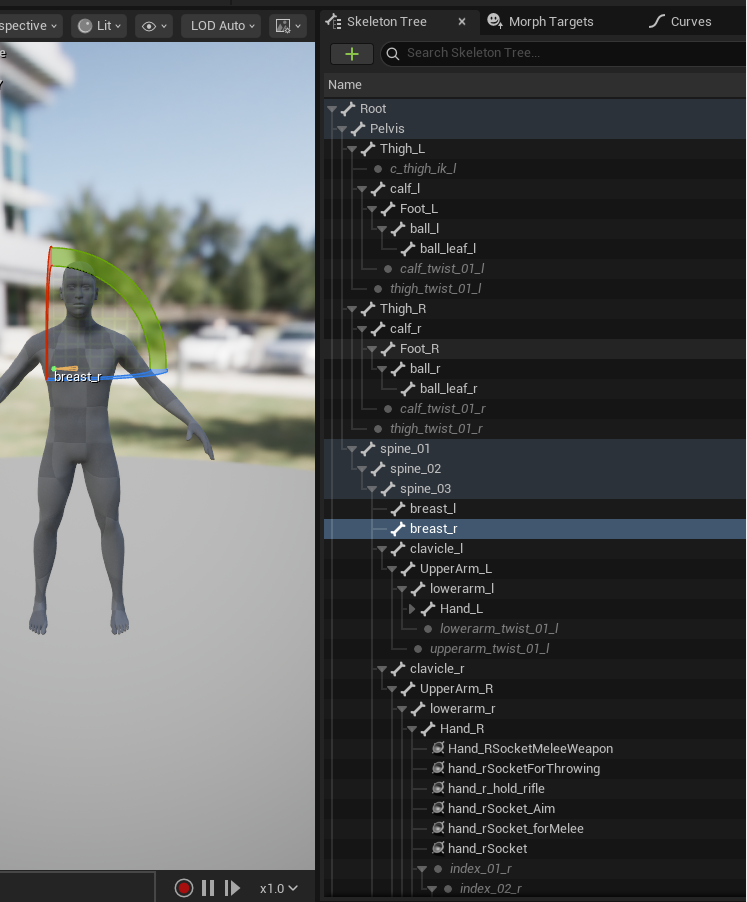
I understand that my setup might be a bit unconventional, but I was trying to use this in conjunction with the mfpb extension to then export to unreal and for some reason despite having a full torso labelled mch the only bones on the skeleton that was being exported was something that looked like this 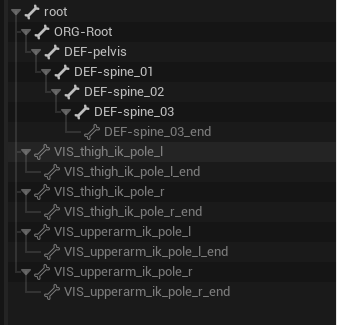 I am trying to figure out why that would be but I dont understand enough about how to the general rig is supposed to work to make much headway
Indeed, very unconventional. To the point that none of the deformation bones here look like Rigify or Rigodotify at all. Like, there is no evidence if this photo that Rigodotify was used at all. And so there is little i can offer for support, because it'd be me mostly taking guess about how MFPB is working.
Sigh. Even still, here are my guesses. Looking quickly into MFPB's more recent updates it looks like they have overhauled their Rigify setup since May, so i'd say make sure you're using their latest version if you are rigging through them. Looking at this bone structure, it seems they are trying to do similar cleanup that I do to assist the game engines with retargeting. But the lack of arms here makes me think either 1. You don't have arms on your rig, or 2. Their version of Rigify suffers from the same annoyances of vanilla rigify where the bone heirarchy is all out of order and unsusable for retargeting in game engines (part of the point of making Rigodotify).
As for your bone structure and seeing the bones that you do, when you export from Blender, in their export menus,check the box to export "deformation bones only". All other bones are markers, control bones, etc used only within Blender and will be useless and only cuase confusion in engines. So always check that box. The result after that will be you'll only see those "DEF" marked bones in engine, those are the 'real' skeleton bones, the ones that actually do the moving of the body parts. Everything else is unnecessary.
I hope that gives you the best shot of fixing your issue. Whatever aspects of Rigodotify you think you're using, aren't being used, just an FYI. I see no evidence of it in the screenshot. For me when i've used teh older versions of MFBP to make a character, i chose not to use their rigging system, and only used it to make the model. Then i used Rigodotify all on its own with the model. In generally things can get really messy when you mix and match rigging systems. So it's best to avoid it when you can. Pick on thing that works for you, and stick with it. Once you understand more about rigging and custom setups, start going more out of the box at that point because you'll know how to fix anything that gets messy from the mix and match.
Thank you so much for the advice. I assume its probably number 2 for the mfpb problem then since they definitely have arms. I will try using just rigify->rigoditfy like you then, I was hoping to avoid doing a bunch of weight painting but even auto weights should be enough to test whether it exports properly.
I manually did it an this time the skeleton did export over so it was definitely related to mfpb. When I set the new skeleton as a compatible skeleton for the Ue4mannequin however it did ended up looking very messed up but I am unsure if thats even related to the extension it could be due to the root bone scale issue(common on unreal exports) or something else on my rig.
This latest version that I just put out hasn't been put through the ringer of tests in all engines yet. Just Godot and Unity. Although the most recent changes should still be tight for scale restraints for the bones that'd normally struggle bones. Are you sure you applied all transforms to the meta rig before generation and conversion of the control rig (and that you scale is applied to all your meshes and final control rig too just in case)?
Because wacky issues with unreal we had solved in the last version and the new version only slightly tweaked a few alone constraints so hopefully nothing is too messed up.
Either way, I'll be doing more tests this next week to be sure it's not something on the Rigodotify side. If you find your issue/solution in the meantime, please share with here.
I managed to fix the scale issue by seting unit scale to 0.01 and then applying a scale by 100 to everything, then to get the rig to cooperate i needed to rename to root and remove one node. then when I imported with ue4mannequin as the skeleton it didnt complain but unfortunately the preview of my animation blueprint was messed up(I will try and edit this with some screens later but itchio was refusing to let me post with them) 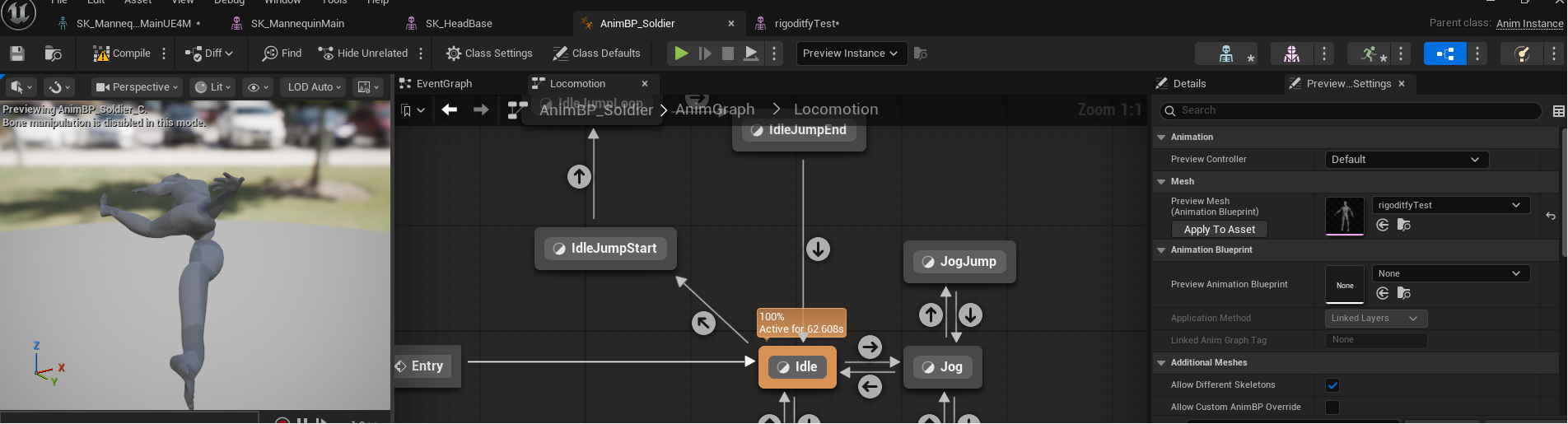
this is the last step in getting my custom characters in so I will keep working on this and post updates in this thread as I have any.