

Hey, this is great stuff, thanks so much for taking the time to create it. I gave it a try and it looks and feels good, but one of the first things I noticed is the inability to move objects. You can add or erase them, but I could not find a move/ relocate option. Am I missing something obvious ?
Hey, i m glad you like it ! :D
You can in fact move the objects and NPCs too, all you need to do is hold the Left Click and move them around / relocate them.
BUT there are 2 things to keep in mind:
1. if you want to move an object, you need to have an object (any object) selected, that means to be in the mode: "place object mode". And if you want to move an NPC, you need to have an NPC selected, that means to be in the "place NPC mode"
2. you need to hold the placing position for the object (that is the top left corner of the texture object). That is the exact same position you need to click to remove when deleting an object. That way is easier to understand
I hope it helps and you are able to move the items around now! :D
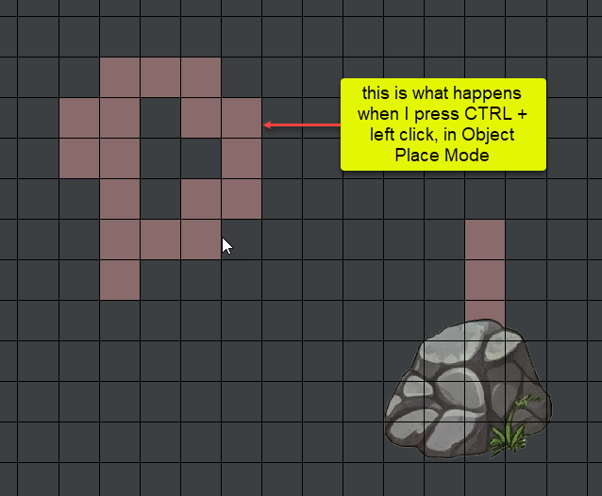
Hi!:) Okay, let 's look over the issues.
It does indeed also work in "erase mode" to move objects, but it should let you move them in "Place object mode" too, in the exact same way, just drag the top-left tile of the object around the map and you should be able to move it too. But keep in mind that you need to be in "object" mode to move objects and in "NPC" mode to move NPCs.
The other thing, it is definetly "Place NPC Walk Area Mode". Are you sure you did not hit "W" button by mistake ? That opens that mode where you can set a path for NPCs to walk if you need that kind of implementation in your game. ( I added it because I actually use that for my game). For me it does not work -Pressing CTRL + left click in "Place object mode"- and that s why i think it s W pressed and opened "Place NPC Walk Area Mode" maybe.
But i would like to hear more, if this was not the case and it is indeed a bug on my end. I want to reproduce it to debug the issue and fix it.
Yes, thanks for having a call on Discord with me to clarify those things!:D
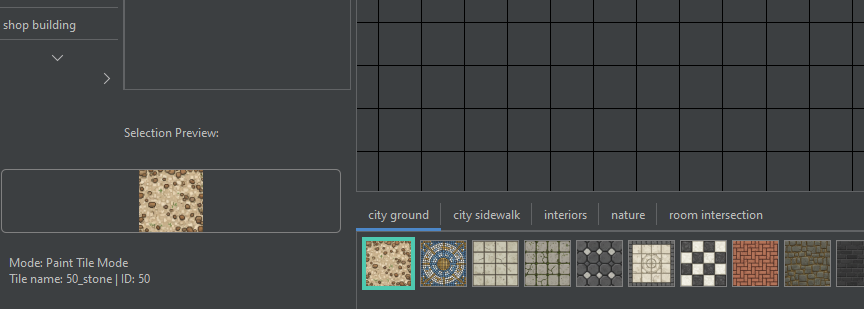
The conclusion was that the problems happened because of the "tile size" set, they have to match the size of the tile used (by default the textures TikeMaker DOT comes with are 200x200 px, so "tile size" should be 200 until the users switch the textures with their own)
It was nice talking to you, and good luck with your game in RPG Maker!:D