

I appreciate the quick response, I'm working on scaling them to 32x32, as I'm using Tiled as my designer. I'm noticing though there is a lot of manual work it seems to reposition things so they can be sliced properly, unless that's me messing up on the scaling.
Hey! Good to know you're using Tiled — that actually makes things easier once it's set up correctly.
The repositioning issue you're experiencing is most likely happening because of how the scaling is being applied before importing. Here's the cleanest workflow to avoid that:
1️⃣ Scale first, import after
Before bringing anything into Tiled, resize your tilesheet to 32x32 per tile using Nearest Neighbor interpolation (in Photoshop, Aseprite, GIMP, etc.). Do NOT let Tiled or any external tool scale on the fly — it causes misalignment.
2️⃣ Make sure the tilesheet dimensions are exact multiples
If your tiles are 32x32, your full tilesheet should be something like 256x256, 512x512, 512x256, etc. If the dimensions aren't exact multiples, Tiled will misalign the grid and you'll get that manual repositioning issue.
3️⃣ Tiled import settings
When adding the tileset in Tiled:
• Tile width: 32 / Tile height: 32
• Margin: 0 (unless the sheet has a border)
• Spacing: 0 (unless there's padding between tiles)
If the original pack has spacing or margin baked in, let me know and I can tell you the exact values to enter.
4️⃣ Recommended scaling tool
Aseprite handles pixel art scaling perfectly and exports clean tilesheets. If you don't have it, GIMP with "Interpolation: None" also works great and it's free.
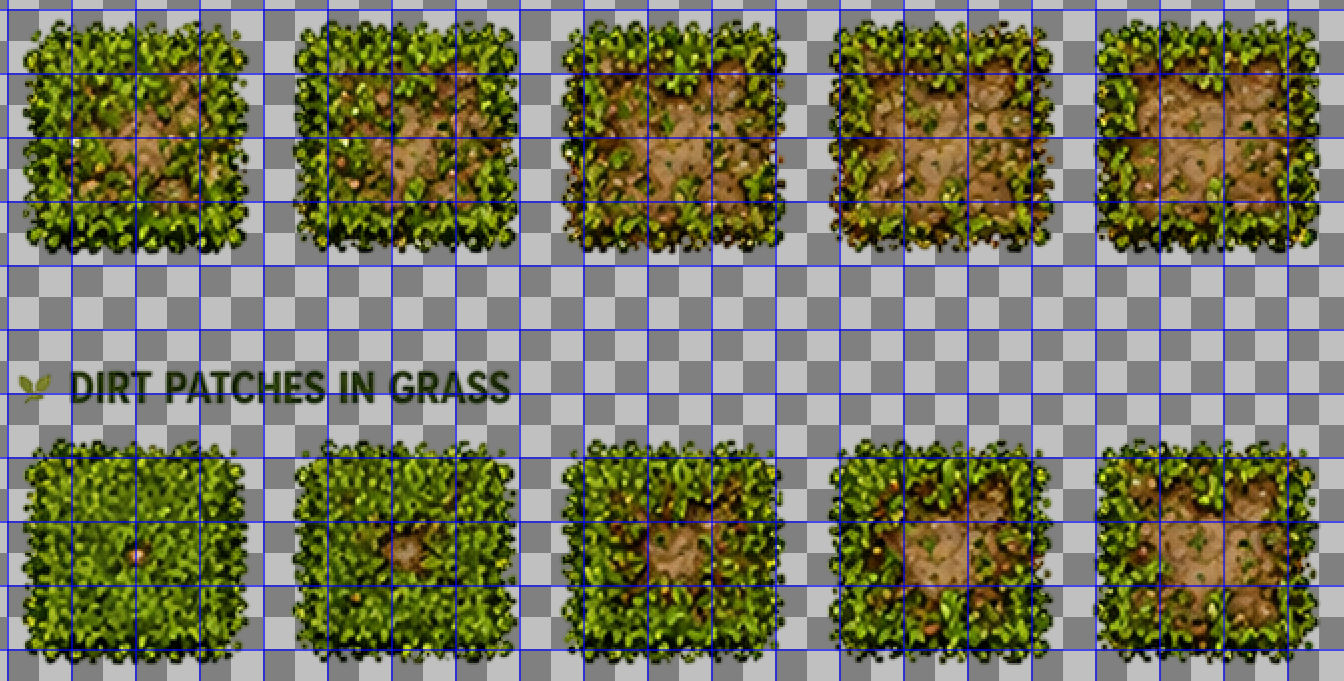 So I imported it into to Aseprite, and was converting the sheet size. But the issue I'm running into it seems is because of the spacing between the sprites isn't the same they're becoming misaligned in Aseprite. I believe this one is from a different back but I've tried a few of them. You can't grid it properly since it drifts without manually making adjustments, taking the text out, etc.
I do very much appreciate you taking your time to respond to this.
Hey Loart! Thanks for sharing the screenshot, that really helps clarify things.
I think the confusion might be in how the pack is intended to be used — these assets are designed to be used individually, not as a traditional tilesheet. Each sprite comes with a transparent background and is organized by category, so the workflow is to place each asset one by one rather than slicing a grid.
Because of that, trying to grid-slice the sheet in Aseprite will cause exactly what you're seeing, since the spacing isn't uniform — it was never meant to be sliced that way.
The correct workflow would be:
• Open each individual asset (or category folder) directly
• Import them as separate sprites in your engine or editor
• Place and arrange them manually in Tiled or Unity
This gives you a lot more flexibility since you're not locked into a fixed grid!
That said, if this workflow doesn't fit your project's needs, I'm totally happy to help you with a refund. Just let me know!