
Indie game storeFree gamesFun gamesHorror games
Game developmentAssetsComics
SalesBundles
Jobs
TagsGame Engines

I’m glad to hear that the performance improvements are tangible. I’m worried now that they might be the cause of the issue you’re describing.

Would you be able to:

  • Provide steps to reproduce this issue and/or provide a file that the issue frequently occurs in (doesn’t have to be your actual work file, just any Aseprite file that the issue occurs in on your machine)
  • Provide information on what operating system are you using Aseprite on?
  • Provide a screenshot of the “Experimental” section of your Aseprite preferences

This would really help with investigating this problem ✌️
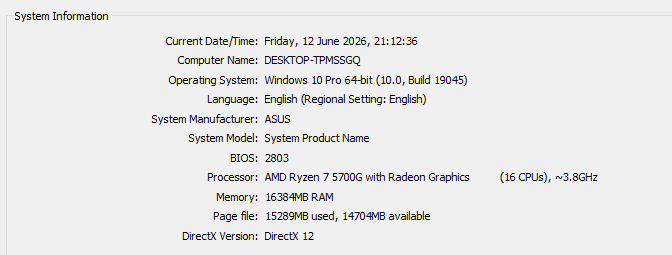
(1 edit)

Here's a video with me showing how it happens: 

Disabling the last experimental option "Use native clipboard" didn't help

Updating Aseprite from 1.3.16.1 to 1.3.17.2 didn't solve it

It SEEMS like after the glitch happens (shortly after creating a new layer and painting on it) it won't happen again on the same layer.

It never happens on the first layer of the file. Glad to help, you can hit me up on discord "wotapoof" if you want to try something on my pc

Edit: correction to the video, it doesn't have to collide with the previous layer, can happen anywhere on the canvas

(+1)

Okay, I see the issue now - I was able to recreate it 👍 I’ll investigate and hopefully can release a fix asap