

This extension literally is changing my LIFE, thank you.
Can confirm that this version does have improved performance (extra noticeable when working on huge canvases, previously had to make a new empty layer so it wouldn't lag), but sadly the outline glitches out very-very often. Either there's no outline or it's a square (or a broken part of a square) behind the stroke.
I can pretty much reproduce it, but decided to roll back to whatever I've been using before.
Do you have any idea what could be causing this? If no, I'm willing to try resetting Aseprite's settings later, I have a bunch of experimental shits enabled.
Thank you again for this crazy-crazy cool tool
I’m glad to hear that the performance improvements are tangible. I’m worried now that they might be the cause of the issue you’re describing.
Would you be able to:
- Provide steps to reproduce this issue and/or provide a file that the issue frequently occurs in (doesn’t have to be your actual work file, just any Aseprite file that the issue occurs in on your machine)
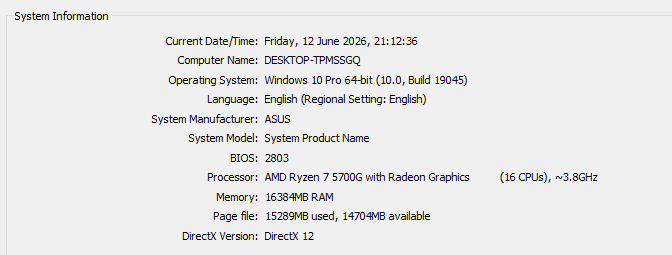
- Provide information on what operating system are you using Aseprite on?
- Provide a screenshot of the “Experimental” section of your Aseprite preferences
This would really help with investigating this problem ✌️
Here's a video with me showing how it happens:
Disabling the last experimental option "Use native clipboard" didn't help
Updating Aseprite from 1.3.16.1 to 1.3.17.2 didn't solve it
It SEEMS like after the glitch happens (shortly after creating a new layer and painting on it) it won't happen again on the same layer.
It never happens on the first layer of the file. Glad to help, you can hit me up on discord "wotapoof" if you want to try something on my pc
Edit: correction to the video, it doesn't have to collide with the previous layer, can happen anywhere on the canvas
58 days ago(+1)
Okay, I see the issue now - I was able to recreate it 👍 I’ll investigate and hopefully can release a fix asap