
Indie game storeFree gamesFun gamesHorror games
Game developmentAssetsComics
SalesBundles
Jobs
TagsGame Engines

wotapoof

12
Posts
1
Topics
10
Following
A member registered Sep 22, 2025

Recent community posts

ggs, Congrats! Not enough creepy clownussy in this world, god speed

(1 edit)

Looks to be a very promising script, especially if a single bone could grab/own multiple layers.
The only thing stopping me from using it is the move tool doesn't return to default behavior after I close the script's window

Woo, thank you so much!!

I remember seeing an earlier version a couple of months ago, thought you abandoned it, wow. Brings me back to the golden age of simple flash games.. Good luck with this!
I actually tried making a very similar project with bazonga physics but struggled too much with Godot's 2D bones. (it all was looking so yummy that I couldn't help but make the body and legs skeletons jiggle too, LOL). 

(1 edit)

Here's a video with me showing how it happens: 

Disabling the last experimental option "Use native clipboard" didn't help

Updating Aseprite from 1.3.16.1 to 1.3.17.2 didn't solve it
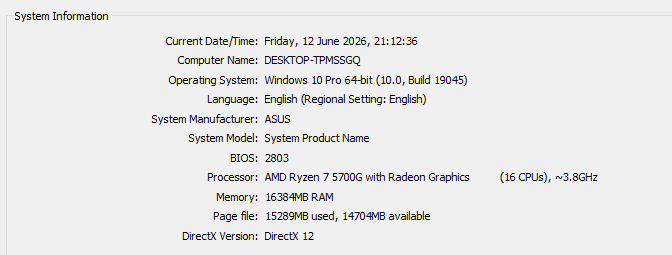
It SEEMS like after the glitch happens (shortly after creating a new layer and painting on it) it won't happen again on the same layer.

It never happens on the first layer of the file. Glad to help, you can hit me up on discord "wotapoof" if you want to try something on my pc

Edit: correction to the video, it doesn't have to collide with the previous layer, can happen anywhere on the canvas

(1 edit)

This extension literally is changing my LIFE, thank you.

Can confirm that this version does have improved performance (extra noticeable when working on huge canvases, previously had to make a new empty layer so it wouldn't lag), but sadly the outline glitches out very-very often. Either there's no outline or it's a square (or a broken part of a square) behind the stroke. 

I can pretty much reproduce it, but decided to roll back to whatever I've been using before.

Do you have any idea what could be causing this? If no, I'm willing to try resetting Aseprite's settings later, I have a bunch of experimental shits enabled.

Thank you again for this crazy-crazy cool tool

I always bind Shift+Space to play animations when possible

Yeaaah sorry, I couldn't rotate the selection too, it's confusing

Consider going a liiiittle extra mile to update the character model and art. The character's bangs. It's a crime how bad that area is, I'm sorry :<

Also AI generated backgrounds is understandable but hurts the charm and soul you've put into the project, it's hard to appreciate it. Good luck q.q

oooo you can spin it, that's sweet. I wonder if coding some interactions with buttons would be possible, I might try going for it

(6 edits)

I liked it, I got spooked by it, and I'm proud to reach the end (I was like oh no, will I have enough time?!), it was a nice experience. I don't play horror games very often, your scares were tasteful.

I was just checking out last year scream jam's submissions and stumbled upon this

Glad you didn't go completely insane and still kicking around. That last part with ascension into another bossfight felt like you're saying "okay, here's what I can really do"

Stop shooting yourself in the foot, man. You could totally make a valid game, or you could keep going with silly animations. I know that you cherish the little chibis you drew, they are adorable.

I hope you can find a way to remain consistent on what you choose to do, without thinking and worrying about it too much. We don't have that many years to let the fog take over for multiple months