
Indie game storeFree gamesFun gamesHorror games
Game developmentAssetsComics
SalesBundles
Jobs
TagsGame Engines

Greatings, I played this game via HTML. This is exactly what I would like to see on my Amiga... really beautiful graphics, interesting story...simply smart and honestly done!

But on my Amiga 1200, (OS 3.2.3):
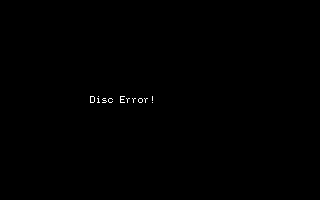

My computer is really old... maybe is problem on my side...

(1 edit)

Hi! 

I've gotten this error once as well on my A1200, OS 3.0 but I do not know why and I have not been able to replicate it. I will try again tomorrow to see if I can replicate the issue. 

Try these two things:

1) "Show all" in the Drawer and run the COG014_05 file directly (ignoring the game icon to run)

2) Would you be able to "re-install" the game on a different location? Unzip it on the PC and copy the HDD folder somewhere, and then run via the ICON.

If either works, let me know and I might have a better idea what is causing it.

Hi!

THX for support!

Is 3kB size of PART1.CHR correct? It is my main suspiciouse...

And of course I'll try new download, unzip and transfer data from PC into my beloved hardware.


(BTW who is your graphics artis? The work on COG part 1 shows talented and skilled person...really solid level of art)

(6 edits)

3 KB is correct.

OK so I tested this now on two versions of Workbench.
WB 3.0 runs it just fine.
WB 3.1 gets the DISC ERROR. 

I am in contact with the developer of DAAD Ready, and we are trying to sort it out.

The ADF version works just fine so you can mount that one, or copy it to a floppy.

I did some of the artwork, but a friend did most. We both fiddled with the palette to find a nice thing. Some parts are photos/stock art/free assets that has been pixelated down. 

THX.

My setup:

Kickstart 47.115 (3.2.x)
Workbench 47.5 (3.2.3)
Blizzard 030/50 MHz
32 MB Fast RAM
CF card HDD setup

Important: the issue reproduces consistently on WB 3.2.x. You reported it works on WB 3.0, so it seems to be a WB version / OS compatibility issue rather than file or install corruption.

I can reproduce the “DISC ERROR” both on HDD install and ADF mounted version under WB 3.2.x.

Excellent graphics piece of art, I like it.

(1 edit)

What is the model/speed/size etc of the CF card? 

We got it working on wb3.1 real hardware without issues so that wb version is not the culprit.

It does get Disc Error every time on a 32GB CF card with the AGS3.0 image on it.

Correction:

I misunderstood your instruction earlier. I was focusing on the HDD install.

The ADF version works correctly when I run it as intended.

So:

  • ADF version: OK
  • HDD install: DISC ERROR (PFS3 on CF/ 8GB)

Sorry for the confusion.

Thank you for providing the feedback!

It has been confirmed that the file system PFS causes the disc error. FFS works just fine however. 

It has been reported to Uto, the engine developer, and they are looking into it. A new interpreter/compiler is in the works that hopefully solves this.