
Indie game storeFree gamesFun gamesHorror games
Game developmentAssetsComics
SalesBundles
Jobs
TagsGame Engines
(+2)

If you're looking for a quick and easy fix on a large deck that has 16 pixels of unwanted empty space above every card, you could use The Listener to fill the rectangle of every card covered by the menu with solid black like so:

each c in deck.cards
 c.image.paste[image[c.size[0],16].map[0 dict 1]]
end

The Listener is a very powerful tool for doing things that would otherwise be extremely tedious and repetitive.

I  strongly recommend experimenting with this sort of thing in a backup copy of your deck to ensure you don't accidentally lose work!
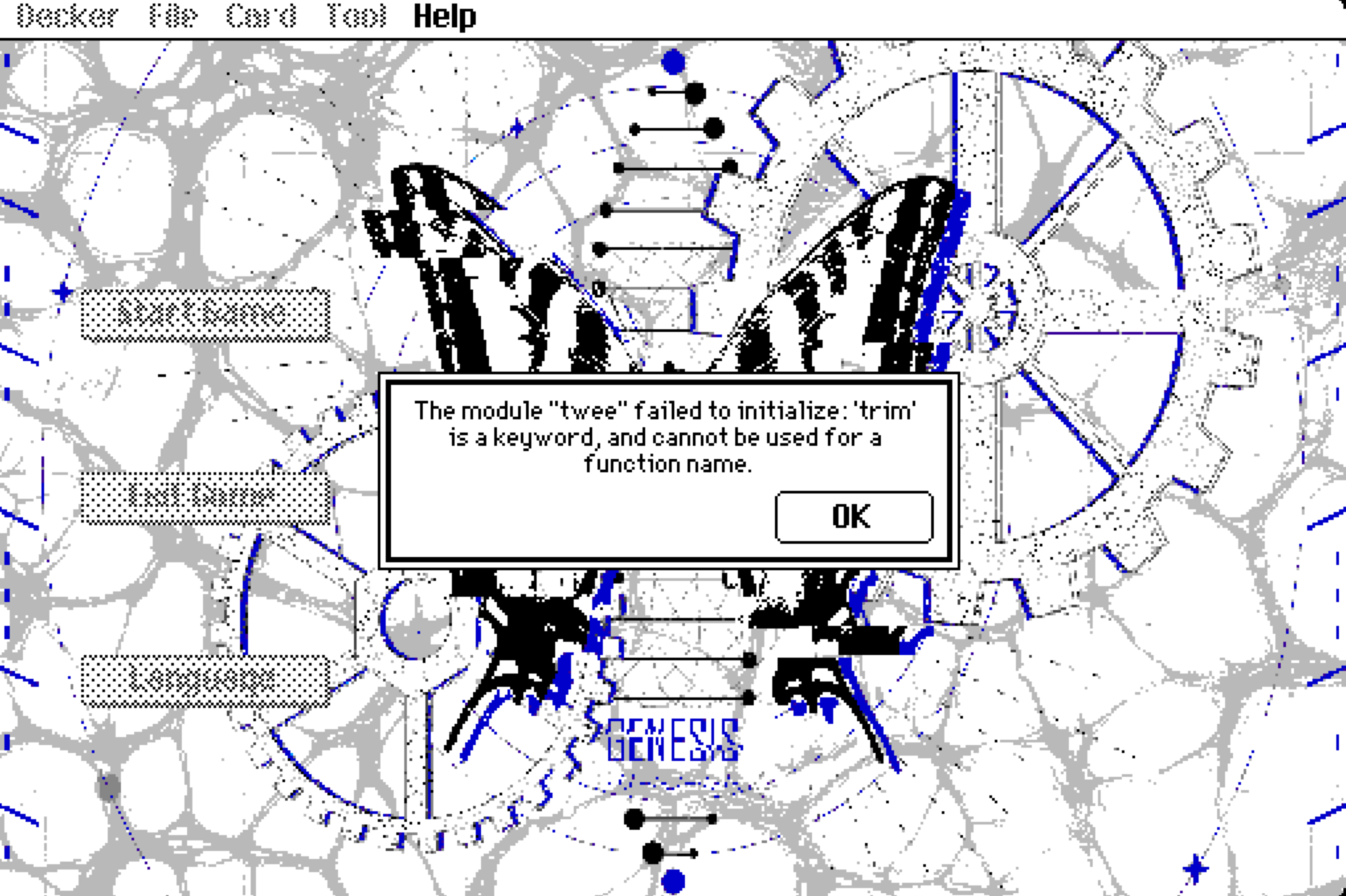
Now I’ve run into another problem. I’m using the new version of Decker, but when I tried to export the HTML file, this error window suddenly popped up. I also noticed that the taskbar from my previous build is still there, so it seems to be related to one of the plugins. I tried searching for anything with the word "trim" in Notepad, but unfortunately, I have no idea how to fix it.I recall that the top‑level taskbar was hidden in previous exports. Now I’m trying to get it hidden again, so perhaps I need to look for an alternative fix?现在我又遇到了另一个问题。我正在使用新版Decker,但当我尝试导出HTML文件时,突然弹出了这个错误窗口。我还注意到,我之前版本的任务栏仍然存在,看来这似乎与某个插件有关。我试着在记事本中搜索包含“trim”一词的任何内容,但遗憾的是,我完全不知道该如何修复它。我记得在之前的导出文件中,顶级任务栏是隐藏的。现在我正试图再次将其隐藏起来,所以也许我需要寻找一种替代的解决方法?

(+2)

This error will be from the new version of Decker making some changes that necessitated some updates to some of the modules. You'll need to update the "twee" module using the newer version in the Decker examples folder - you should be able to just import it over the top of the old one.

(+1)

I’ve just updated the plugin! I also went through the Phinxel documentation and found the program with the lock feature — thanks so much for the manual!

However, the new version of Decker seems different from the original one. I’d still like to keep my old setting: have the page permanently pinned to the taskbar right after exporting it as HTML. But I have no idea how to do that now 😇. I feel like I asked about this before. Also, I can’t even remember the keyboard shortcut for “Save As”.T-T

(+3)

Please ignore my previous questions! I’ve gone through the manual carefully again and realized that I keep missing key details because I’m reading too quickly. (Yes, exporting via the Protect option is the solution, not using Save As). I’ve fixed the issues now. Thank you all so much!XD