
Indie game storeFree gamesFun gamesHorror games
Game developmentAssetsComics
SalesBundles
Jobs
TagsGame Engines

PixelForge

Create and edit pixel fonts, and export them to TTF · By Sergi Lazaro

New update soon!

A topic by Sergi Lazaro created 52 days ago Views: 254 Replies: 14
Viewing posts 1 to 7
Developer (1 edit) (+3)

Hello! Sorry for the long time without any updates. I didn’t have time to work on this project and also I kind of forgot I had this itch.io forum enabled, so apologies for not answering any of the topics until now.

Your suggestions are noted, lots of them were already in my list of potential future features.

I have been working on a new version of PixelForge for some time, a complete rewrite from scratch. The previous one was coded in C++ with Dear ImGui and it got to a state where it was super difficult to make changes to it. This new version is coded in C# with Godot 4, and it now has all the features of the previous one (and more!), and it’s more solid and infinitely more maintainable and upgradeable. So you can expect more updates in the near future.

The new version looks and feels basically the same as the old one, even if it has zero code shared with it. You will probably not feel the difference. It has a few new improvements:

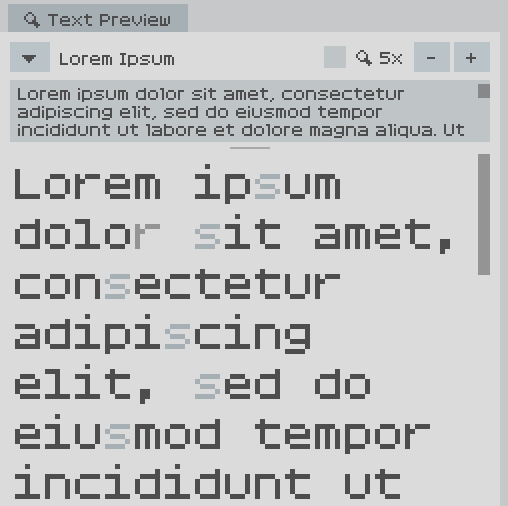
  • In the Text Preview panel, you can now select glyphs by clicking on them inside the text, and the current glyph is highlighted.
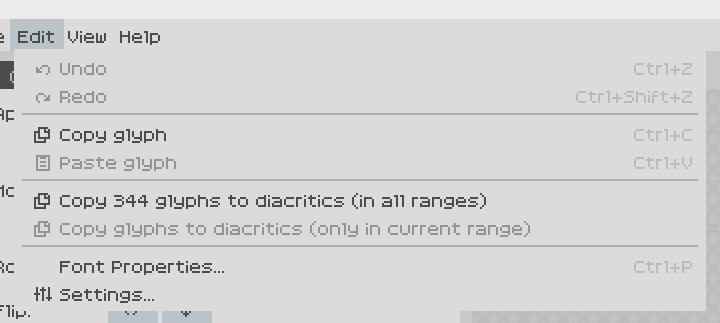
  • Copy and paste: You can copy a glyph and paste it into another glyph. And you can auto-copy glyphs to their diacritics! That is, it will copy your already defined “a” into “à”, “á”, “â”, “ã”, “ä”, “å”, etc, so you can then add the diacritic and make other changes.
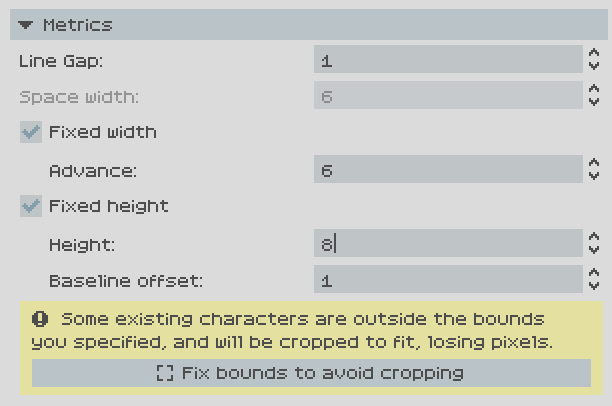
  • Setting limits for width and/or height for the whole font. That way you literally can’t place pixels out of that range, advance will be automatically set to that value (in case of fixed width), etc. Very useful for monospace fonts, and in general if you want to enforce a specific box.
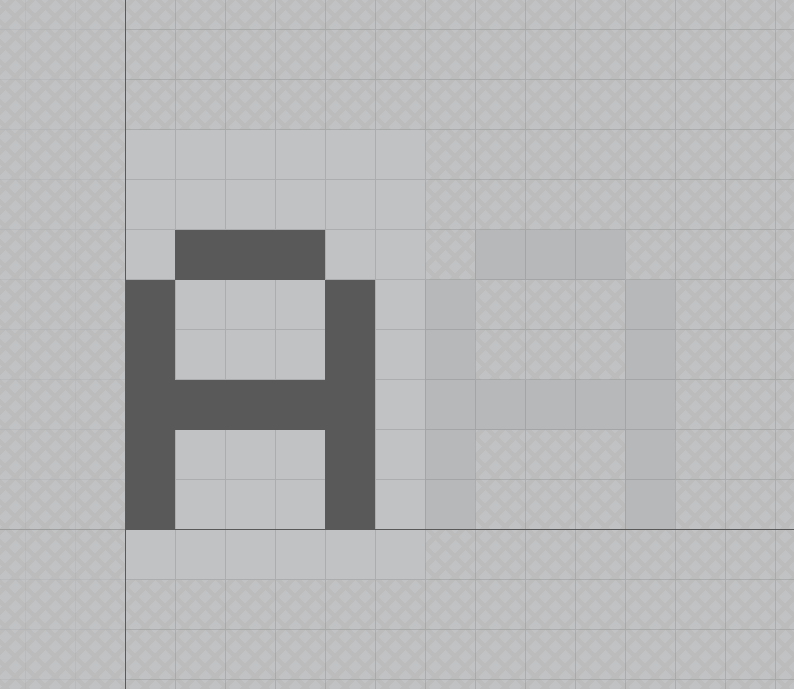
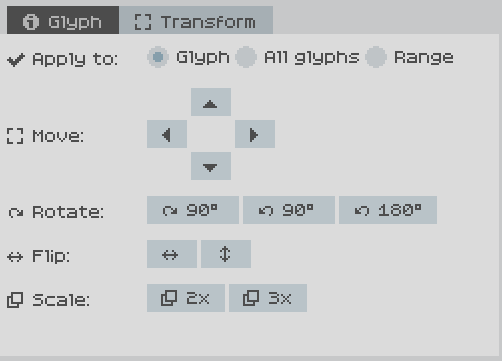
  • New transform panel with tools to modify glyphs: Move, rotate, flip, scale. You can apply those modifiers to the current glyph, to all glyphs in current range, or to all glyphs in all ranges. Very useful particularly when you import a font and want to move up/down to meet a specific baseline, for instance.
I also have a plan to open-source part of the app, more news about it soon.

If the update detection works, you should be notified inside PixelForge when the new version is available in the next days. Of course, I will also post about it here.

(1 edit) (+1)

I'm so hyped for this!! Just in time for my latest font project that is too big for Bitfontmaker to contain 😁

Thank you for all your hard work!

P.S. do you plan to enable pay-what-you-want for downloading this program? This way your fans can support you :)

Developer(+1)

Thanks for your support :)

For now no, this version will also be free because it’s still beta, once enough people use it and there aren’t any issues it will be v1.0, and then I’ll see what I do about pricing. In any case, there will always be an option to use it without paying, similar to what REAPER does. I was also thinking of maybe having a Patreon, but we’ll see :)

I'm really glad you're coming back to this. This software is an important part of the game I'm working on. Being unable to copy pixels between glyphs and having no access to ranges beyond U+FFFF were the biggest drawbacks for me.

This is wonderful news!

For making a fixed-width font, is it possible to set the advance for the whole font without cropping anything?  Sometimes I make fixed-width fonts where the advance is always the same, but some characters (like Q) have tails that reach beyond the advance. 

Developer

That’s interesting, I hadn’t considered that use case.

For now no, fixed width/height crops pixels outside that range. I’ll put it in the todo list to have the option to just draw the limits on the editor but not limit where you can place pixels.

I think that only makes sense for fixed width though, because the advantage is that advance is fixed as well, while fixed height is just to enforce pixels y-coordinates.

Even if it didn't crop pixels or draw limits on the editor, it would be nice if you could set a fixed width and all the characters' advance values were set to that width.  So you declare that your font is fixed at, say, 7px wide, and all of the characters are set to an advance of 7px.

Also, I'd like to support what someone else said about turning on pay-what-you-want for this download.  You've put an incredible amount of work into it, and you deserve to get paid, even if it's just a little bit here and there.  I can't afford much, but I want to chip in, at least as a more emphatic way of saying you're doing a good job.

Great news! What's the ETA?

Developer(+3)

If everything goes well, it’s likely to be released before the week ends.

I'm really glad that you've returned to working on this project! But I do have some questions. Will there be support for fallback fonts? Or setting a custom font for the entire software? And perhaps support for combining diacritics?

Developer

Can you elaborate on each of those suggestions for me to understand 100% what you mean?

Ah, sorry. I am working with a font that has a script for conlangs within the PUA but I'd really like to be able to see the font within the program instead of switching back every time I have to draw a new character. For combining diacritics, I was wondering if there was any possibility of adding support for dynamically generating diacritics, since right now it is just a character with negative spacing and that would cause overlaps if say, the previous character has a descender or ascender. (also will there be colour font support for making emojis 🥺)

so i dont know if this just an issue on my part or something else, but i cant open .pxf files now for some reason? i have tried reinstalling, and it imports .ttf completely fine, i just cant open .pxf.
this seems like a not-very-great bug if its not just me, and i doubt that its just me.

Developer

Sorry about that! Does it happen if you save a new pxf file from scratch and you try to open it again after closing it? Or is it only with older files?

Developer

Sorry for the trouble. I’ve updated the downloads ( https://sergilazaro.itch.io/pixelforge#download ) so that PixelForge now has one extra menu entry in the Help menu, to create a diagnostics Zip file.

If you’re up for it, can you install this latest version (that’s the only change it has) and try to open a PXF file that isn’t opening, and then generate the Zip file to send to me? That would be very helpful for me to diagnose the problem 🙏