Indie game storeFree gamesFun gamesHorror games
Game developmentAssetsComics
SalesBundles
Jobs
TagsGame Engines

Sergi Lazaro

32
Posts
3
Topics
163
Followers
40
Following
A member registered Jan 14, 2014 · View creator page →

Creator of
Recent community posts

Thanks for the offer! After the release is more stable, I might explore releasing a Mac binary using Godot, and see if people can use it. If/when that happens, I’d be happy to have some feedback in that way!

Is there anywhere you’d reccomend sending the zip file?

bugreports@pixel-forge.com would be great, thanks! :)

Thanks for your feedback! As you see there are a few rough edges as it’s a beta and I’ve tested it myself but there are always things that slip through.

The file selector on Linux doesn’t work for me; this may be because I don’t have an external one installed, but it doesn’t fall back to the Godot dialog either.

Sorry about that. It’s a bit of a mess, for Windows it should work with native dialogs with no problem. For Linux I have a method where it tries to use zanity or kdialog if they exist, and if they don’t it tries to use a Godot dialog with the “native dialog” option enabled. If Godot can’t use a native one (it sometimes happens) it should use the built-in one (which is very ugly and I should customize the aesthetic more).

If nothing shows up, that’s a big problem for sure. Would you be willing to send a diagnostics file for me to diagnose the problem? If you downloaded it recently it should have a menu option inside “Help”, if not, you can try the latest uploaded version ( https://sergilazaro.itch.io/pixelforge#download ), it has the same display name and version but I added this menu entry to help with diagnosing problems. The thing is, it asks for a folder to generate the diagnostics to, which opens a dialog that you might not see either because of this same problem… If that doesn’t work, manually zipping the folder that (I think) should be at ~/.local/share/godot/app_userdata/PixelForge/ would be equivalent. I think that’s the folder it should be, but I don’t know if Godot uses a different folder for different distros, etc.

Though the panels can be resized, they can’t be freely arranged as in the C++ version. Not only can I not use the arrangement that I’m used to, but the default layout of three panels stacked on each other is cramped on my 1366x678 display, especially with the file dropdown now being on a seperate row.

Out of curiosity, how did you rearrange the panels in the old version? Did you stack the panels on top of each other to save space? I can try to see if I can make the interface more flexible, I’m not sure how difficult it would be, though.

Tabbed panels are a different color than in the previous version, which is disorienting and unintuitive especially as buttons don’t have a hover indicator.

I will try to make them match the previous aesthetic and behavior, thanks for the tip!

The ‘x’ button on the font dropdown doesn’t do anything

Thanks, I missed that bug! It’s going to be fixed for the next release :)

Keyboard shortcuts for transformations (ctrl+x/c/v for cut/copy/paste, ctrl+arrows to move, ctrl+h/v to flip, etc)

Ctrl-C and Ctrl-V should already work, but I will add more shortcuts as you suggest as well.

Sorry for the trouble. I’ve updated the downloads ( https://sergilazaro.itch.io/pixelforge#download ) so that PixelForge now has one extra menu entry in the Help menu, to create a diagnostics Zip file.

If you’re up for it, can you install this latest version (that’s the only change it has) and try to open a PXF file that isn’t opening, and then generate the Zip file to send to me? That would be very helpful for me to diagnose the problem 🙏

Sorry about that! Does it happen if you save a new pxf file from scratch and you try to open it again after closing it? Or is it only with older files?

Can you elaborate on each of those suggestions for me to understand 100% what you mean?

The new version is out!

This new version is coded in C# with Godot 4, and it now has all the features of the previous one (and more!).

The new version looks and feels basically the same as the old one, even if it has zero code shared with it. You will probably not feel the difference. It has a few new improvements:

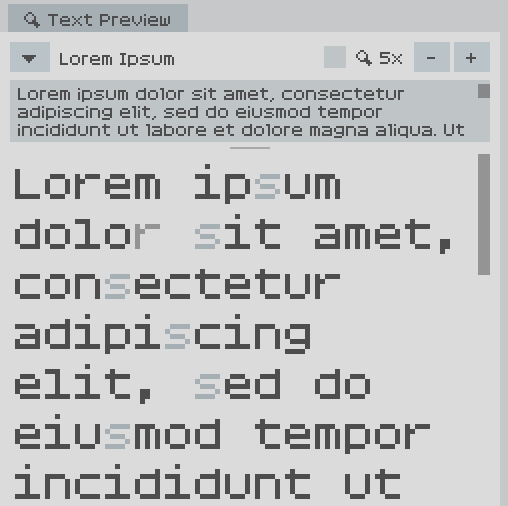
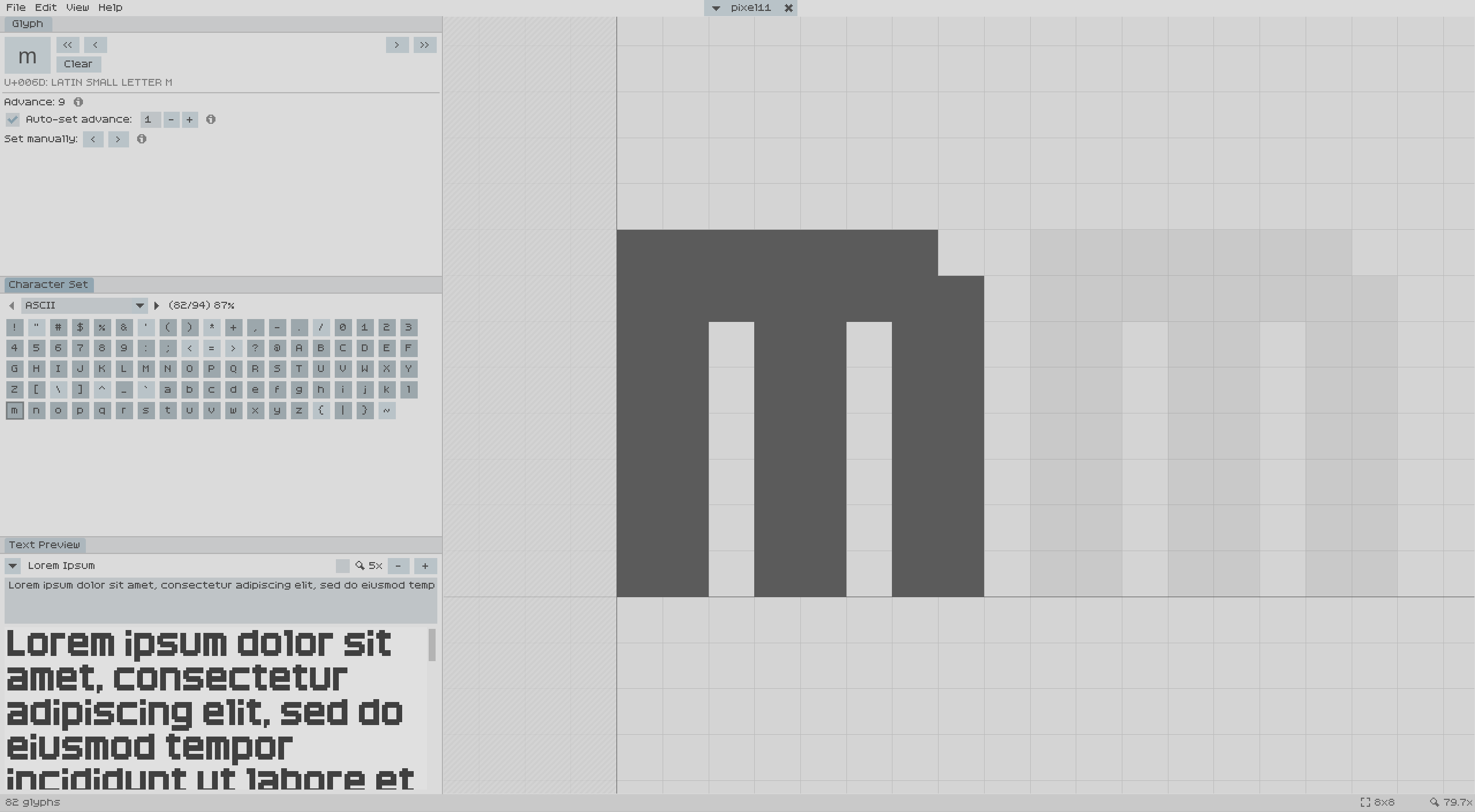
  • In the Text Preview panel, you can now select glyphs by clicking on them inside the text, and the current glyph is highlighted.
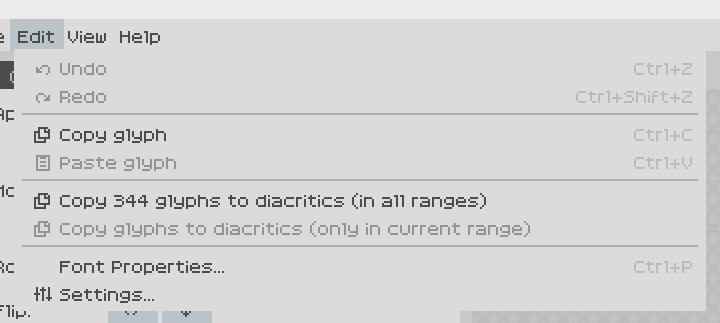
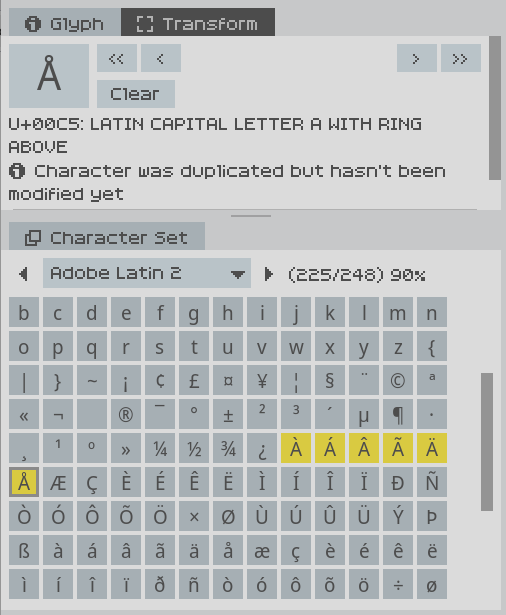
  • Copy and paste: You can copy a glyph and paste it into another glyph. And you can auto-copy glyphs to their diacritics! That is, it will copy your already defined “a” into “à”, “á”, “â”, “ã”, “ä”, “å”, etc, so you can then add the diacritic and make other changes. If you don’t edit a glyph after having pasted into it, it will be shown in yellow as a warning/reminder that you probably want to edit it.
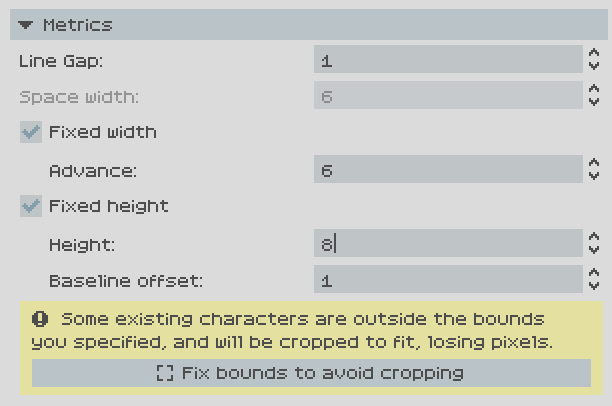
  • Setting limits for width and/or height for the whole font. That way you literally can’t place pixels out of that range, advance will be automatically set to that value (in case of fixed width), etc. Very useful for monospace fonts, and in general if you want to enforce a specific box.
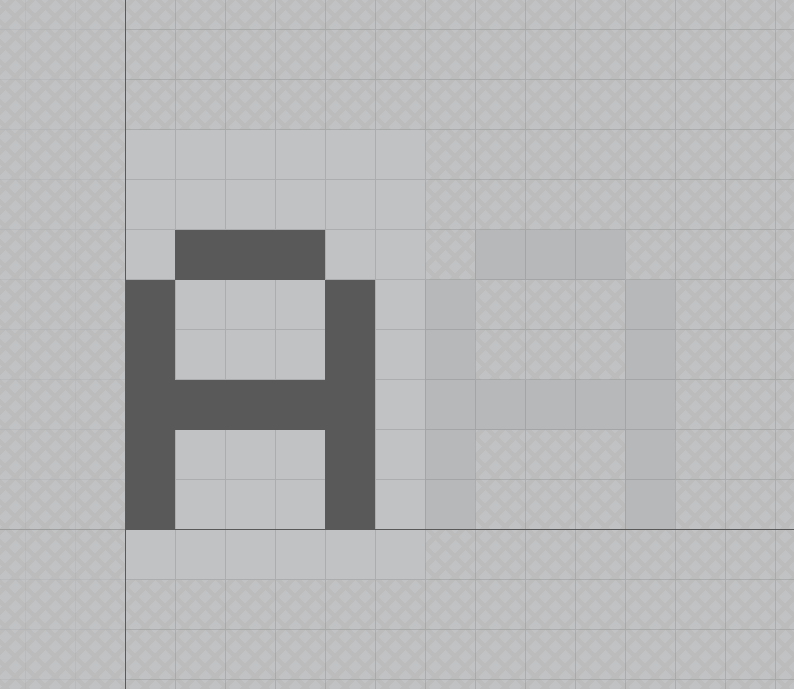
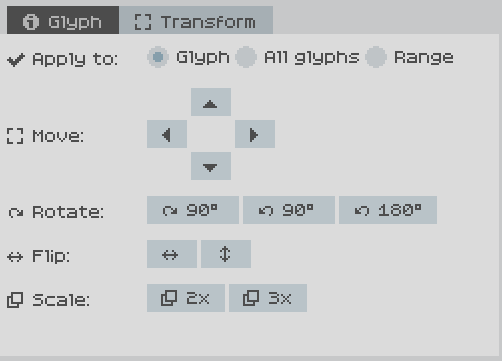
  • New transform panel with tools to modify glyphs: Move, rotate, flip, scale. You can apply those modifiers to the current glyph, to all glyphs in current range, or to all glyphs in all ranges. Very useful particularly when you import a font and want to move up/down to meet a specific baseline, for instance.
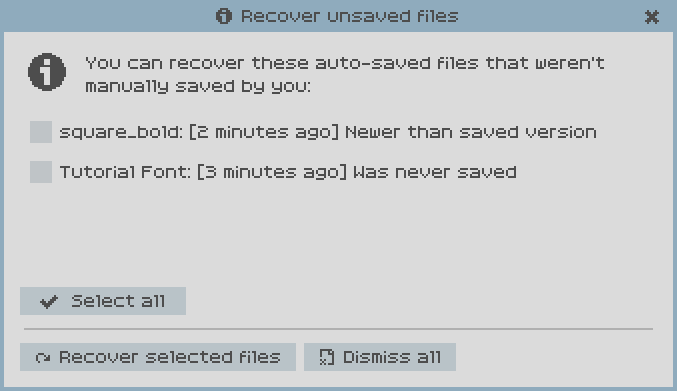
  • Auto-save and recovery: Opened documents are periodically auto-saved to an internal folder. When a crash is detected, it will offer the option to recover the state of unsaved files, so you can save them manually after that.
  • Linux binaries available as well.

If you have the old PixelForge version installed, hopefully you should be notified about this, if not, that means I messed up the update check years ago 😅

As with the old version, remember this is a beta version, so some things might not work properly, so feedback is appreciated!
If everything goes well, it’s likely to be released before the week ends.

That’s interesting, I hadn’t considered that use case.

For now no, fixed width/height crops pixels outside that range. I’ll put it in the todo list to have the option to just draw the limits on the editor but not limit where you can place pixels.

I think that only makes sense for fixed width though, because the advantage is that advance is fixed as well, while fixed height is just to enforce pixels y-coordinates.

(1 edit)

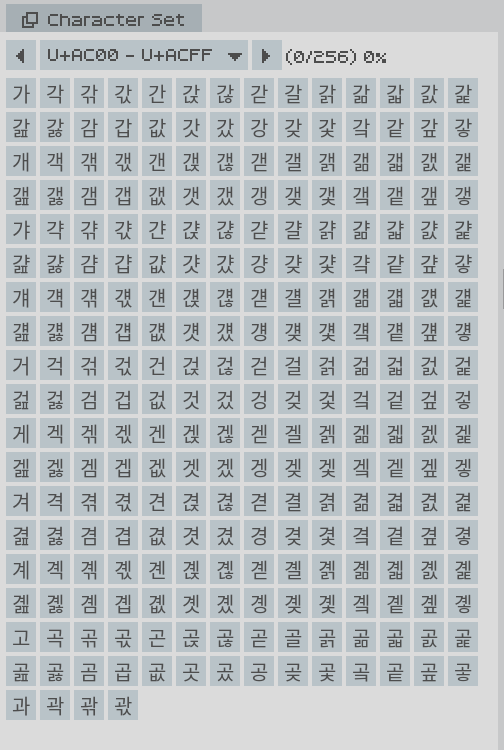
A new version will be released soon (check the pinned topic on this forum), and I just checked, and the Hangul characters will show properly in this new version. This is an example:

Thanks for your support :)

For now no, this version will also be free because it’s still beta, once enough people use it and there aren’t any issues it will be v1.0, and then I’ll see what I do about pricing. In any case, there will always be an option to use it without paying, similar to what REAPER does. I was also thinking of maybe having a Patreon, but we’ll see :)

Hi, thanks for the feedback!

I’m releasing a new version soon (check the pinned topic for more info). It’s going to release for Linux and Windows.

I’m using Godot and C# for this version, which does have Mac export options, but I can’t make any promises, because I don’t own any Apple devices, and I know how hostile Apple are to developers. If I ever release Mac versions, they will be unsigned, and only “experimental” builds, not really supported. I would try to make it work with no promises, because I can’t test it at all.

So maybe in the future I will see if it can be done, but I can’t make any promises right now :)

Hi, thanks for the feedback!

The new version I’m going to release soon has these features included. Check the pinned topic for more details :)

Hi, thanks for the feedback!

I’m in the last stages of releasing a new version, rewritten from scratch. This time it will release on Linux and Windows both. For now it will be an AppImage and there’s a regular standalone version as well. We’ll see how it works once it’s released and people get to try it! I develop and test on Linux, so it should not be an issue, barring some libc compatibility issues.

Hi, thanks for the feedback.

If all goes well I’ll be releasing updates soon, and progressively adding new features. Going past BMP is one of the big ones i will explore, for instance.

One of my plans is also to add import/export with more formats, but also I’m thinking of maybe open-sourcing part of the core of the app, the part that deals with reading and writing the different formats and converting between them, with a companion CLI app. That way people could add or fix those parts, and use their own automation tools (either by using the library directly or using the CLI app). All of this is a possibility, I don’t make any promises, but it’s the direction I want to follow.

Hi, thanks for the feedback!

I did think about having the option for defining some horizontal/vertical lines for each font at specific coordinates, to be displayed on the grid at all times. Is that what you’re thinking of? Do you have any examples of other apps that have what you’re thinking of, for reference?

Hi! Sorry for not updating or replying. I pinned a post detailing what’s next for the app, including potentially maybe open-sourcing of some parts of it :)

(1 edit)

Hi, thanks for the feedback!

I will definitely explore expanding the range, I talk about it a bit more in this other similar topic: https://itch.io/t/6188513/can-you-please-add-support-for-beyond-the-unicode-bmp

Hi, thanks to both of you for the feedback!

This is a limitation in the new version of the app as well. It is one of the improvements I’ll definitely explore in the future, but unfortunately it’s one of those things that has consequences everywhere in the code, as you can imagine, so it will take some work. It’s still worth it and I will definitely explore it.

If I can make the changes to the code to support higher ranges, I will see what can be done in the UX side, but if it’s too much change I’d definitely consider a simpler solution as you said, at least temporarily, for the selection of the codepoint.

Hi! I know this is an old post, but it got caught by automated filters until I manually approved it.

The new version that’s going to be released soon is rewritten from scratch, and it should be more careful about being low performance when there’s no interaction. As people use it I will see if there are more improvements to be made as well.

PixelForge community · Created a new topic New update soon!
(1 edit)

Hello! Sorry for the long time without any updates. I didn’t have time to work on this project and also I kind of forgot I had this itch.io forum enabled, so apologies for not answering any of the topics until now.

Your suggestions are noted, lots of them were already in my list of potential future features.

I have been working on a new version of PixelForge for some time, a complete rewrite from scratch. The previous one was coded in C++ with Dear ImGui and it got to a state where it was super difficult to make changes to it. This new version is coded in C# with Godot 4, and it now has all the features of the previous one (and more!), and it’s more solid and infinitely more maintainable and upgradeable. So you can expect more updates in the near future.

The new version looks and feels basically the same as the old one, even if it has zero code shared with it. You will probably not feel the difference. It has a few new improvements:

  • In the Text Preview panel, you can now select glyphs by clicking on them inside the text, and the current glyph is highlighted.

  • Copy and paste: You can copy a glyph and paste it into another glyph. And you can auto-copy glyphs to their diacritics! That is, it will copy your already defined “a” into “à”, “á”, “â”, “ã”, “ä”, “å”, etc, so you can then add the diacritic and make other changes.

  • Setting limits for width and/or height for the whole font. That way you literally can’t place pixels out of that range, advance will be automatically set to that value (in case of fixed width), etc. Very useful for monospace fonts, and in general if you want to enforce a specific box.

  • New transform panel with tools to modify glyphs: Move, rotate, flip, scale. You can apply those modifiers to the current glyph, to all glyphs in current range, or to all glyphs in all ranges. Very useful particularly when you import a font and want to move up/down to meet a specific baseline, for instance.

I also have a plan to open-source part of the app, more news about it soon.

If the update detection works, you should be notified inside PixelForge when the new version is available in the next days. Of course, I will also post about it here.

you’re looking at a nude egg.

🥚👀

Wow, as a hobby game dev I watched the video and tbh I’m impressed how far it went for just 5 hours and no experience!

I think it would be cool to see more streams getting deeper into game dev just for fun =)

(1 edit)

NICE!

I got to 1562 on my second try!

I was being careful on my first try, but I found that the strategy that made more sense was to just spam blocks as fast as possible and only worry about rotation and precise placement as you run out of obvious places.

(1 edit)

If you mean the fonts you create, then sure! It’s just an editing program, in the same way you’d use something like Photoshop. The program doesn’t do any creative work, so you’re the creator of the font.

So in the same way that image editing works, if you create something from scratch, it’s your own creation so you can do anything you want with it, while if you take something already made and modify it, then it becomes more complex.

In any case, the fact that you’re using this tool in particular doesn’t matter, it works the same way as with other creative products.

Thank you!

I label it as pre-release because I want other people to test it a bit just in case, and to see if anybody would use it at all, but it’s ready for a released 1.0 version as-is.

If you’ve tried to use it a little bit and have any feedback at all, I’m all ears! :)

(2 edits)

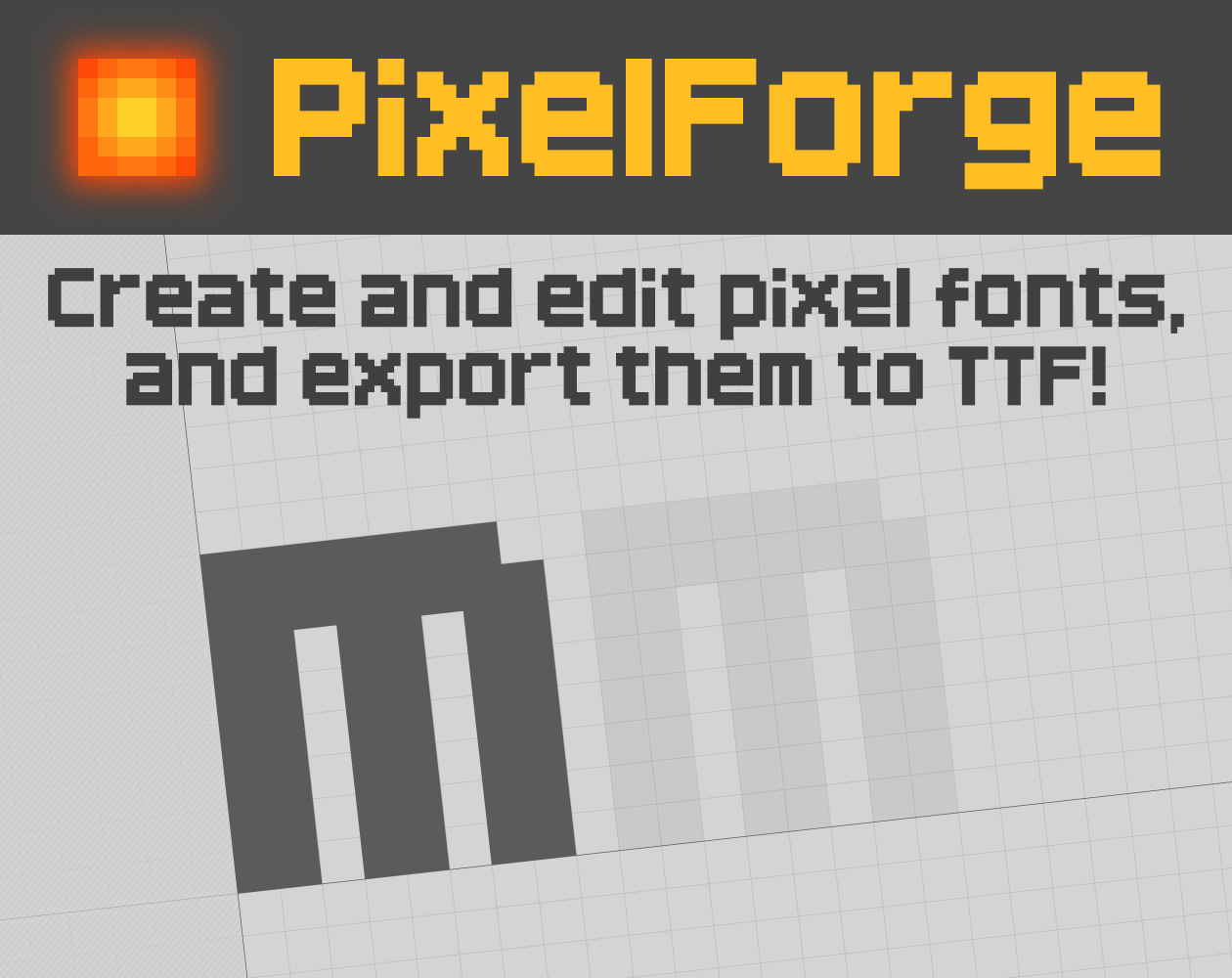
You can create your own pixel fonts and export them to TTF. Check the project page and/or the external website for the list of features.

https://sergilazaro.itch.io/pixelforge

It’s fully functional but not “officially released”, since I’d like to get some feedback from other people first. Please try it and share any problems or important missing features that you find! :)
I loved this game! Gave you some feedback and ideas for fixing delay problems on the Ludum Dare site. I'll also copy it here just in case.

----

Amazing little gem of a game. I’m a drummer so I love rhythm games. I played the linux version.
I had a problem with delay, I tried mouse and keyboard separately, ended up using keyboard but the delay seemed to be the same. Trying very low latency on different platforms, using Unity, would have been impossible, so I don’t blame you, it’s a hard problem. In my case the clicks “hit” when I released the spacebar. By this I mean, the game registered the key down, but the delay made it feel like it was the key up that made the hit register.
Having played rhythm games before, and being a drummer, I adapted quickly to the delay, so after a couple of rounds of the same rhythm I just got the groove and could finish the rhythm without issues.
As a programmer, the way I’d solve it is by having some kind of calibration step beforehand. I just happen to have thought about this for a while because I was thinking of developing some software that would have these same issues with delay. My idea was to have like a “sync” step where a metronome is beating, and you’re supposed to hit the key at the same time as the metornome. You don’t get any audio feedback from your hits, but the game tells you that it’s registering them (so that you know that they’re not lost), with like a progress bar or something. But you don’t hear a sound when you hit, because that could throw you off. The first few beats are ignored (they probably aren’t very accurate), and then you save a list of the delays between each beat timestamp and when the user key events are registered. If everything goes well, and you average them out (also removing some outliers), that gives you the offset that you should apply to the game detection. If you repeat this process with different metronome BPMs, I think you’d get very reliable delay correction without the user having to input random numeric values via trial and error.
That’s what I always had in mind which could work while being pretty user friendly. With good user experience tweaks the calibration step could be a mix of tutorial and calibration, making it seamless for the user.
In any case, I loved the game, the way the music builds up as you nail the rhythm is very satisfying. I wish it was longer, but it’s a jam game!

Gracias!

Los pick-ups añaden una bola más para lanzar, se acumulan permanentemente. Quería añadir un efecto en el que se viera como baja una bola y se añade al resto, pero no me dio tiempo.

El resto de comentarios estoy de acuerdo también. He añadido un post-mortem sobre eso y otras cosas. :)

POST-MORTEM

El objetivo para mí de esta jam era empezar y terminar un juego lo más sencillo posible para poder encontrar y arreglar problemas en el mini-engine en el que estoy trabajando en paralelo. Por eso no me importa del todo el hecho de que el game design no está retocado o perfeccionado (hay problemas obvios), porque he estado el 90% del tiempo trabajando en engine y 10% el juego en si. No pude hacer casi testing. Pero me importaba más la implementación que el juego en si.

GAME DESIGN

Como ha comentado @erades-dev y ya había visto al jugar al juego en calma una vez entregado, el ángulo de disparo es un problema. Cuando puedes disparar casi en paralelo, la cantidad de rebotes por turno es enorme y reduce mucho la dificultad.

Otro problema es el aumento de dificultad a la que se suben niveles. Ahora mismo la dificultad aumenta de forma lineal, y combinado con el problema del ángulo de disparo, el juego no tiene reto para llegar a 99, simplemente es tiempo, es básicamente imposible perder.

AUDIO

No hay sonido ni música. Tenía implementado el "back-end" para ello pero no tuve tiempo para añadir nada. Pero claramente le añadiría un extra al juego.

VISUAL

Estoy bastante satisfecho en la parte estética. Todo son cuadrados de color liso (excepto la fuente), y con el post-efecto pixel me gusta bastante como ha quedado todo. El screenshake ocurre siempre a cada golpe, pero es sub-pixel, por eso solo se ve cuando hay bastantes golpes seguidos (y entonces temporalmente suma a 1px o más). De esta forma solo se ve cuando hay mucha acción a la vez, en vez de constantemente que sería molesto. Quería añadir algo de partículas también pero no me funcionó a tiempo.

TIEMPO DE DESARROLLO

Con el tema y queriendo hacer algo super simple, no estuve nada de tiempo pensando en qué juego hacer. Al empezar a implementar, tuve que arreglar las físicas en el motor, lo cual fue quizás un 30-40% del tiempo. Luego tuve que desarrollar de cero el render a textura, escalado, post-procesado, etc. para el efecto pixel, otro 20%. También desarrollé de cero el sistema de partículas (al final sin usar porque había problemas), y animaciones/transiciones, otro 10% del tiempo aprox.

O sea que al final solo estuve un 20-30% del tiempo en el juego en sí. Pero ese era el objetivo, tener la excusa y oportunidad de descubrir y arreglar y mejorar el motor, para poderlo seguir usando en otros juegos 2D.