

Heyy for some reason on windows it will let me download and extract it but then i can't open it...do you have any ideas? thank you!
So it's (dw I assume you've done these steps)
1. Download the game

2. Find the game in your downloads
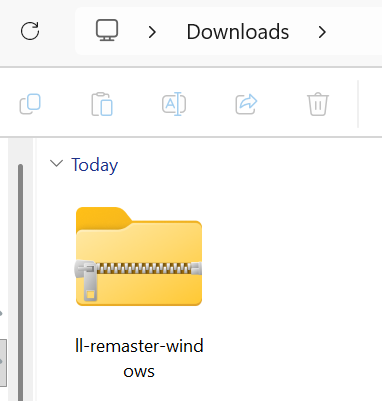
3. Extract your game (you're here)

4. Open using the .exe file
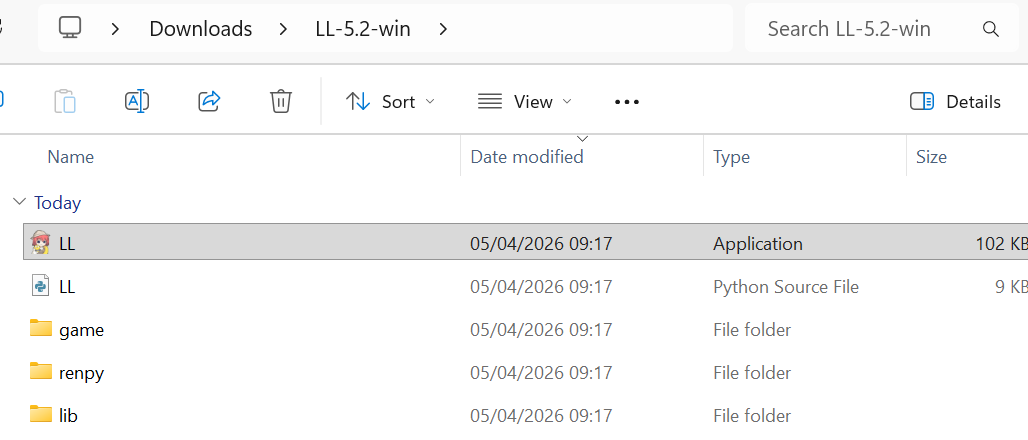
Then if things are working properly, it should then pop up with this loading screen. This might take a little bit of time?

If it never loads, did you get an error message? If so, could you show it to me? If not, I'm not sure what could have happened. Is it v5.2?
Apparently this can be a bug with Ren'Py games, but I haven't found anything on my end to fix it yet. I'll keep trying
Until then, the only other steps I've found are:
- Hold shift when starting the game. This will bring up the graphics menu and you can choose a different renderer
- Move the game location
- Delete the persistent data. Go to %appdata%/Renpy/ and delete the game folder
- Check the log.txt, traceback.txt, or errors.txt files in the Game folder. (If there's a specific issue here, please let me know)
- Run the game in compatibility mode
I'm so sorry for this! I'll see what I can do to get it working
89 days ago (+1)
I'm so sorry for the late reply but I got it working on my phone instead! Thank you!