As in to use it in your own project? It's just downloading the file and reading this tutorial to adjust it for your game
Bast
Creator of
Recent community posts
Apparently this can be a bug with Ren'Py games, but I haven't found anything on my end to fix it yet. I'll keep trying
Until then, the only other steps I've found are:
- Hold shift when starting the game. This will bring up the graphics menu and you can choose a different renderer
- Move the game location
- Delete the persistent data. Go to %appdata%/Renpy/ and delete the game folder
- Check the log.txt, traceback.txt, or errors.txt files in the Game folder. (If there's a specific issue here, please let me know)
- Run the game in compatibility mode
I'm so sorry for this! I'll see what I can do to get it working
Apparently this can be a bug with Ren'Py games, but I haven't found anything on my end to fix it yet. I'll keep trying
Until then, the only other steps I've found are:
- Hold shift when starting the game. This will bring up the graphics menu and you can choose a different renderer
- Move the game location
- Delete the persistent data. Go to %appdata%/Renpy/ and delete the game folder
- Check the log.txt, traceback.txt, or errors.txt files in the Game folder. (If there's a specific issue here, please let me know)
- Run the game in compatibility mode
I'm so sorry for this! I'll see what I can do to get it working
So it's (dw I assume you've done these steps)
1. Download the game
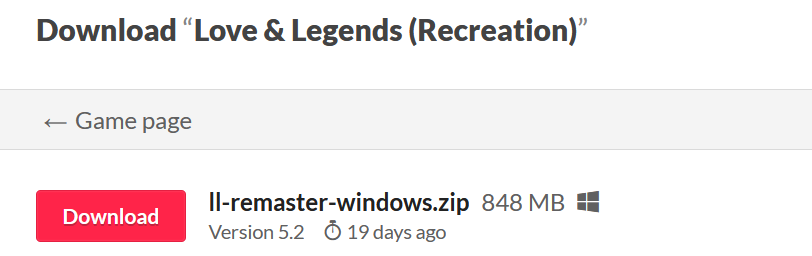
2. Find the game in your downloads
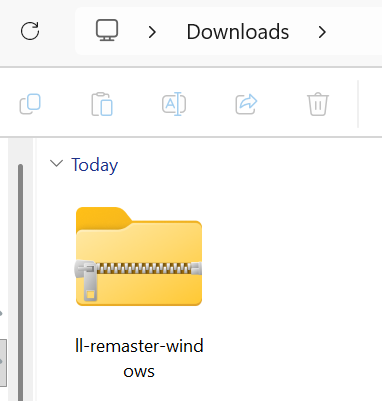
3. Extract your game (you're here)
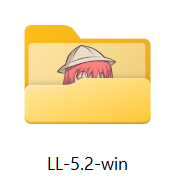
4. Open using the .exe file
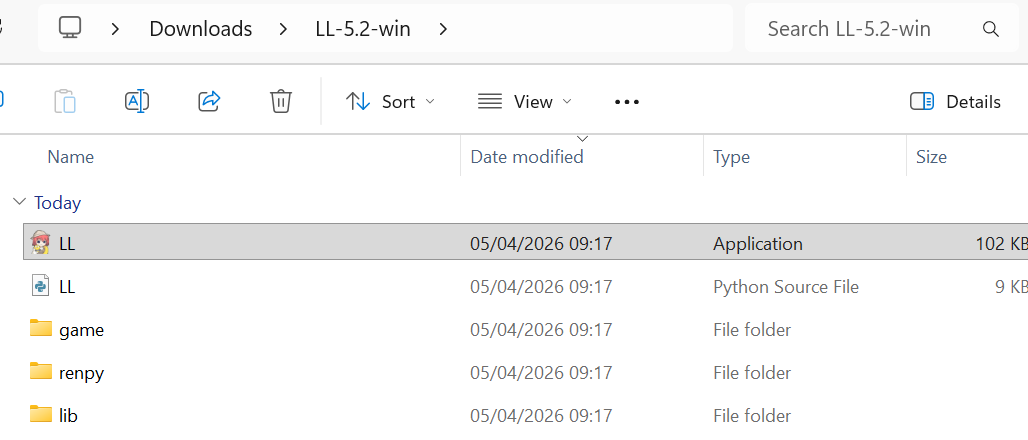
Then if things are working properly, it should then pop up with this loading screen. This might take a little bit of time?
If it never loads, did you get an error message? If so, could you show it to me? If not, I'm not sure what could have happened. Is it v5.2?
Edit: as of v5.2, it'll let you know when an update is released when you open the app or you look at the episodes pages
You can check for updates on this itch page. The main page should say:
"The game is currently 900k+ words, with 7 routes updated with 5 seasons (averaging ~27k a season with 12 episodes per season). 1 route is complete" at the top
and
"This game is still in development. Currently each route has 5 seasons released (out of 5 - 9 total). Alain's route is fully released." at the bottom, next to the download links.
It's important to note that the game itself cannot update automatically or tell you about updates so you can find updates on this itch page. Sorry for the confusion.
Looking at the code this is likely due to the options calling the Return() function to continue onto the next statement. I've never run into that issue myself on PC or android so I don't know why that would suddenly mean return to start, but I'll change the function to instead jump to the next episode instead in the next update later today. Hopefully that will solve the issue.