
Indie game storeFree gamesFun gamesHorror games
Game developmentAssetsComics
SalesBundles
Jobs
TagsGame Engines

Right, and it’s the left stick that’s non-zero, which schold have no effect.

I’ll try to replicate this here with the newest version of the MZ core scripts.
If I can’t figure it out that way, I’ll reply with a few JS commands that should help with debugging this.

How fast does the cursor move upwards?
I forgot that I used locals, which are a bit more difficult to debug.

There’s a line in the plugin that reads

x += dx, y += dy;

please insert console.log(x, dx, y, dy); directly above that so that it reads:

console.log(x, dx, y, dy);
x += dx, y += dy;

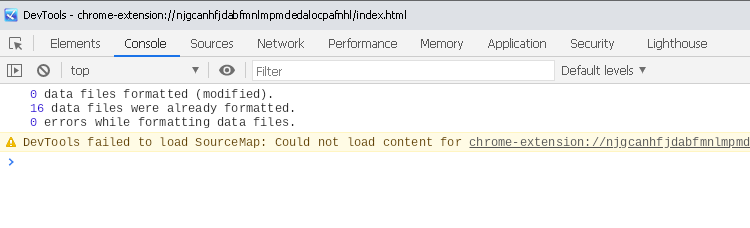
Press F12 and tell me what’s shown in the console there, if anything, when the cursor moves:

Chromium JS console

(2 edits)

There’s another place that could be helpful:

Where it says

dx += x;
dy += y;

add console.log(x, y, gamepad.id); so that it’s:

console.log(x, y, gamepad.id);
dx += x;
dy += y;

This should show any devices that the plugin sees as controllers.
(Edit: I should be able to exclude the one that causes problems, that way.)

There’s one other place where the plugin can move the cursor, that this doesn’t cover, but that is only reachable when using the “Point at” plugin command.

(1 edit)

Sorry for late response !

I followed your instructions and on the game's console I found that the first value (Normally x) is increasing indefinitely

https://imgur.com/13v9S8F

(Itch.io have some issues with images I can't post images)

(1 edit)

Thanks! The increasing “x” value is actually fine in this case, that’s a side-effect of the plugin interpreting the R-stick as overall outside the deadzone and it being very slightly off-centre.

The main problem is that the fourth axis (which would normally be R-Stick downwards) is being seen as -1, i.e. all the way up.

Maybe the controller has a different axis layout due to the gravity sensor.
I you could add console.log(axes, gamepad.mapping, deadzone); at the second insertion, that should give me enough information to at least look this up. (You can remove the other ones.)

It would also be helpful to know which numbers in the axes array change when you move the R-stick.
If the axes are indeed different, then that along with the mapping or id will be enough to special-case it.

(3 edits)

Ah, and another possibility: The DualSense controller is around two years younger than the default runtime that comes with MZ.

Maybe it’s not supported properly by that older version, in which case updating it might fix the issue: https://itch.io/blog/484532/how-to-update-nwjs-in-rpg-maker-mv-and-mz-for-rpg-devs

That would also explain why the controller test site reports everything as centered.

I will look into that

Hi ! I just tested with my Xbox Series controller and it works fine ! The cursor doesn't go up by itself, this issue happens only with DualSense controllers. I have not tested yet with Nintendo's Joy-cons (even there's small chances that someone plays with that)

I didn't updated nw.js yet (it's a pain to do that on mz)

That’s good to hear.

I found a mention of the controller being supported better starting with Chrome 89, which I think is a bit newer than the Chromium 85 MZ ships with: https://github.com/thayallans/ds5chrome/issues/6

It’s likely technically possible to special-case this on my end if the Chromium version is too low, but in my opinion updating the runtime would be the cleaner solution since that has other compatibility benefits too.