

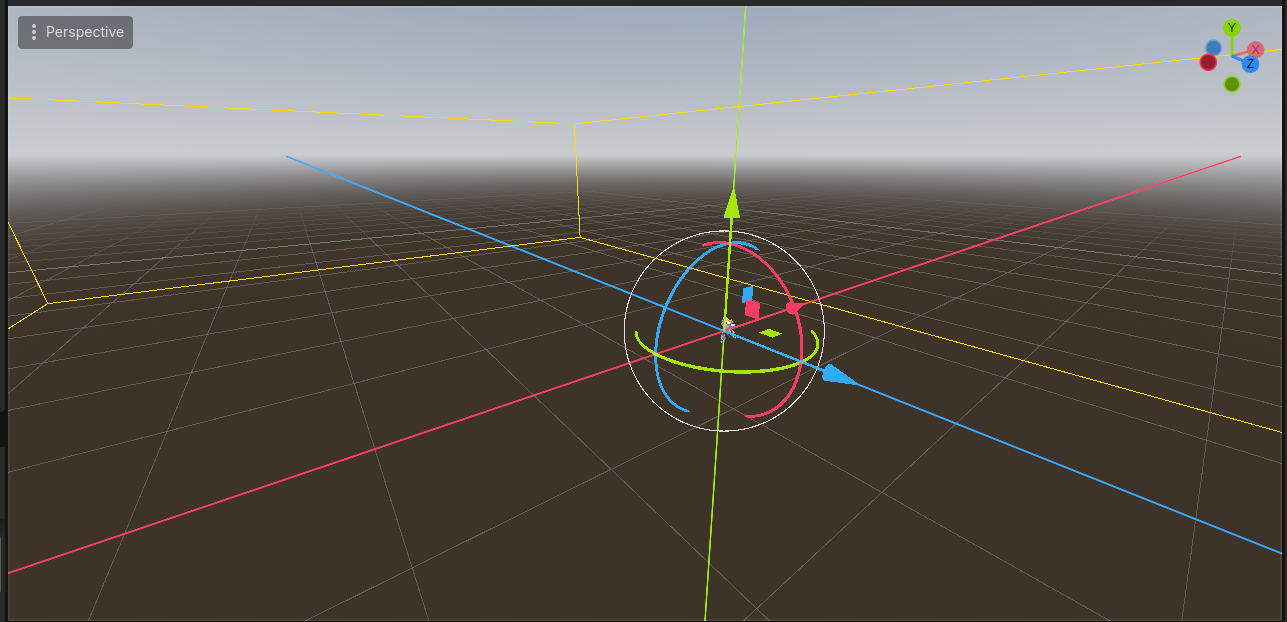
I might be missing something but when importing to godot the fbx is really fucking big for no apparent reason
The issue doesn’t seem to be Blender, because the model is at scale 1,1,1 and when I test the exact same FBX file in another game engine, it works correctly. So the file itself isn’t broken.
The problem is more related to how Godot handles FBX files internally. FBX is a proprietary format and different engines interpret its unit scale and transform data differently. Unity, for example, automatically compensates for the internal unit scaling (usually applying a hidden 0.01 factor), which is why it looks correct there. Godot, on the other hand, tends to import the raw scale data as-is, which can cause models to appear much bigger or smaller even if everything is correct in Blender.
So it’s not really a Blender issue it’s more about how Godot interprets FBX files.
If you want to keep using FBX in Godot, we could try:
Making sure all transforms are applied before export
Verifying Unit Scale is set to 1.0
Enabling “Apply Transform” when exporting
Adjusting the Import Scale inside Godot and reimporting
However, from what I researched, Godot is actually designed to work best with glTF 2.0 (.glb). It’s the officially recommended format and avoids most of these unit conversion and scaling inconsistencies.
Since there was a recent update and I exported a glTF 2.0 version, that one should behave correctly in Godot.
Sorry for the inconvenience, and thank you very much for pointing it out
And if anything weird happens or you notice something unusual, just let me know I really appreciate it a lot
Im gonna try to import the model in blender and reexport it as a .glb for now, if I dont come back here I guess the next reader can consider it as the best solution lol
besides, dope asset, awesome texturing and animations, the bounds is not really a problem that affects the asset, its just a developer experience problem some may have inside godot
I've already updated the folder with glb 2.0 if you'd like to download it, and thank you very much for your kind words and sorry for this problem.