

The camera angle feels very off, and the character controls are free-roaming rather than tile-based, it feels pretty awkward (in a negative way). The settings button in the menu doesn't work either. On the level with three colors, my cube got stuck on the second row of colored cubes, and since the first row is strangely covered in spikes, I couldn't continue playing. Unfortunately, that's as far as I got
Thanks a lot for your feedback, I really appreciate it
- The camera angle is inspired by games like Little Nightmares, since it's a puzzle-platformer style. But I understand that it might feel unusual, and I’ll consider improving it.
- It’s strange that the cube got stuck on the second row. If possible, could you send a screenshot or explain exactly where it happened? Also, you can grab the box using the E key (it’s mentioned in the description, but maybe I should make it clearer in-game).
- Could you please tell me which level you got stuck on? That would really help me fix the issue.
174 days ago(+1)
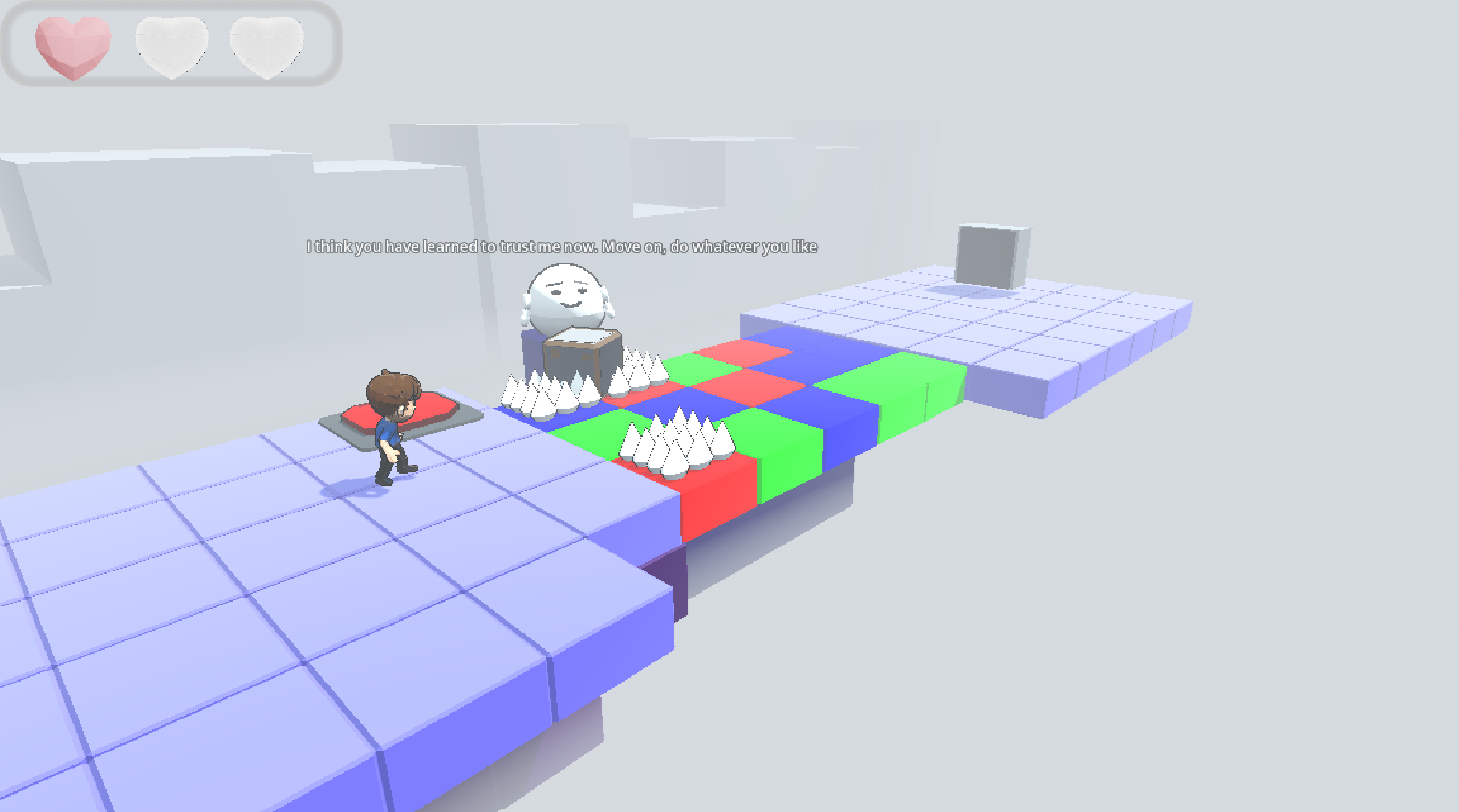
Here's screenshot, and level itself. I think Little Nightmares use camera as base point from where characters moves. But your game use characters forward vector as base point.
173 days ago (+1)
Thanks again <3 It’s really cool that you figured out the box is used to pass the traps I thought it would take a bit longer to solve and get through!
When the bug happens, you can press Escape, go back to the main menu, and rejoin the same level. I think what happened is that the cube got stuck between blocks. You’re supposed to use the box to test which block has a trap, then take the box back and place it on the button.
About the camera — it’s designed to show more details of the map and give a slightly cartoon-style feeling. :)