

When importing the asset, the skinned mesh renderer is missing its mesh. The file that are given under the "MODL" folder are all .blend files. I presume I need to import into blender and export as an .fbx but want to double check if that's the steps that I should be taking or if there is something else that I potentially might be missing.
Update: Attempted to do an fbx export and place it in the missing mesh slot however the only thing it did was stretch the model weirdly. I am not entirely sure what you mean by "it won't show up if blender isn't installed" but I have had blender installed and the asset still won't render nor assign properly in unity. I know you said that you won't help but would love to know what might be going on with it.
(Pic 1 of how it comes default, as seen the mesh is registered as "missing" and I have no option to reassign as any of the .blend/(1) files) 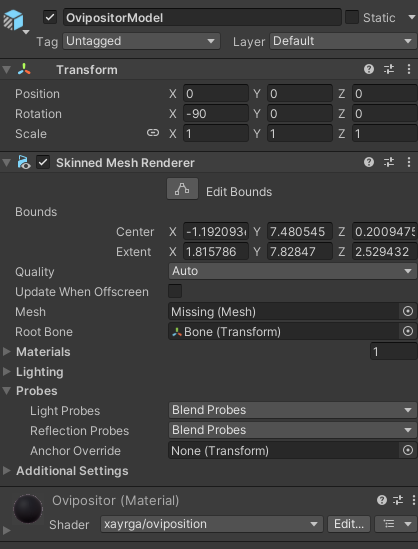
(Pic 2 of when swapping the mesh with an exported .fbx)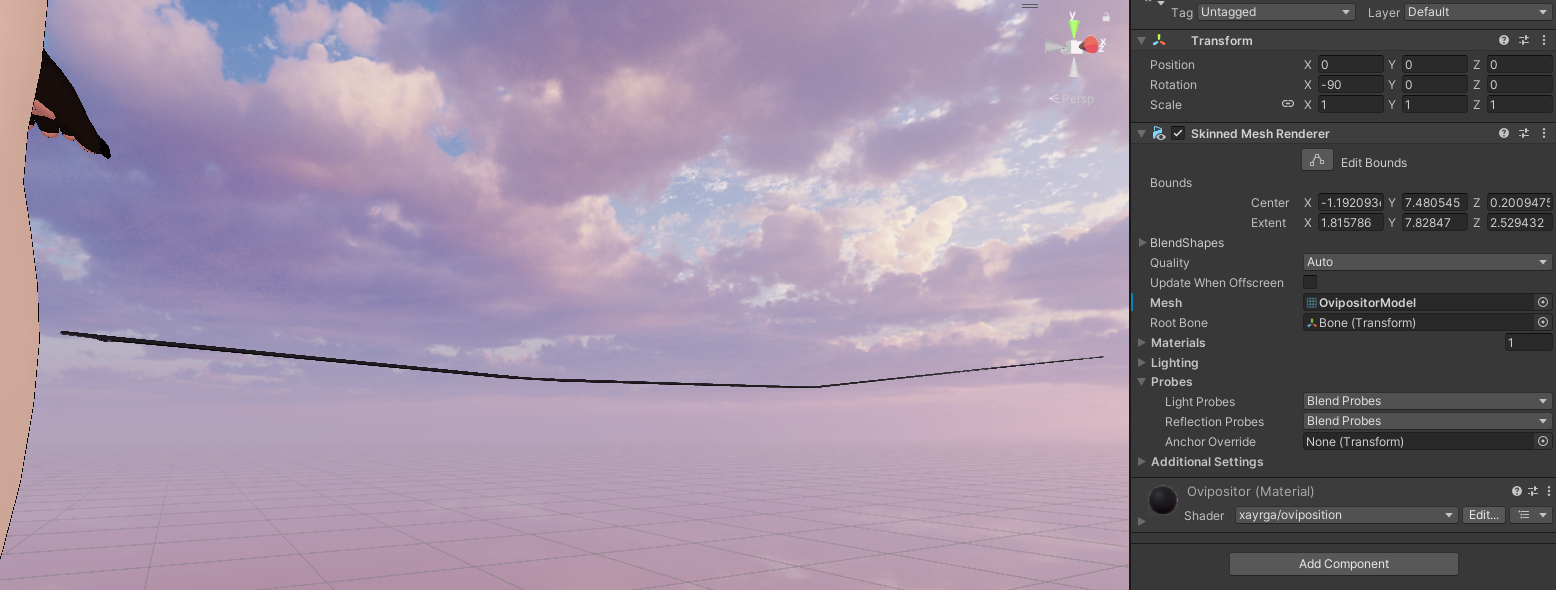
Blender should not only be installed but should be the default registered application for .blend files.
If you're having problems with it, recommend perhaps installing a newer version of blender.
If FBX export is the route you want to go, there's some modifiers you can change on the FBX export screen (eg. FBX units scale) , but at the moment I don't know the exact settings. Once I have an opportunity to check it I can comment again, unless you figure it out before then.
Thank you much!
I'll try reassigning the .blend files to be linked directly to blender. Another issue I just realized might be the fact I'm using the steam installation of blender instead of the standalone, I'll try that out and update the reply once I do!
Genuinely appreciate the help!
Update: Reassigned .blend files to be opened with blender as the default application and installed blender 5.0 from their website as a standalone. Unfortunately neither fixed the issue of the asset not having any model assigned. Is there another package that you may have installed into your vrc creator companion that allows blender compatibility?
Regrettably, there's nothing else that I have added to VRCC. Blender importing has been default unity behavior for me forever.
The default FBX export settings for blender should cover the usecase, though.
Just in case they don't, here's a model exported with the correct settings
https://xayr.gay/share/02-2026/OvipositorModel.fbx
aaaand here's the correct export settings

I usually keep blender models in the unity project as an "ease-of-use" feature, but you've got me thinking about platforms that both support unity, but may not support the type of integration i'm looking for with blender. I'll likely switch this over to FBX in future releases due to this. If reassigning the mesh for this doesn't work for you, let me know and i'll be happy to push a new release with the assets reassigned to the FBX by default.
thanks for confirming. To save you some hassle in the future, i've gone ahead and rebuilt the prefab from the ground up. There's a 1.3 release now that should solve your issues if you just want it to be drag-and-drop in the future.