FBX worked perfectly! Went through and tested each of the features and it seemed like everything was functioning as intended!
Thank you so much for the help!
A member registered Jan 09, 2024
Recent community posts
When importing the asset, the skinned mesh renderer is missing its mesh. The file that are given under the "MODL" folder are all .blend files. I presume I need to import into blender and export as an .fbx but want to double check if that's the steps that I should be taking or if there is something else that I potentially might be missing.
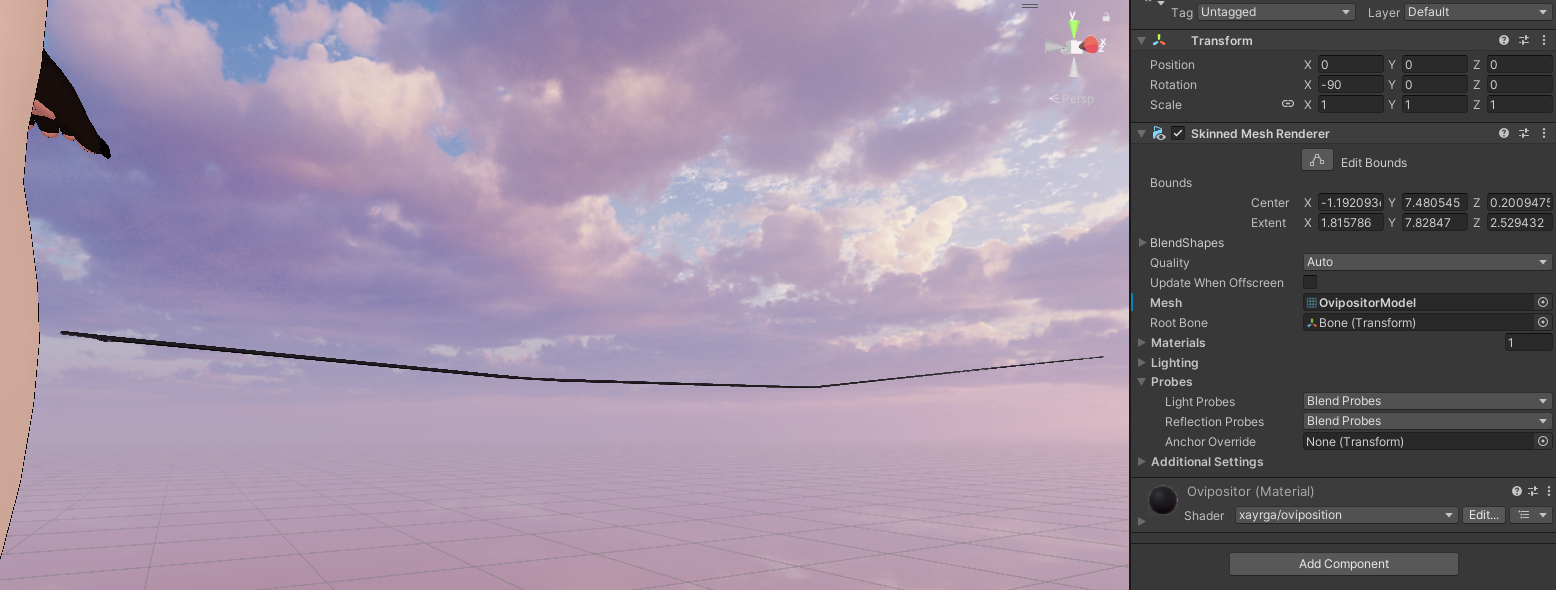
Update: Attempted to do an fbx export and place it in the missing mesh slot however the only thing it did was stretch the model weirdly. I am not entirely sure what you mean by "it won't show up if blender isn't installed" but I have had blender installed and the asset still won't render nor assign properly in unity. I know you said that you won't help but would love to know what might be going on with it.
(Pic 1 of how it comes default, as seen the mesh is registered as "missing" and I have no option to reassign as any of the .blend/(1) files) 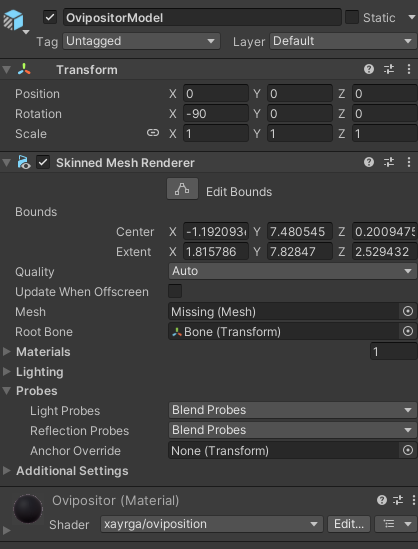
(Pic 2 of when swapping the mesh with an exported .fbx)