Indie game storeFree gamesFun gamesHorror games
Game developmentAssetsComics
SalesBundles
Jobs
TagsGame Engines
(1 edit)

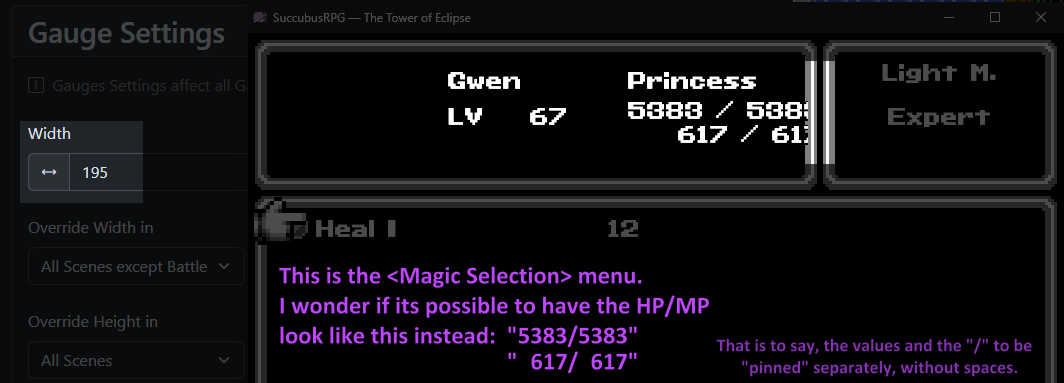
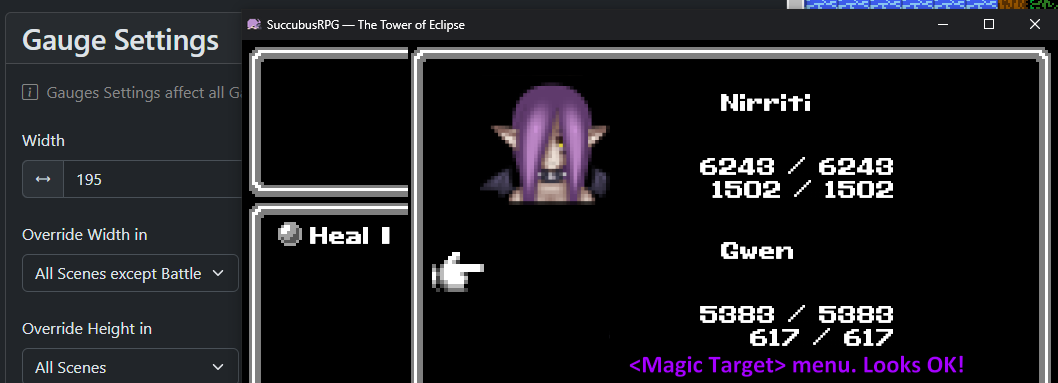
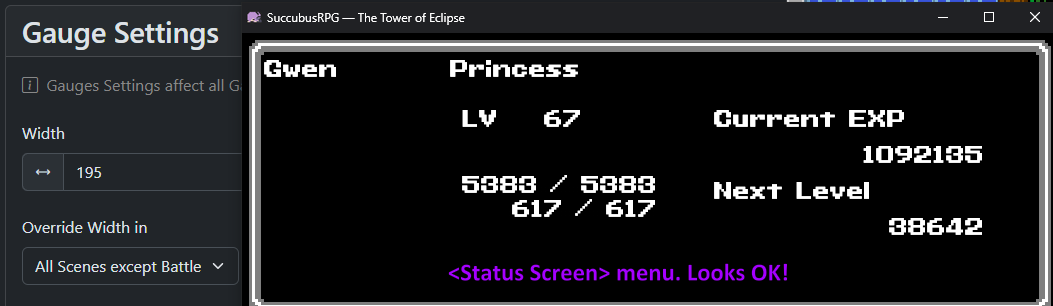
Correct, its on MZ! So Ive done some tests and it seems that the only place left where the letters are gone outside is on the <Magic> selection menu (which spell to use). Ive checked for <Items> (the part where you choose a target) and its just like <Magic Target Selection> (looks fine!) The status screen looks fine too now. Ill add screenshots to show what I mean (also note that Ive set the gauge Width to 195)


When the HP/MP are exceeding to the right in the skill menu, then I think that your game window resolution is too small. The MK UICustomizer plugin doesn't control the skill menu. You can buy my skill menu customizer because then you can move around widgets in the skill menu, or you can look for alternative plugins, because the MK one, which is available for free, only focuses on the main menu.

I like your idea to pin the / symbols to force-align them, so it will very likely come in a future update!