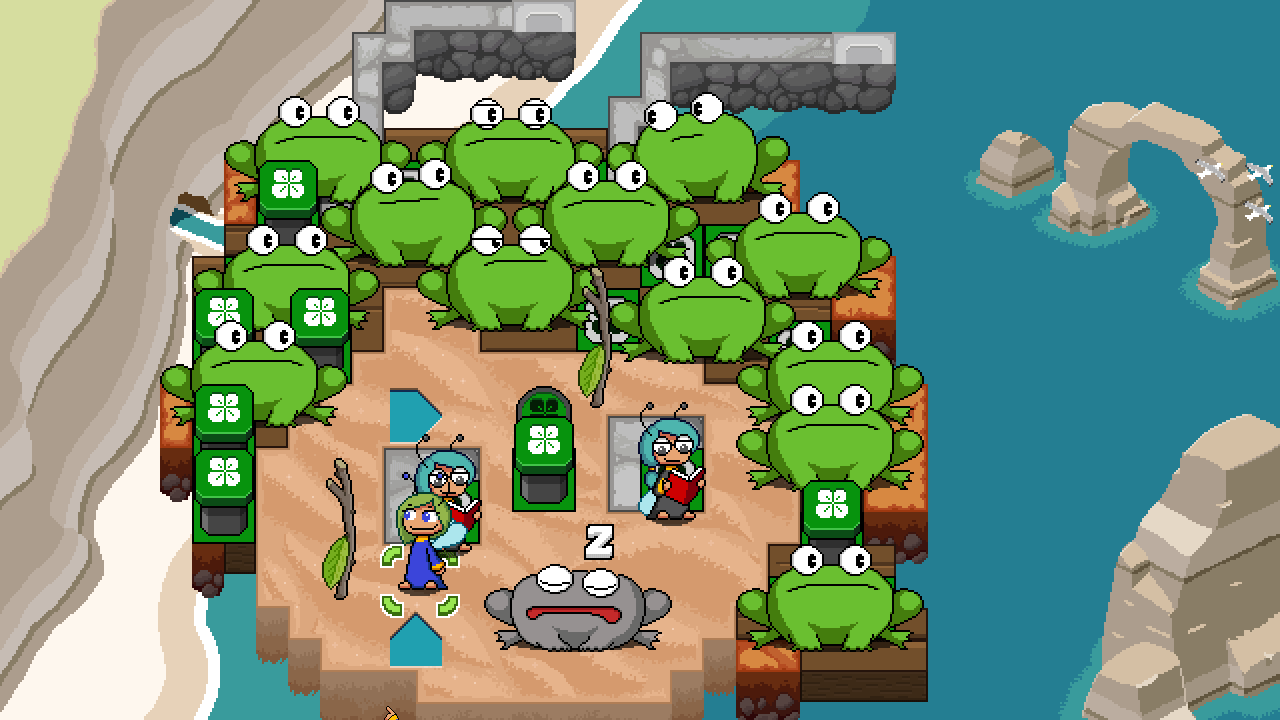
Only trying out the level builder[lie]. I feel skeptical of adding a level editor when the game isn't out, given it's a lot of work, is hard to get people engage with, and from what I've seen doesn't increase sales for most games. That said, you have the unique position of having a fairly large puzzle game audience already, so maybe it'll be fine. Plus, having one is darn cool.
-IMPORTANT DO THIS ASAP: add undo/redo support! Otherwise you will waste thousands or more hours of human life spent manually re-editing the level as they shape it. I recently did this for an editor, and one thing to ensure is that it doesn't cause an undo/redo step when doing a non action, like erasing a tile with nothing, or painting a painted floor.
-Why is the window fixed size? It's not the worst on 1080p, but a guy with 4k will think it's an editor for ants. Maybe Toads.
-One or two more zoom out levels would be nice, for crazy people making large multi part puzzles or whatever. Also, I'm not sure why it's notched instead of granular.
-Bug: If you lose focus, then click back into the window, the click action will occur both where the visual cursor was prior to clicking, as well as where you clicked. Basically it does two actions at once which will cause confusion.
-"Shrink cursor to one sub tile" button could be better I think. The current icon is very ambiguous, while I think an icon like the following would work better: a tile square with the sub tile lines, and the small cursor which is only on the top left sub tile.
-May want to label that the color palates can be swapped with 1-4.
-Color picker is good, but it should also allow picking a decoration when in that mode.
-Having decorations being in a scrollable box is bad(so many to sift through). I would prefer the palate disappear since you can't place any floor down while in the decoration mode, so that the options can be expanded along the bottom. Further, unless you plan to add more modes to the terrain submenus (paint vs decorations) I think it should be a one click toggle to swap between modes. [later, Oh I now see that the selected terrain changes the texture of the decoration. Fair enough, in that case please make the decor be laid out vertically on the right side of the screen perhaps.]
-I didn't expect the pinch button to do texture scrolling. I wish you could pinch the decorations too, ie instead of having to scroll to a texture to then place it a tile the left and delete the previous, you pinch it then continue with whatever. Though this would be less useful when you don't have to do all that scrolling for decor, or could color pick it.
-Object menu is okay I guess? It feels a little awkward, but there's a lot of stuff so it's hard. I wish the visibility toggle on this menu was available in the terrain too. Either for accidentally changing menus and forgetting to retoggle, or you're placing land and realize you need to see behind a character. Also, consider adding decorations as something to be hidden, I could imagine a situation where all the decor makes it hard to see the base layout of the floor.
-Can't figure how to change the landing location of launchpads. Also this UI for having to scroll numbers to change toad range and likely the launchpads is quite annoying. I'd like to have some visual editor handles when you're focused on the unit, like you click drag to easily change the launchpad target, click drag the radius of the frogs, etc.
-Not sure if the black and white rect is the camera view or the level bounds. Probably cam I guess. Not sure if the camera would move around in a super large level. Also there ought to be a handle to drag the rect instead of shimmying with the sizing.
-Hiding grid toggle in pause menu is meh. Two issues I notice with it: when zoomed out at max, half the time the lines of the grid disappear(both normal and sub tiles), due to subpixel positioning or whatever; and the sub tile lines being white is terrible to my eyes. Make them a darker gray so you can still distinguish the main tile lines. (PS why is 'x/y offset' even a thing? Does nothing basically)
-Try make hotkeys more obvious by labeling buttons, and add some more? ie H for hiding the UI.
-Now looking at the help menu, intentionally ignoring to see how intuitive things are. So a couple good things like toggling grid and etc. Apparently holding right click can change the facing and move the launchpad target, etc. I was just using it to select objects before. Could perhaps make more obvious by drawing a line from the object to your cursor to show what you're wrangling beyond the green highlight. Now that I know this a decent amount of pain points are addressed.
-Seems to be no way to select which fairy is the first one you control in game.
-Being unable to save then play the level from the editor is quite annoying. I hope it's included into the main game for faster iteration time, though perhaps you want to allow non game owners to make maps for their favorite frogtuber or what have you. But, letting you make a map you can't play to completion is disaster in the making.
-If possible have option to increase FPS, polling rate is low enough that if you move the mouse too quickly it will skip tiles in its path when holding an action. Just a guess though, perhaps it won't help.
-Save dialog is zoomed in and blurry, so you don't get much room for the file path text and etc. I assume you can't do a native file dialog due to godot 3.x or something.
-Saving doesn't automatically name the file as what you called it in the previous 'name and author' dialog. Not great UX. Also, after a file is saved, when you go back to the save/load dialog, the file(s) you just created won't appear in the file viewer until after you reload the directory.
-I somehow managed to make it so the save button in the dialog was grayed out. Eventually it came back, I think by loading a level file.
Bonus bug when briefly playing main game to see if I could load a level: Main Menu -> Options -> Control & Misc Tab, the back button at the bottom of screen can't be clicked. Can be used with Enter though. Oddly enough, this seems to only be broken in main menu, the pause menu in game is fine. PS, the 'Setup controls' button doesn't have a blue outline on focus unlike all the other buttons.
-Just noticed that you can't click onto the levels in the world map. Not a big deal, but it could be nice if someone is still in clicking mode after entering from the main menu.
-Game seems to not save??? I complete a couple levels, exit to menu and there's no save in the slots. I try several times, reboot, etc it doesn't work. Only thing I can think of is if my previous game saves made it explode or something. But, ignoring old save files is ez and likely already done so idk(and with a quick check the game is a special demo version so it isn't even using the same folder for data). I hope not intentional, it's confusing and the demo has enough content to need saves.
Keep up the good work, I'm looking forward to release.