
On Sale: GamesAssetsToolsTabletopComics
Indie game storeFree gamesFun gamesHorror games
Game developmentAssetsComics
SalesBundles
Jobs
TagsGame Engines
(1 edit)

Thanks for the insights Charlie, much appreciated!

I couldn’t find a way to add nodes and then removing a specific segment of a shape directly in PixelCNC, so I ended up doing that part in Affinity Designer and then re-importing the vectors. I’d love to learn the pixelCNC native method how for next time.

The result:
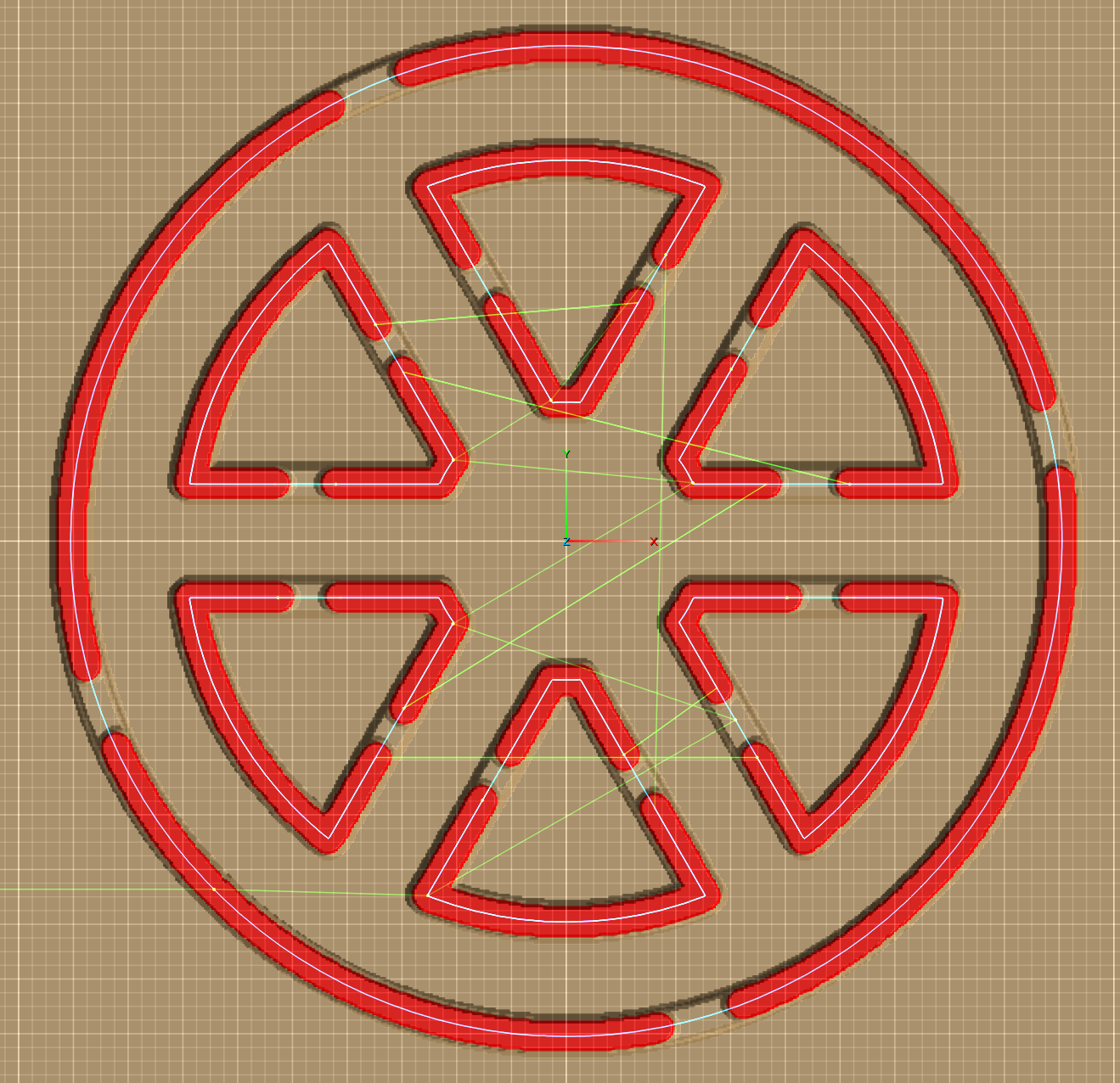

Also, having more control over tab placement would be extremely helpful. I’m the guy who moved from Carveco to PixelCNC a while back (we’ve exchanged a few emails), and I wanted to share this use case with you. An offset parameter would help a lot but precise tab control would really make a difference. If you jump to 4:53 in the video, you’ll see what I mean. This kind of control would be especially useful in situations like the above (being able to keep all in 1 path), or the skull/snake tutorial, where parts such as the tail are quite fragile.

Thanks again for taking the time!

Hi Ynitial,

That looks good!

What I do to create gaps in paths in the paths-editing mode is hold CTRL for node placement, left-click on the path to create nodes, and then while holding SHIFT you can right-click nodes to remove them and the section of path they're on, whereas right-clicking nodes on a path without holding SHIFT only removes the nodes from the path without breaking the path up.

Removing nodes without breaking the path can be useful for rounding out corners too. Simply hold CTRL and place nodes next to a corner node, one on each side, and then right-click the corner node. The path will automatically interpolate between the two nodes that were created next to the corner node.

The path-layer editing mode can be super handy for doing all kinds of things and I highly recommend becoming familiar with it. The '?' button at the top-right of the PixelCNC window when in the path-editing mode will show you all of the modifier keys for drawing and editing paths.

Hope that helps! Have a good day :]

 - Charlie