

bought it and did everything that was told to do and unfortunately still does not work (windows) </3 do u do refunds ?
hi! you will have to reach out of itch for the refund as i don’t actually have access to a refund option.
for itch, i would recommend:
- check if you’ve followed the download instructions on the page (you will have to manually move the dlc into the game files to get it working)
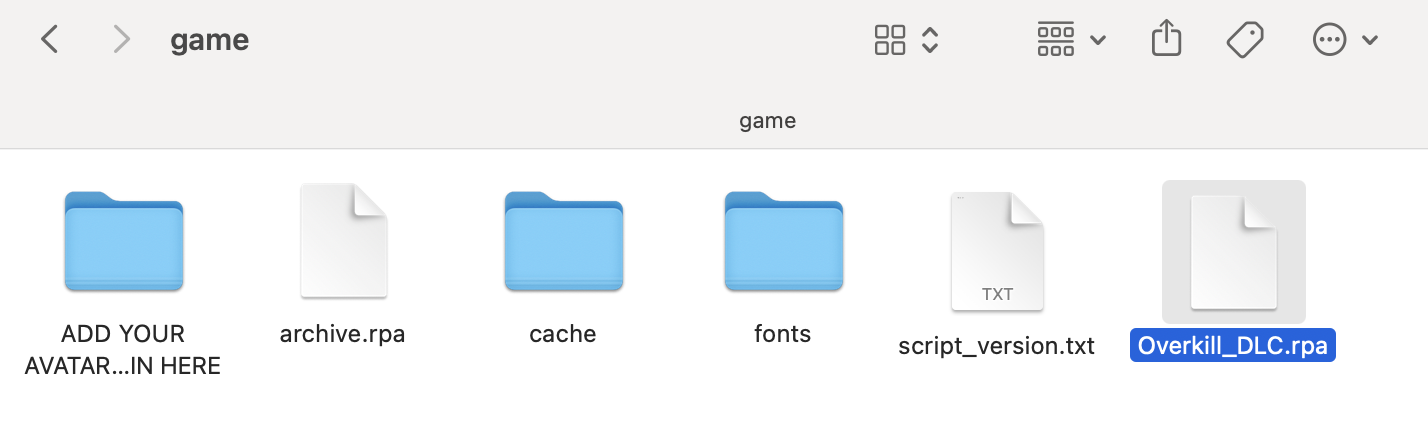
i use a MacOS but the file structure should look like that. the DLC also needs to be unzipped to work properly.
-
check if you’ve downloaded the killer chat! version that is compatible with the dlc (1.4 version)
-
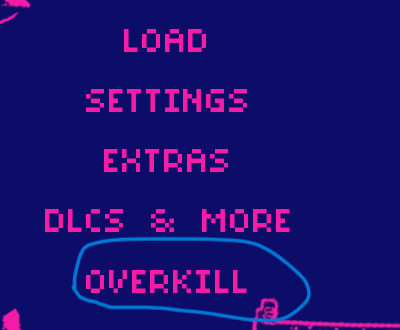
if everything is correct, clicking “overkill” on launch will bring you to your saves screen. you will be prompted to load a save.
basically u have to redownload and play through killer chat again (if u deleted it), (and download the dlc aswell) , make sure to unzip both folders or it wont work, once u unzip make sure to minimize and split screen the folders, (both the original killer chat and the new dlc) once unzipped, then hold left click to bring it into the 'game' folder , once u did all that i think you have to re complete the original so when you click overkill on the loading screen and it brings u to saves click on auto saves and click on the very last one n that should work
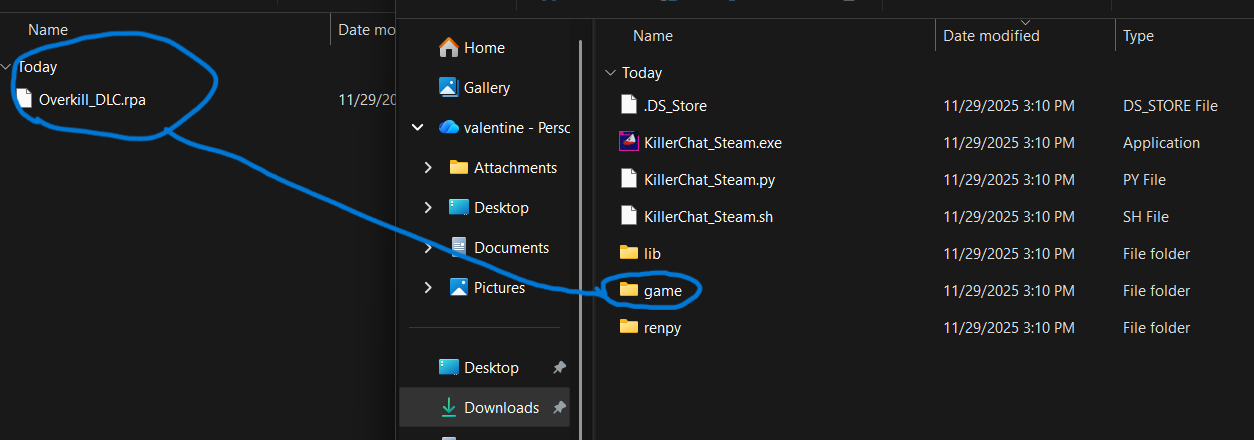
when you download the overkill dlc go to ur folder and click on downloads make sure it says overkill dlc zip thats where it says overkill dlc and make sure ur downloading the newest fixed version, this is unfortunately the only way so if u still dont see it i suggest requesting a refund and buying the game on steam instead