

Actually, the rotation on the up axis is fine - the issue comes from the 'Euler XYZ' in the X direction being misaligned. Additionally, my problem isn't due to orientation mismatches, since upon exporting the meshes and placing them statically they are fine in Godot and Unity, as you mentioned.
The main issue is if you do any sort of physics calculations to the object. Especially in Godot, the mesh objects are usually a child of the scene / node that you'll be doing physics operations on. Assuming that the parent scene doesn't have an additional rotation, upon interaction with the physics object, resetting any sort of rotation in engine will cause the mesh to revert back to its original rotation that needs to be applied within Blender.
Again, I'm not asking for you to reorient the mesh. That is fine. What I'm asking is if you'd be able use 'apply' on any rotation or transforms within Blender so as to zero out the data while not actually changing how the mesh itself is oriented.
For instance, if you were to scale an object by 2 in Blender, and then apply an automatic collision body onto said mesh in any game engine, this may cause inaccuracies with the collision detection amongst other objects, while visually the mesh will look fine when physically it is not. You would want to apply all transforms to the mesh object so it is scaled properly as desired, but it is now standardized so that it does not look like a scale of (2,2,2 in engine.
This is the same concept that I am referring to within the asset pack. I wish Itch.io would allow me to post photos but it seems like there is a weird blockage that prevents me from showing you the issue.
I am confident that other devs may not have reached out and reported this as a problem because they either are using your props as static objects for decoration or just have not bothered to report it.
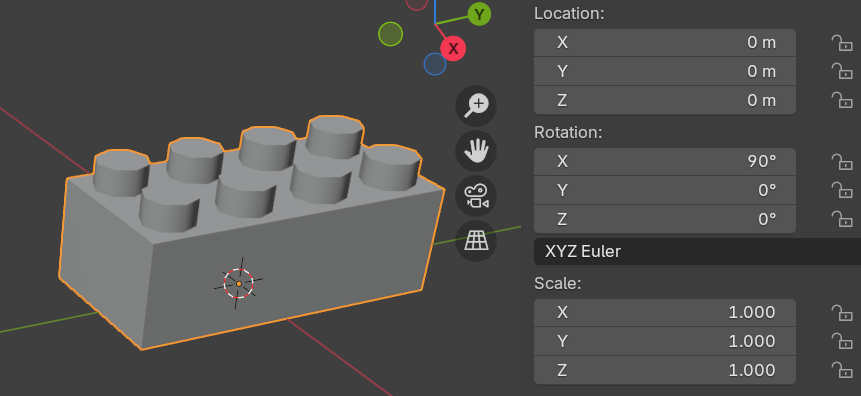
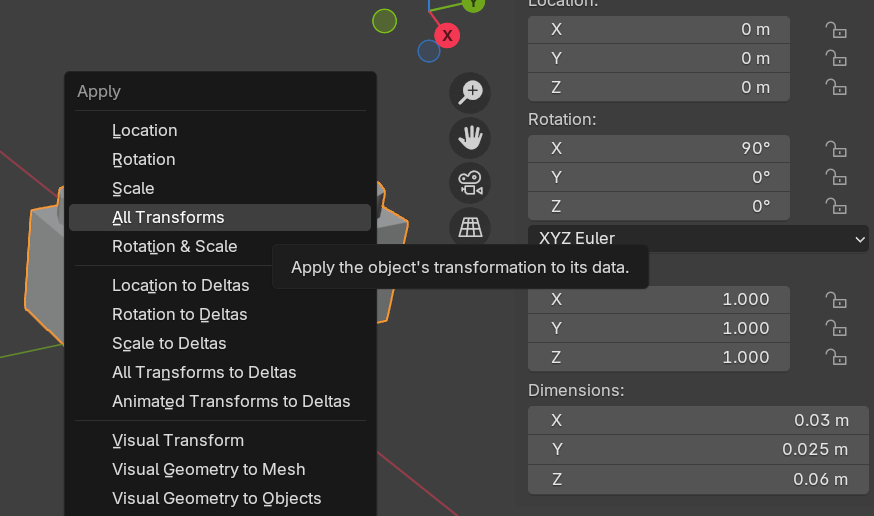
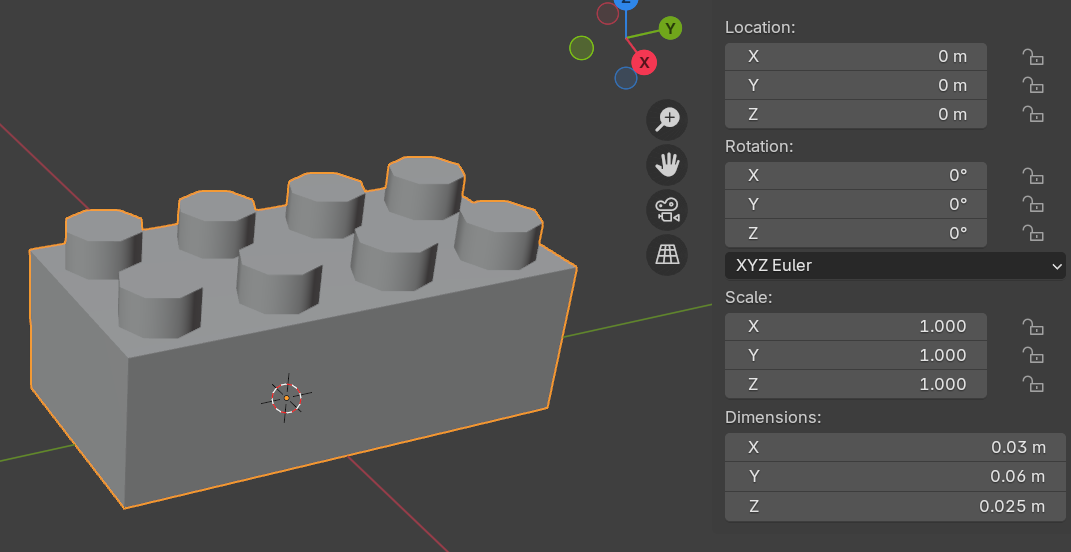
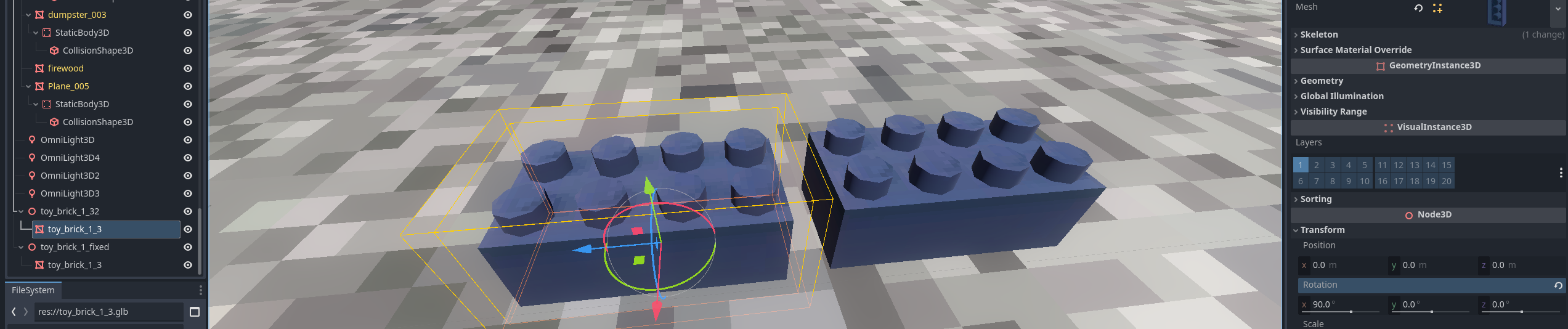 In the inspector window, you can see that the original model's mesh has the 90 deg rotation applied. Godot recognizes that this is not zeroed out, so there is a small 'undo' icon that will let you click on it to zero it out. If you do, the actual mesh will have this orientation:
