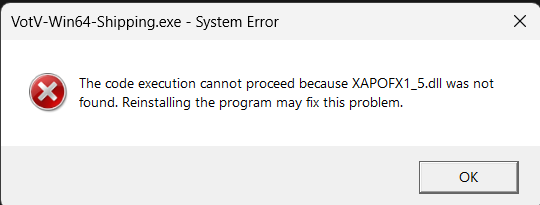
I can't start the game due to this error help pls

Gather unknown signals from deep, silent space · By
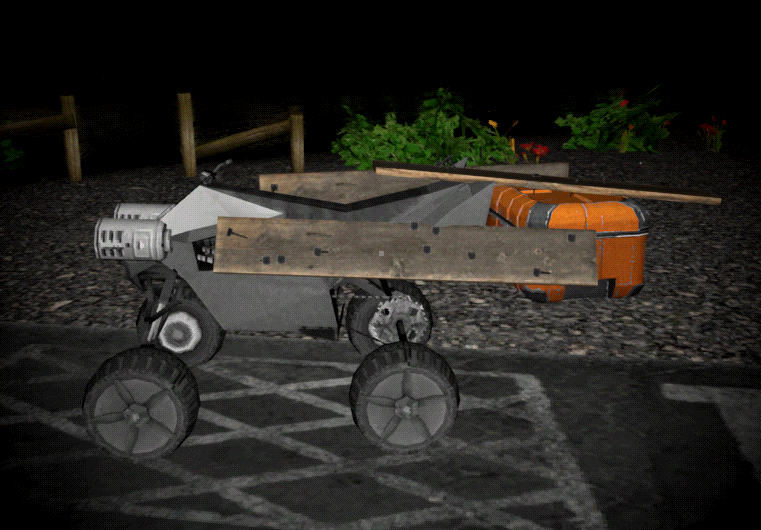
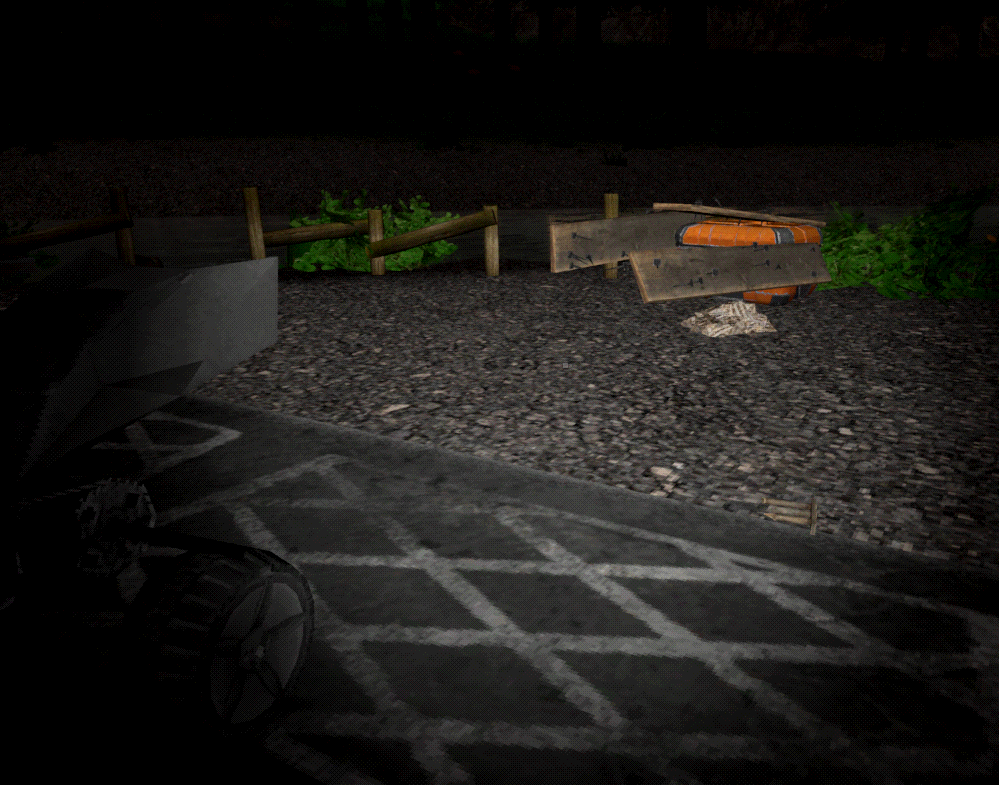
This might be a bit esoteric but I have found that you can "upgrade" the ATV with storage by nailing a crate to it with planks.
However upon a game save and load, it becomes detached. If you drive the ATV, it will pull away and leave the crate and planks hovering in the air.
I dunno, maybe fixing this on a game load is out-of-scope for the game. Personally I'd love it... it feels fair, a reward for clever use of in-game tools, and also isn't overpowered (it can become detached easily on a crash). But in particular, if it can't be fixed, it might be better to prevent it from working in the first place. Someone might think this is a viable strategy, and later get caught with their pants down loading their game far away from home, and struggle to bring their stuff home.
i put the large and small plates stacked on top of each other away in the lower cupboards to store them, upon quitting and loading my save all the plates were clipping into the floor and being very loud, i assume this is a bug with open containers because storing the plates upside down hasnt had this issue
I added about 40 Gb worth of videos to the TV folder, most of them are short so its like 1500+ videos, and the game is normal, but as soon as I open the video browser on any tv, the game will function as normal, but all of the building and terrain textures become very low quality, to the point where the walls on alpha base only have around 8 pixels worth of details spread the entire wall (bad way of explaining but it almost looks like the textures if they were seen from a very very low render distance).
Custom content doesn't actually use the real %LOCALAPPDATA% but rather what seems to be a hardcoded path using the systems PC Name?
%LOCALAPPDATA% has all the expected save game data etc you'd expect, so it it does use this for save data.
However when we activate custom content and it says that we should add our content to the %LOCALAPPDATA%/Votv/Assets/tv you might not be able to get the assets folder at all.
Instead what the game did, is create a "fake" Appdata using the pc name. In my case it created a new folder path under Users: (PcName)/Appdata/Local/VotV/Assets/tv
That's weird my save data and custom content folders are all located in the same folder which is "C:\Users\"myname"\AppData\Local\VotV". It has always been this way as well at least as long as i have played the game which is about a year. I think you can set your own custom content file path in-game in the settings.
I'm glad that it works for you, but that's not the point of a bug report.
The default settings, aka blank asset path, leads to the game creating and searching for a false Appdata path.
Meaning there is some bug or discrepancy in how the game gets Appdata while accessing custom content, vs how the game gets Appdata while accessing save data etc.
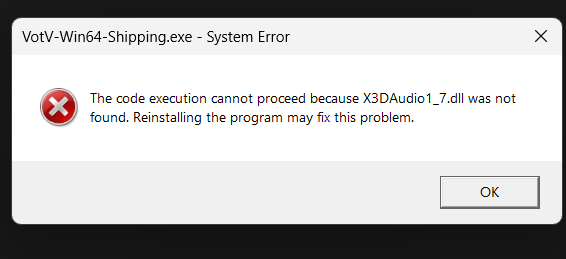
hello, the Google form won't open for some reason, so i decided to leave the report here. i'm not completely sure if this is a bug or intentional, but i found a way under the map. it's on the entrance to the base, and i stumbled on it by accident, even couldn't get out at first. i got it recorded so that you would be able to find it easily, take a look, pls
This also counts towards v.9 if im correct but oh well
For some reason in one of my save files (specifically, im on a file with an drone hooked onto a camera) it will never move, I think the cause of this issue is you know you can hook anything to the main drone? I tried to hook a camera to it, the camera got stuck on the barrier and now the drone is inactive, and to prevent this from happening in the future, is it possible to make the main drone not be able to be hooked onto?
Please fix or tell me whats wrong
For whenever reason, Whenever the 'escape' entity appears, I can easily get rid of it by jumping off an not very ledge or going up the radio tower, is this intentional, And for some reason it also sometimes doesnt even show the 'escape' message when it spawns, leading me to just suddenly get murdered out of nowhere if i don't notice it
Opening up the radio menu and clicking on a song/pressing the skip button instantly crashes my game. I had this problem before and fixed it temporarily by re-copying the .mp3 files back into the /assets/radio folder and reloading it using the button in the settings. This doesn't work anymore and now I have this problem every single time I try to use the radio, no matter which song I click on.
This is probably due to an unsupported character in one of the song titles, but given how often such characters get used this can be a problem.
Here's the error message I get:
LowLevelFatalError [File:Unknown] [Line: 902]
Rendering thread exception:
LowLevelFatalError [File:Unknown] [Line: 258]
Result failed
at D:/Build/++UE4/Sync/Engine/Source/Runtime/Windows/D3D11RHI/Private/D3D11Query.cpp:360
with error DXGI_ERROR_INVALID_CALL
0x00006fffffc0d137 kernelbase.dll!UnknownFunction []
0x0000000141229eb6 VotV-Win64-Shipping.exe!UnknownFunction []
0x00000001411eae6d VotV-Win64-Shipping.exe!UnknownFunction []
0x00000001416b558b VotV-Win64-Shipping.exe!UnknownFunction []
0x000000014169e549 VotV-Win64-Shipping.exe!UnknownFunction []
0x00000001416ac84d VotV-Win64-Shipping.exe!UnknownFunction []
0x0000000141b1522b VotV-Win64-Shipping.exe!UnknownFunction []
0x0000000141b30f48 VotV-Win64-Shipping.exe!UnknownFunction []
0x0000000141b37654 VotV-Win64-Shipping.exe!UnknownFunction []
0x0000000141b285e2 VotV-Win64-Shipping.exe!UnknownFunction []
0x0000000141b3522d VotV-Win64-Shipping.exe!UnknownFunction []
0x00000001417b725a VotV-Win64-Shipping.exe!UnknownFunction []
0x0000000141b0681f VotV-Win64-Shipping.exe!UnknownFunction []
0x0000000141af4e9e VotV-Win64-Shipping.exe!UnknownFunction []
0x0000000141afd819 VotV-Win64-Shipping.exe!UnknownFunction []
0x00000001410ebe5b VotV-Win64-Shipping.exe!UnknownFunction []
Hi! I'm getting really confues on a bug with keybindings that doesn't go away after restarting the game. The precision placing (left shift + alt, then R) isn't working anymore, and I have changed no settings at all (apart from the "ragdoll" key at the start of my run, many hours before this bug happened): I can still press left shift and alt and have the green placeholder for the object, but when I press "R", it says in the left "Precision angle 0.0", and doesn't place the object at all. I tried goin in the tutorial, just in case I had forgotten the shortcut, but no, it says the same keys and it doesn't work in the tutorial too, but it doesn't stay the precison angle popup, it just doesn't place the object. It's getting pretty annoying because I can just drop or throw objects now, which is really slow compared to that shortcut. Am I doing something wrong?